


Known Participant
December 26, 2019
Question

Why is Bridge 2019 working hard on (caching?) empty folders?

  • December 26, 2019
  • 1 reply
  • 725 views

I have a folder Chevron that contains two (2) images.
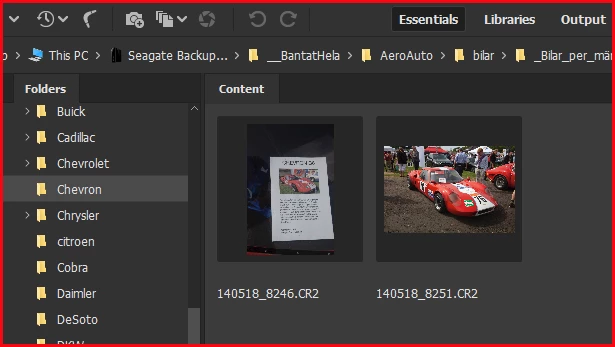
When I opened Bridge I noticed that it used a lot of CPU (up to 20-30%) on this folder

(no other programs on):
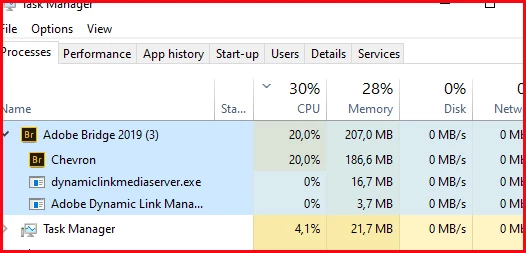
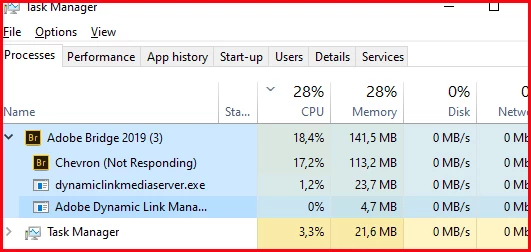
After some 20 minutes I closed Bridge and opened it again.

The work with Chevron started again, but now with No response from Chevron:
I rebooted my PC and opened Bridge again.

Bridge started working on Chevron again.
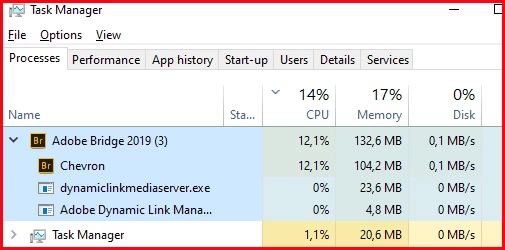
My processor is a 4x3.0GHz xeon. So 30% is a lot of processor power.
My problem is that Bridge overall uses a lot of CPU…

Could go up to 100%.


The situation that triggered this was that I had an instance of Bridge open with that folder Chevron open. The only action on this Bridge was that I dragged and dropped images to other folders than Chevron.


Next day when opening Bridge it has dropped Chevron but had an ongoing Bridge process:
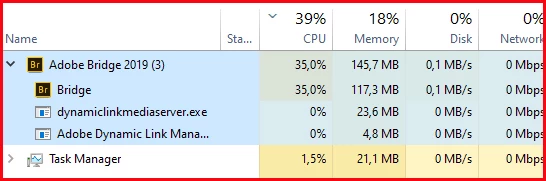
 

Any ideas why this happen?

This topic has been closed for replies.

1 reply

nikunj.m
Legend
December 27, 2019

Hi there,


We are sorry about the experience with Bridge 2019.


Would you mind resetting the preferences of Bridge using the steps mentioned here: https://helpx.adobe.com/in/bridge/using/adobe-bridge-workspace.html#restore_preferences


You can try to optimize the performance of Bridge using the steps here: https://helpx.adobe.com/bridge/kb/troubleshoot-errors-freezes-bridge.html


Also, you can try updating Bridge to the latest version through the Creative Cloud desktop application and check if the issue persists.


Regards,

Nikunj

LarryM01Author
Known Participant
December 27, 2019

Thanks Nikunj,


I will go through that but have some questions:


First:  My experience of Bridge is excellent, cannot do without this magnificent program!

 Though trying to understand it deeper raises questions..


In your second link (“Troubleshoot Bridge for freezes and performance issues”) it says:

There is no “Purge All Cache now”. (At least not in Bridge 2019).

There is “Cache Management>Purge All Local Cache Files”.

Is there a command to purge the central Cache and not only the Folder Caches?

My total caches reaches a size of 100 GB. How long time must Bridge run before all caches are restored?

Of course hard to say (my CPU=4x3.0GHz) but isn't there a cost to do such a command?


About Purging: Does Purging always mean delete All cache files and rebuild them all from scratch?

It could instead be “remove cache files with no or changed original files and rebuild cache files for  new and changed original files”.

For huge folders that hasn’t changed it could be an immense gain in time and work.


About downloading Bridge 2020. This requires use of Creative Cloud. I don’t want anything to do with Creative Cloud or cloud services. I want my single PC computer to be standalone. Is it OK to download Bridge 2020?

nikunj.m
Legend
December 30, 2019

Purging the cache only removes the cached data and it gets rebuilt when you restart Bridge. You can do that by going to Cache management under the Preferences for Bridge and click on the option to Purge All Local Cache Files.


Would you mind moving the Chevron folder to the desktop from the Seagate drive and check if accessing the folder through Bridge results in the same behavior? You can also test this with a different drive (if you have one). Also, please share a screenshot of the task manager while accessing any other folder that has a couple of RAW files only.


Bridge 2020 works exactly like 2019. It accesses the files locally on the system and keeps the images locally unless you upload the to the Creative Cloud storage. (The same functionality is also available through Bridge 2019)