Participant
Feb 16, 2020 11:16 AM UTC
Question

Win10 Scaling window text too big or to small. "Goldilocks Zone" size needed.

Hello,

I started fresh on a new PC with Win10 and a 4k 27" monitor before purchaing and installing Adobe Ps, Lr and then Bridge. I'm tring to move from FastStone Image Viewer to Bridge as FastStone is bogging down on my catalog size and slowing down. Thoght I would get Bridge a try.

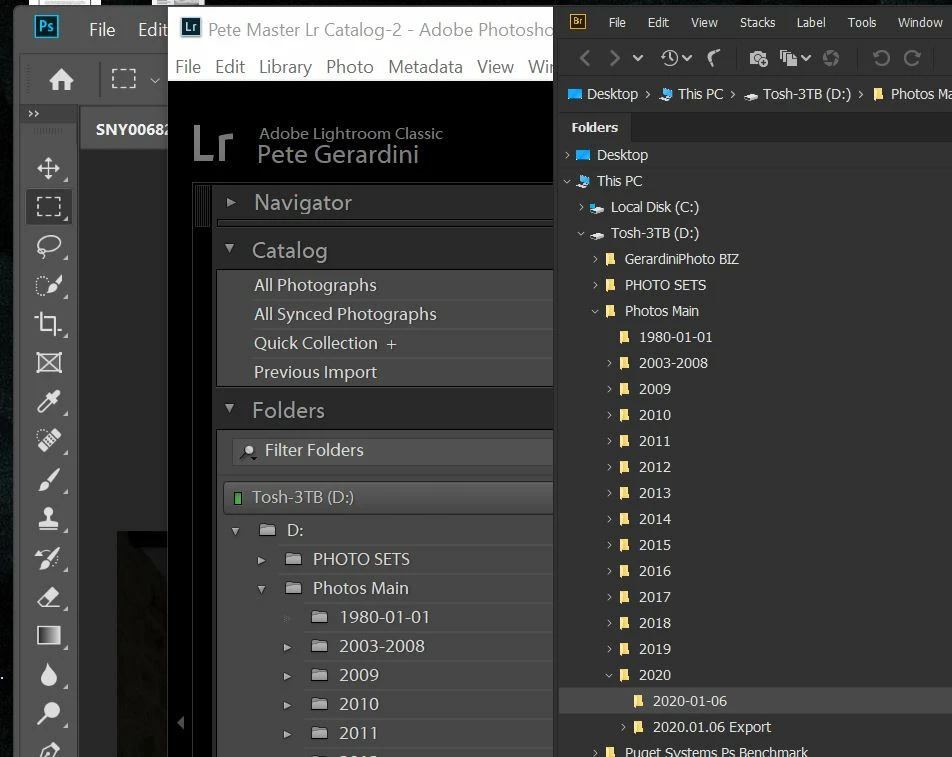
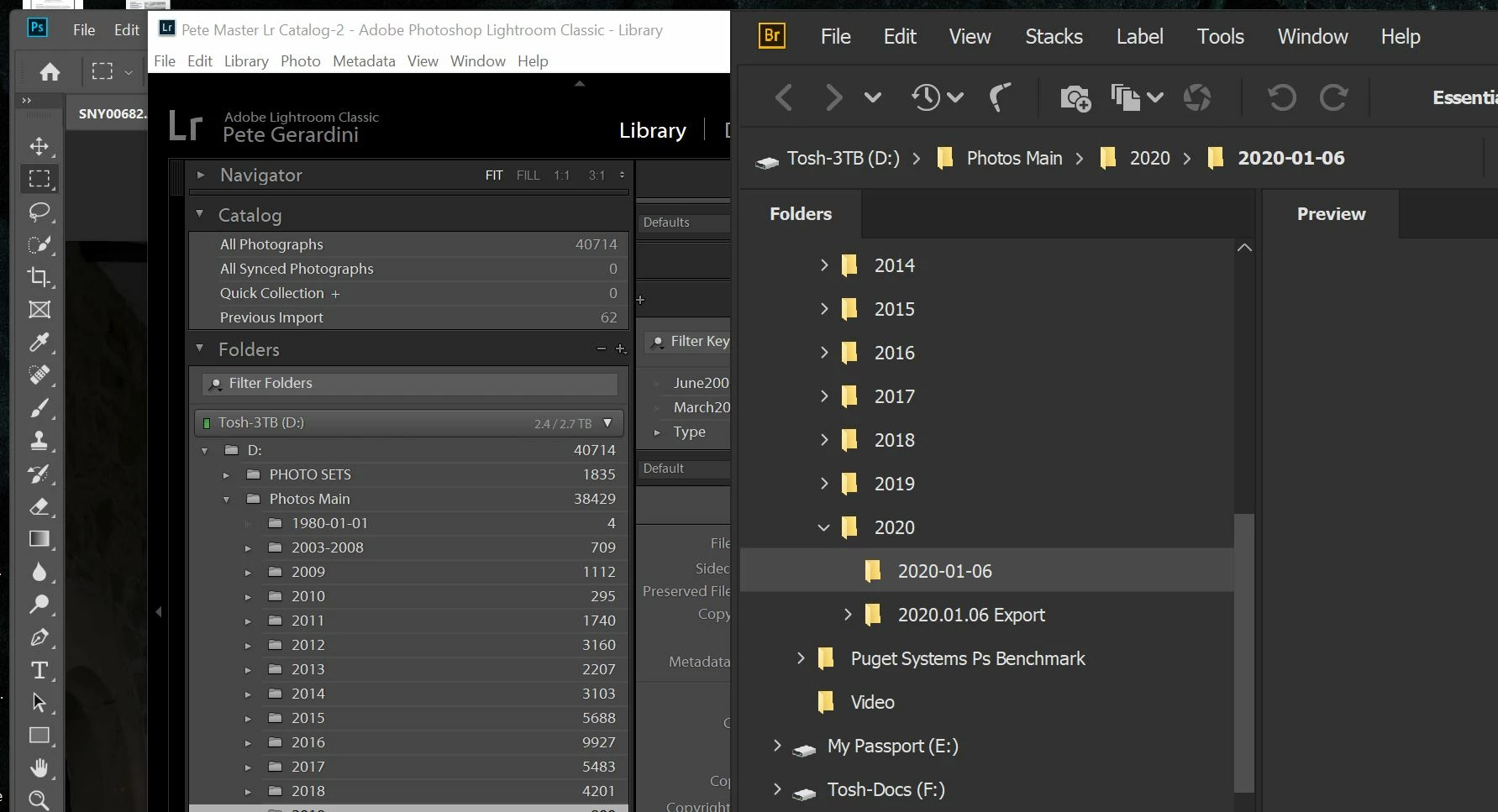
One big problem is window font sizes. As you can see it is way too small or big. The small I can't read and the big defeates having the larger monitor real estate to work with.

I have adjusted Pr and Lr to scale correctly as per solutions provided in this community, but have not for Bridge.

I have tried changeing to threads in this community:

  • Changing the DPI bridge.exe peferences.
  • Changing Bridge perferences for text scaling and user interface scaling; Auto, 100% & 200%.

All to no avail.

As you can see from photos I have fixed he scaling problem out with both Ps and Lr to get workable results.

There is just no way I have found to get a size that is inbetween the two too small or to big.

Why can Ps and Lr to get this "Goldilocks Zone" size, but not Bridge?

Please help, I would really like to use this tool in my workflow as it's mush more powerful than FastStone.

Regards,

Pete


This topic is closed to new replies. Start a new post to keep the conversation going.

5 replies

Known Participant
Feb 26, 2020 6:19 PM UTC

Hello,

I've got the same problem with 27" and 2560 x 1440 px. Probably it's worse with higher ppi. I have set desktop scaling in Windows to 125%, font size in Bridge to the largest font and left te setting for UI scaling to "Auto". That gives me a mostly usable UI in Bridge but some parts of the UI aren't scaling  The Menu bar items are still small, text in the status bar (e.g. number of elements) is tiny and tooltips aren't readable. What's worse is that the UI text of ACR isn't scaling at all. Whatever font size I set for Bridge, the text in ACR stays the same and is very small. Besides I have found that I have to restart the system to change the settings reliable, it's not enough to just restart Bridge.  

Rainer

Translate
Participant
May 24, 2020 8:49 AM UTC

SOLUTION


I updated to most recent version of Bridge, however no application fix. I don't have this problem with Ps or Lr.


Did a little poking around and found idea for solution, thanks Linus Tech


https://youtu.be/NF210WeR9C8?t=243


Which lead me to a solution here in the Photoshop community from FIVE years ago!


https://community.adobe.com/t5/photoshop/photoshop-cs6-menus-and-icons-too-small-on-windows-8-1-with-4k-uhd-display/td-p/6863303?page=1


Then I went into Bridge prefs and set user interface scaling to "Auto" and picked the Text Size to be in my "Goldilocks Zone" and aaahhhh finally.


Now I can switch over to Bridge from FastStone, however with a very small hard to see black cursor, which already has a topic on here.

Translate
Participant
Jul 13, 2021 12:14 AM UTC

You have saved me so much frustration!!!! Alas, I can see everything with no eye strain. YAY!!!!!

Translate
PECourtejoie
Community Expert
Community Expert
Feb 17, 2020 10:05 AM UTC

Hello, which scaling settings are selected in Ps and Lr?

What is the size of your monitor, both in inches diagonal and H&V pixels?

Translate
Participant
Feb 17, 2020 1:16 PM UTC

Hello,

Images of Ps & Lr preference screen shoots below, darker gray is Ps. If scaling information is somewhere else

Minitor size in inches 27
Resolution H 3.840 x  V 2.160 Pixel

Regards,

Pete


Translate