Participant
April 7, 2024
Question

Zoom tool in Bridge not working correctly

  • April 7, 2024
  • 2 replies
  • 276 views

When trying to enlarge a photo, the zoom area does not display correctly, see attached. Do you have any ideas on how to fix this?
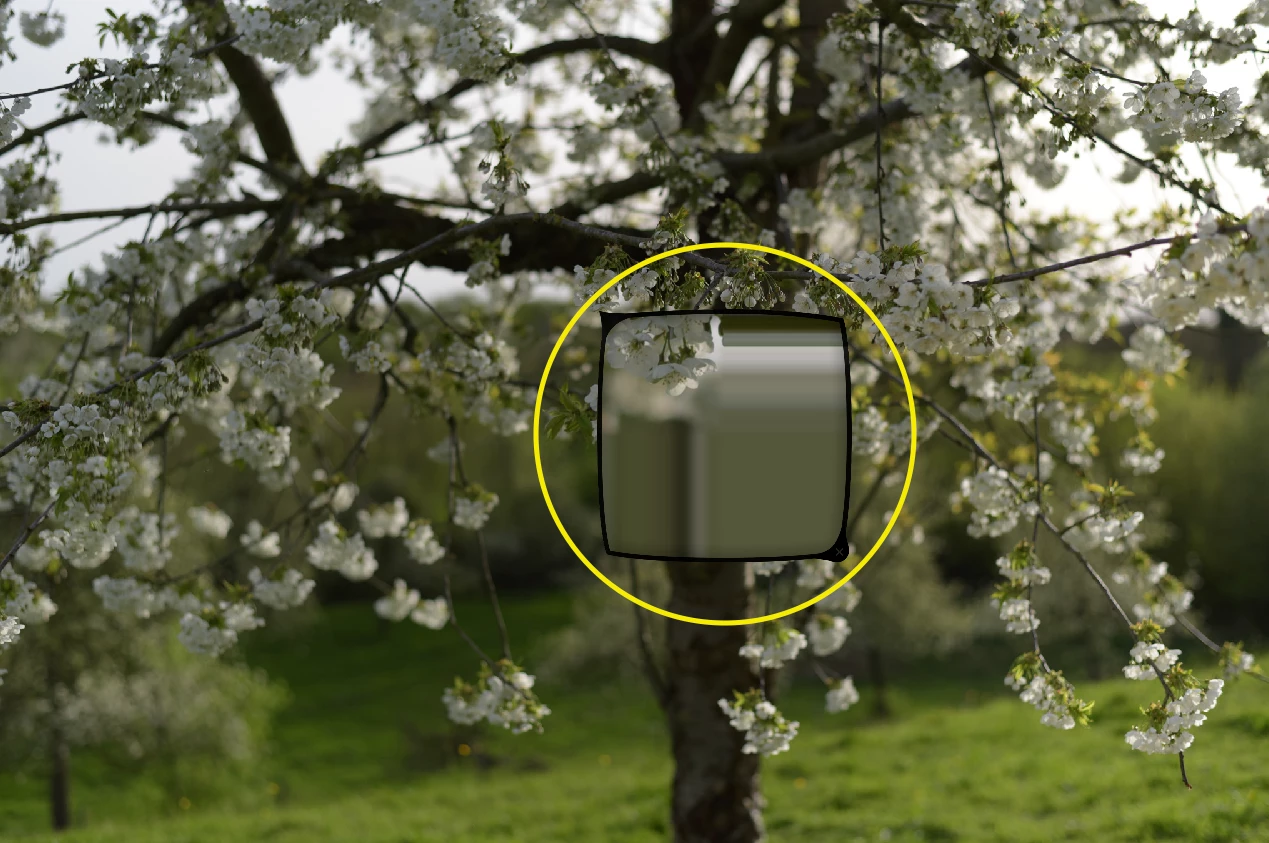
 Thank you!

This topic has been closed for replies.

2 replies

Participant
December 26, 2024

i have the same issue, did you find a solution?

gary_sc
Community Expert
Community Expert
April 7, 2024

Hi, @Diego Leon be ; you do not state what your OS is, what kind of computer you have, nor do you state if these are raw images or not, but assuming they are raw images. Go to the Adobe Camera Raw Preferences, and go to Performance. Then, depending on what kind of chip your computer has, when you mouse down on the "Use Graphics Processor" drop-down menu, see if there's an OFF, or when selecting Custom, see if there's an option for processing the image. Anyhow, turn this off. [I'm sorry, my Mac's M1 processor satisfies the Graphics Processor's demands, so I can't show you what it might look like otherwise.]

Anyhow, let us know if this solves your issue.