


Participant
February 15, 2017
Answered

Noise reduction problems with DNGs generated in Android device

  • February 15, 2017
  • 1 reply
  • 1633 views

Hello Adobe Team!

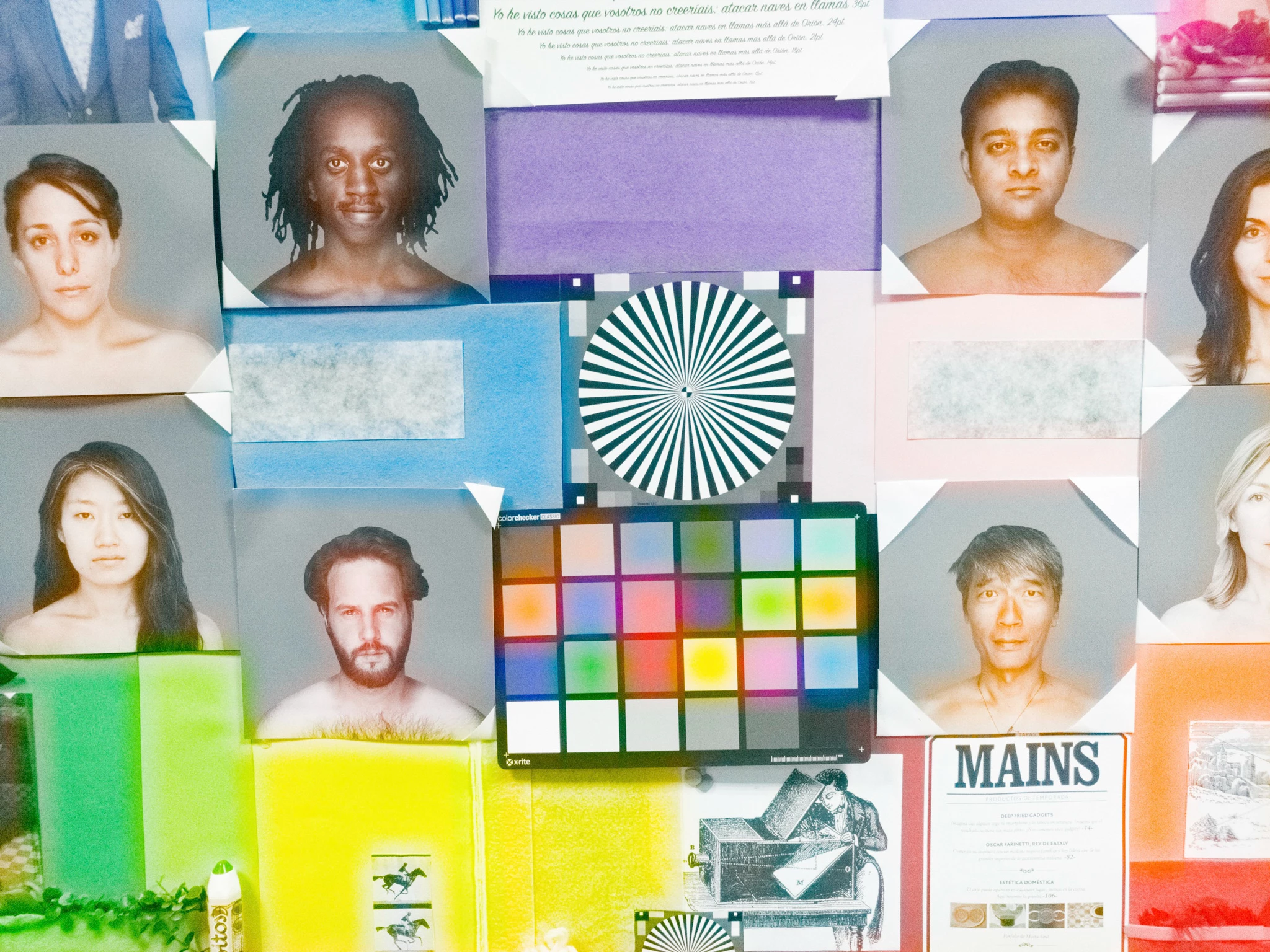
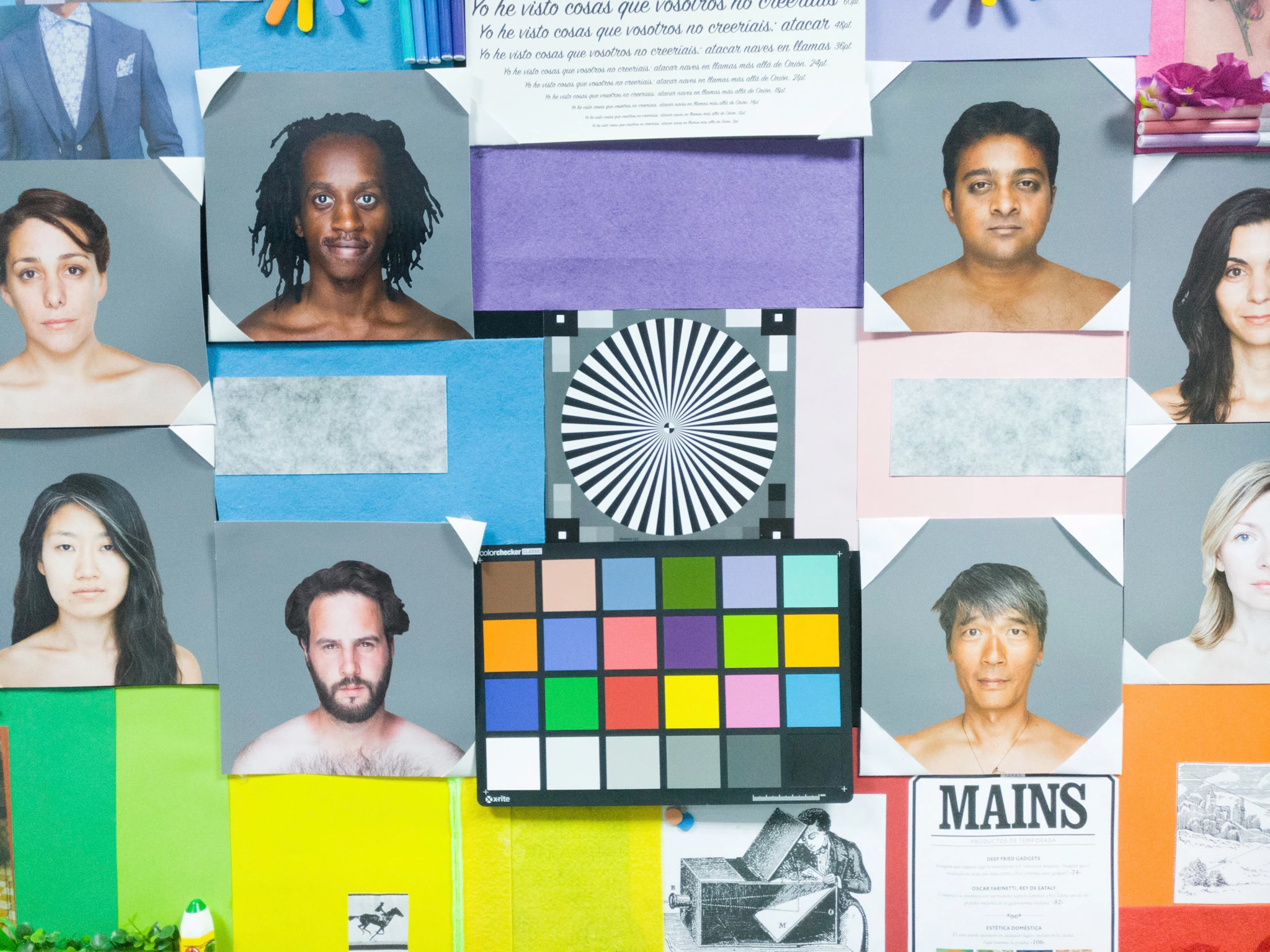
We're trying to develop a DNG compatible shooting application but we've seen that when we shoot DNGs in one of our reference devices and try to apply noise reduction in either Photoshop, Lightroom or Lightroom for Android or any other application that uses the Camera RAW engine, image becomes distorted and sharpness and color space is heavily affected.

If we don't apply noise reduction, everything is working fine. We've tried contacting the manufacturer but they haven't been able to find the issue, so maybe someone from Adobe can take a look at these DNGs and tell us which parameter inside the DNG is making Adobe's noise reduction algorithm go crazy.

I attach a couple of images so that you can see the problem. Could you please help us? At this point we're only having problems with Adobe software and it's really blocking us. I can send a dropbox / Google Drive with the DNGs for further analysis by Adobe or anyone that might be able to help. (max limit here is 8MB).

Device2: Android device presenting the problem
Device 1: Noise reduction is applied without any issue.
This topic has been closed for replies.
Correct answer max.wendt

Hello, carlos-7801!

This is almost certainly due to overly strong values in the DNG NoiseProfile tag - see page 67 in the DNG Spec:

http://wwwimages.adobe.com/content/dam/Adobe/en/products/photoshop/pdfs/dng_spec_1.4.0.0.pdf

If your app can edit the DNG the camera gives you, try scaling that value back, possibly quite a bit. As a quick sanity test, you could delete the tag altogether and see if that solves the problem; that's not the final solution—it will make the image noisier than it needs to be—but it will immediately let you know if the NoiseProfile tag is the root of the issue.

1 reply

max.wendtCorrect answer
Adobe Employee
February 15, 2017

Hello, carlos-7801!

This is almost certainly due to overly strong values in the DNG NoiseProfile tag - see page 67 in the DNG Spec:

http://wwwimages.adobe.com/content/dam/Adobe/en/products/photoshop/pdfs/dng_spec_1.4.0.0.pdf

If your app can edit the DNG the camera gives you, try scaling that value back, possibly quite a bit. As a quick sanity test, you could delete the tag altogether and see if that solves the problem; that's not the final solution—it will make the image noisier than it needs to be—but it will immediately let you know if the NoiseProfile tag is the root of the issue.

Participant
February 21, 2017

Hello Max,

Thanks for pointing out the issue. It was as you said an error with the Noise Profile inside the DNG. There was a big discrepancy between the offset values of this device with the others. It's being corrected as we speak, so we can mark this as resolved.

Thanks Adobe for your support!