priyshak23717676
Known Participant
May 18, 2016
Question

Adding an interactive PDF as an Object in Captivate 8

  • May 18, 2016
  • 2 replies
  • 212 views

Hi,

I'm trying to bring in an interactive PDF as a "web object" in Captivate 8, but I've been unsuccessful in getting Captivate to play the multimedia embedded in the PDF.

I've pasted the swf and the adobe file in the Published folder of Captivate, but it still shows an error in the path.

Shows the following error when I click the link:
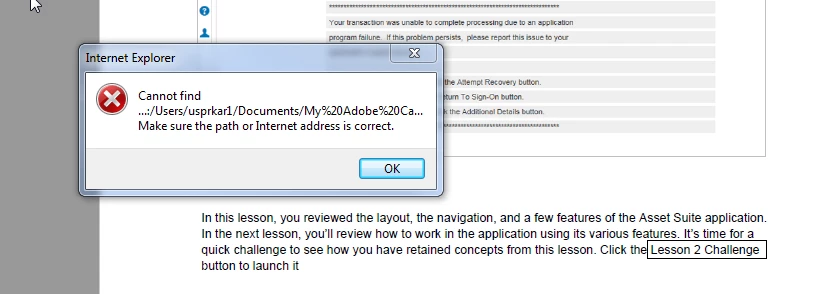
    This topic has been closed for replies.

    2 replies

    BDuckWorks
    Inspiring
    May 23, 2016

    When you preview, Cp generates content into a temporary 'Published folder.'

    Unless you copy this file each time you preview, RodWard is giving the best possible advice.

    You may wish to install, or enable, a webserver on your computer.  Then, publishing locally could be set to a path that is within the served files of the local webserver, and can be accessed by a valid URL.

    Once setup, publishing to this folder structure is possible for all projects, and your preview errors will be minimized. But, you'll need to use the 'Publish' option for these results.

    RodWard
    Community Expert
    Community Expert
    May 19, 2016

    Upload your published content to a web server and test from there.