
kristina64193005
Participating Frequently
April 20, 2017
Question

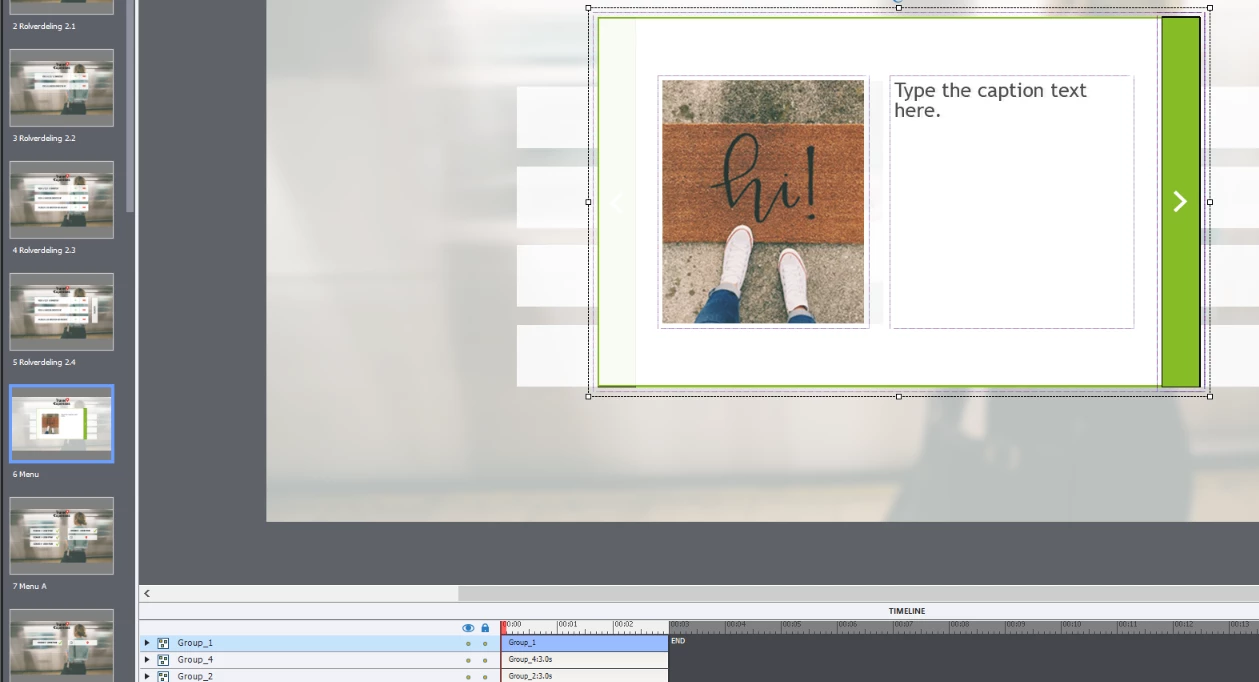
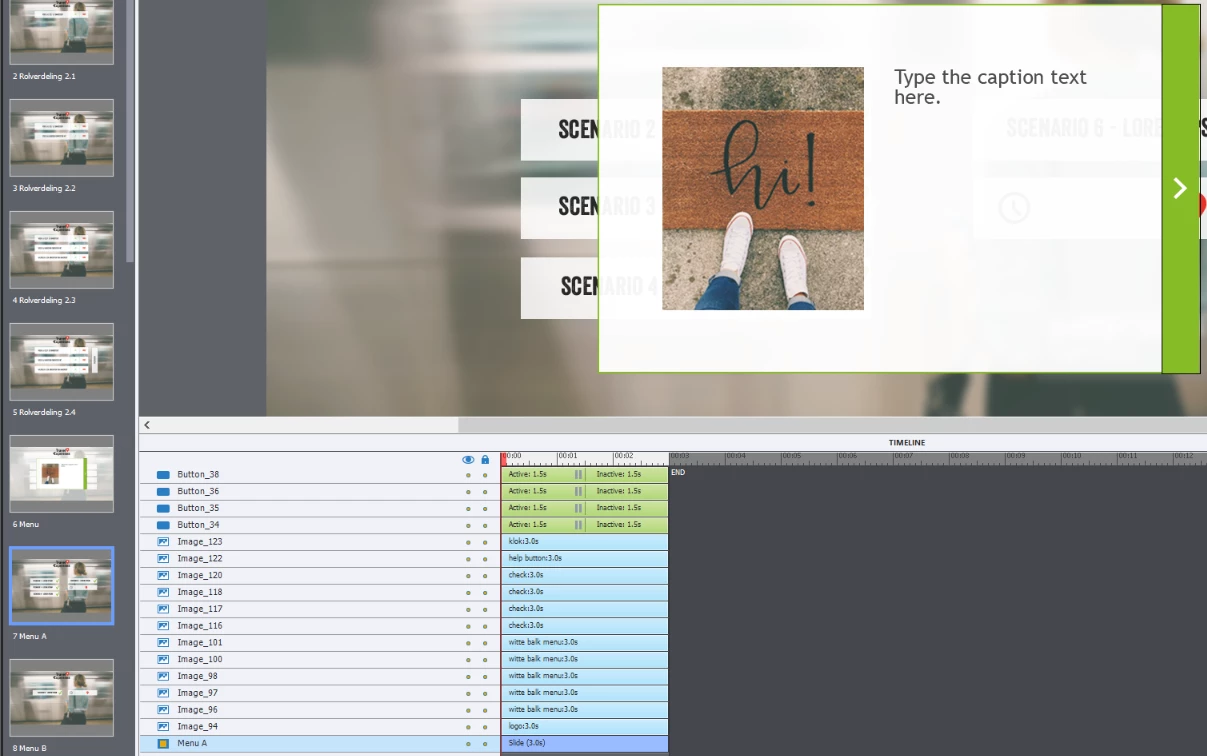
Adobe Captivate Item from previous slide show on next slide, but doesn't shows in timeline.

  • April 20, 2017
  • 4 replies
  • 805 views

Dear,

I have a slide with a pop-up menu. This shows on slide 1 and has 3 different images.

Now the first image shows on slide 2, but doesn't show in the timeline. And i can't delete it.

How can i fix this problem.

Regards

Quinten

-     Slide 1
-     Slide 2
Message was edited by: Mod (Discussion successfully moved from The Lounge to Adobe Captivate)

This topic has been closed for replies.

4 replies

Inspiring
April 21, 2017

Lilybiri​ I think I didn't actually know that even after years of using different versions and troubleshooting hundreds of issues/making different work-arounds, so thank you. I use it so rarely I must have only ever done it on a slide with interactions that was only a few seconds long on the timeline - so people were always reaching the end of the slide.

kristina64193005 I think if simplifying the actions doesn't help figure out the issue, your best bet is to have someone look at the project like lilybiri said.

Lilybiri
Legend
April 21, 2017

@Megan ... You have been very lucky, I avoid the On Exit event unless I'm totally sure that it is functional (there are some situations). I have been creating, exploring and debugging so many advanced actions for clients in about 10 years, that avoiding some pitfalls are burned into my mind.

Inspiring
April 21, 2017

I know! I'm very confused as to how I have been lucky enough to avoid that issue haha. I can see it having its use if you restrict navigation until the end of a slide, but now I know to avoid it if I can!

Inspiring
April 20, 2017

Lilybiri​ oops sorry, I did mean rest of project. Was just echoing your statement to double check the individual objects int he group

Inspiring
April 20, 2017

I suggest also double checking that the images themselves aren't set to show for rest of slide.

Other option is to republish in case there is a bug (happens sometimes if there are webobjects used on the previous slide) or, if all else fails, set those objects to hide on slide exit of the first slide as a work around (not ideal).

Lilybiri
Legend
April 20, 2017

@Megan  Why would an object set to display for the rest of the slide appear on the next slide? I never did see that happen. That happens when it is displayed for the rest of the project or if that object is on the used master slides, both questions have been answered by the OP as being negative.

Lilybiri
Legend
April 20, 2017

Is this a software simulation? Which version do you use?

kristina64193005
Participating Frequently
April 20, 2017

No i started from a blank project. I use Captivate 9.

Lilybiri
Legend
April 20, 2017

Check timing: is object not timed for rest of project? Check also the used

master slide on objects.

On Apr 20, 2017 12:55 PM, "kristina64193005" <forums_noreply@adobe.com>