Participating Frequently
March 13, 2018
Answered

Button doesn't stop audio/playhead, even with "Continue Playing the Project" unchecked

  • March 13, 2018
  • 3 replies
  • 1662 views

I have a button on several projects that is set to Open a URL in a new window. Ideally, when someone clicks on the button, I want the presentation to pause (slide advancement and audio) until they return and press the play button. The "Continue Playing the Project" button is unchecked, but the project continues playing. Is there something else I should be doing in addition to unchecking "Continue Playing the Project"?
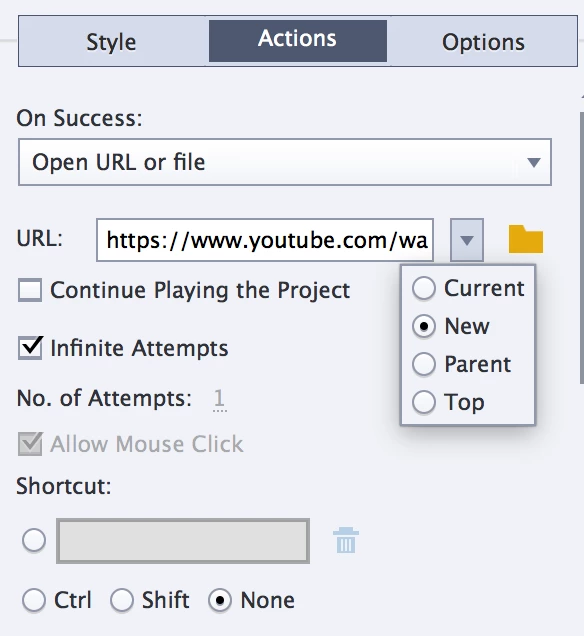
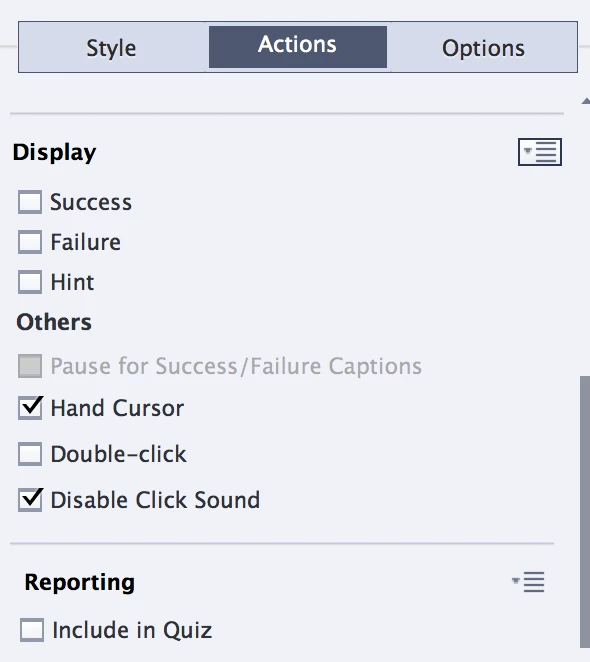
     

Here are the settings for the button. I'm using Captivate 2017 and previewing/publishing HTML5.

Thanks!

    This topic has been closed for replies.
    Correct answer victoriak23188594

    Thanks for your help, Lilybiri! It's helpful to know that unchecking "continue playing the project" should be working as I expected, so I'll keep exploring.

    (And yes, I was talking about slide audio. I haven't been leaving spaces at the beginning and end. I added the spaces in, but it doesn't seem to have affected this case.)


    Hello,

    I am not sure if you are still having this issue, but if so I would suggest setting up an advanced action to solve this problem. I solved a similar problem like this before by converting my link into a button and creating its own action which had the following: 

    • Pause
    • Open URL or File (In New Window)
    • Hide Pause Button
    • Show Play Button 

    For my play button, it would have a simple continue action attached. In practice, it's always picked right back up for me from where it was paused at. 

    3 replies

    Participating Frequently
    March 30, 2018

    Hi victoriak23188594, Debiprasad, and Lilybiri! Thanks for your help. I worked with Adobe this morning, and they confirmed that Advanced Actions (cpCmndPause/Pause, with an optional second button for play as Victoria suggested) is the best way to create the effect I was trying to create, as unchecking Continue Playing the Project doesn't work with HTML5 lectures. I'm adjusting our practices now. I appreciate all your ideas!

    Lilybiri
    Legend
    March 30, 2018

    It is up to you but I always use Toggle buttons, much more user friendly. If you really want to stick with the old command that toggles the cpCmndPause, you have to remember that to resume you have to use cpCmndResume. That is the reason I mentioned that it is much better to use the state of the art commands 'Pause' and 'Continue' instead of that very old workflow.  Since Mutlistate objects appeared I never use two images anymore, but states to show the present status of Play or Pause. Watch thism ovie:

    PauseTypes

    You'll see such a multistate button for Play/Pause and also have the experience that not all audio can be paused.

    Participant
    March 30, 2018

    Hi,

    We can use advanced actions to pause the slide along with the audio here. This will work for SWF and HTML outputs.

    We can assign value 1 to the variable cmCmndPause through advanced action. It will pause the slide along with the audio. Here is how this will look.

    The play button on the playbar can be used to resume the project. This will resume the audio and the slide from where we have paused it.

    Lilybiri
    Legend
    March 30, 2018

    Just a tip: since a couple of versions (8?° you don't need to toggle the cpCmndPause anymore. There is a Pause command and a Continue command.

    Lilybiri
    Legend
    March 13, 2018

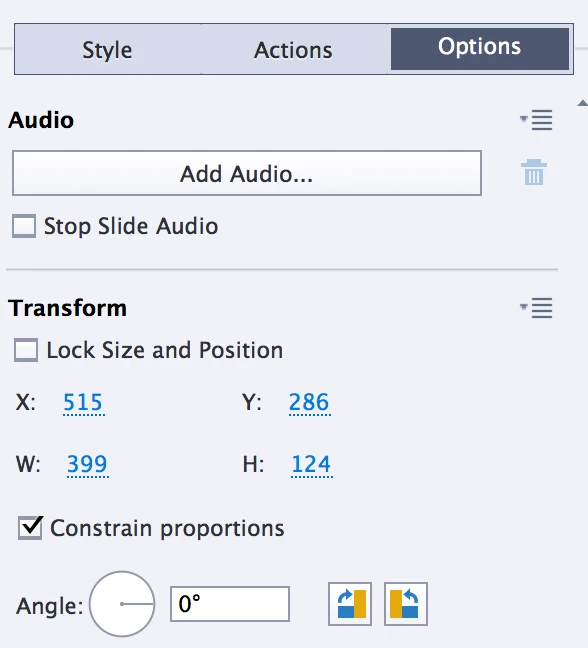
    If you talk about Slide audio, it will not be stopped until you check 'Stop Slide Audio' under the Options Tab of the button.

    Participating Frequently
    March 13, 2018

    Thanks, Lilybiri! I've experimented with the "Stop Slide Audio" box before. It does stop the slide audio, but when I return and press play, there is silence for the remainder of the slide. Once it advances to the next slide, audio plays again. Historically (when we were using Flash), we've had the button show for the entirety of the slide, since the audio picked back up where it was paused. Perhaps the solution is to not have the button display until the audio we want people to listen to is over.

    Lilybiri
    Legend
    March 13, 2018

    Sorry, it is not necessary to stop slide audio in this case, just double-checked for HTML output. Everything works for me as expected, so I'm wondering what is going awry for you. Since the length of the audio defines the length of the slide, and both Playhead and audio are stopped when you uncheck the option 'Continue Playing Project' while opening an URL in a New window, you shouldn't have troubles with that setup.  Can you try to insert a text container with the var 'cpInfoCurrentFrame' to check? I didin't publish my example, just Previewed HTML in Browser (F11).