

解決済み
Captivate 8 (8.0.1.242) patch to 8.0.3 - will it fix "click box" failure/success feedback - access to captions
Greetings,
I seem to have an odd problem with Captivate 8 (8.0.1.242). I am not able to assign a "failure captions" to a click box, only shapes.
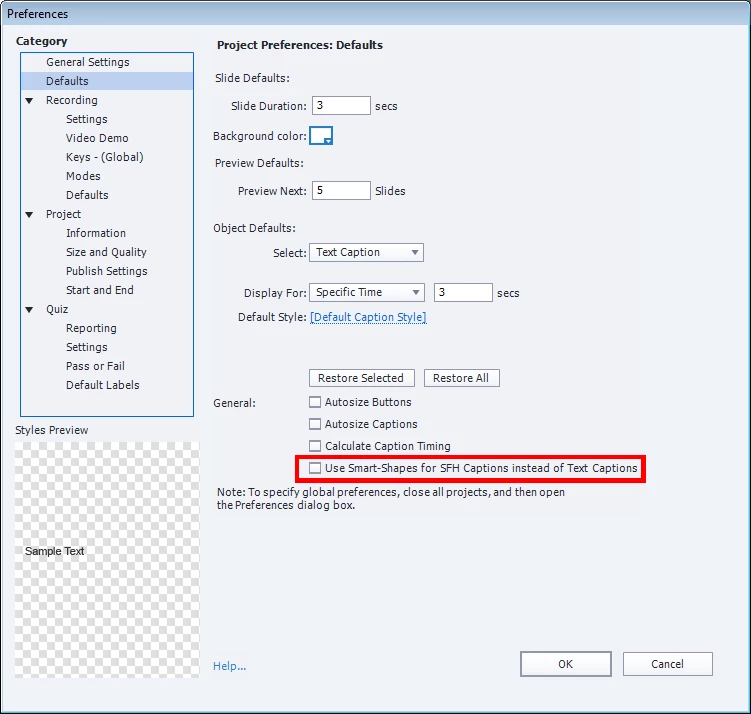
Instead of having captions available I have only "Basic" shapes available, which is ok (correct click or wrong click user feedback) for most feedback.
Click Box -> Properties -> Display -> Failure (selected)
When I select the "failure shape" that appears, I am unable to change that from a "shape" to a "caption". I want to be able to use captions so that I can "point" to areas of the screen, rather than just have a message appear.
Is this corrected in the Captivate 8 patch that updates Captivate to build 8.0.3? I seem to remember that you could do this in earlier versions of Captivate.
Thank you,
TPK
 AdChoices