Patrick2569329038nu
Participating Frequently
June 17, 2026
Question

Captivate Classic Publish/Print to Word Broken

  • June 17, 2026
  • 26 replies
  • 659 views

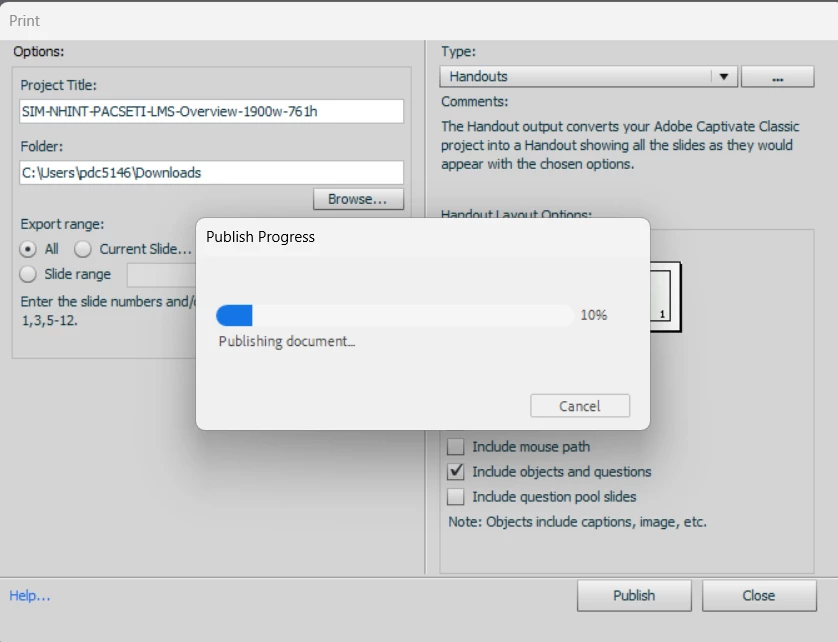
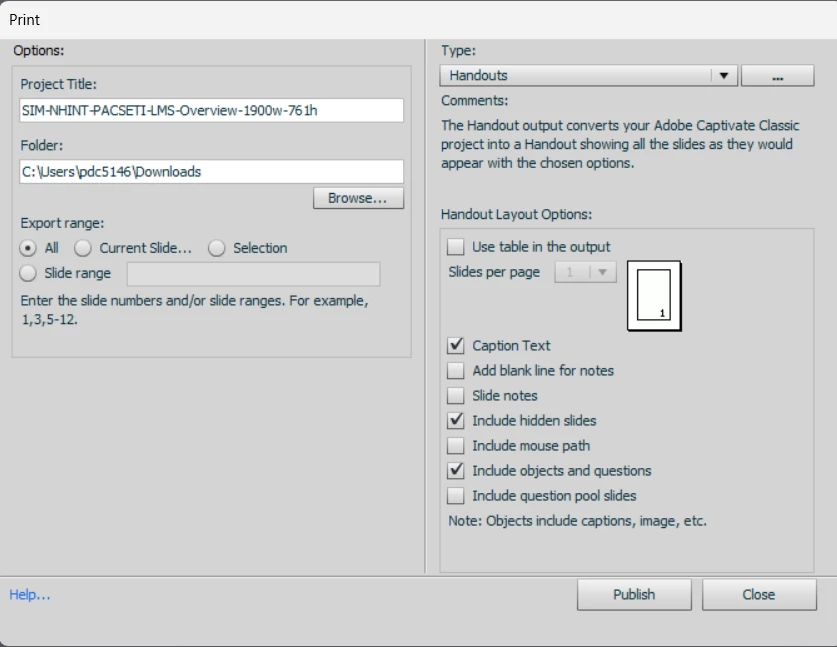
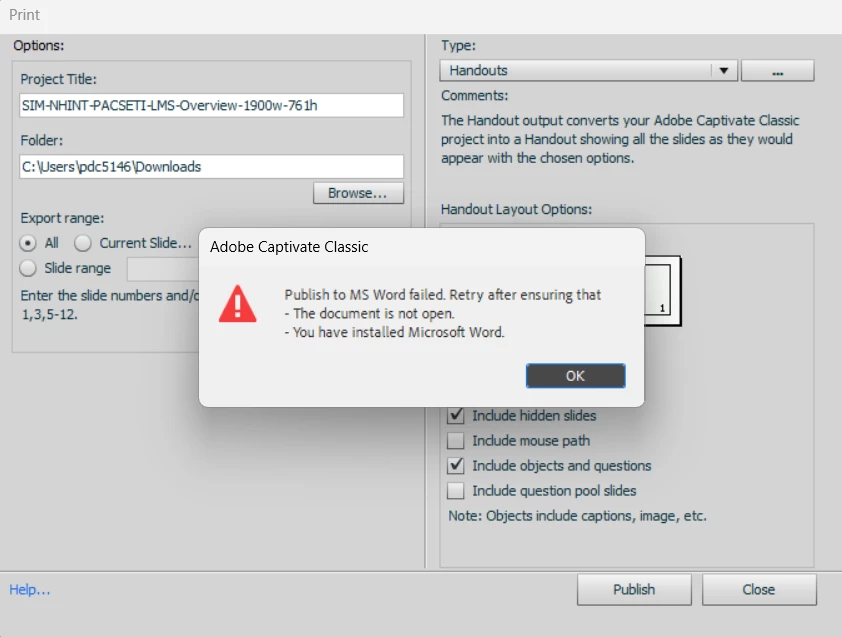
Recently whenever I attempt to print/publish to Word, I get an error message and the publish fails. It has worked in the past without issue but now it simply doesn’t work. I’ve included screenshots of the settings and error message. All programs up to date and permissions work on both. All other aspects of Captivate and Word appear to be operating perfectly. 

Using Captivate Classic 11.8.4.21.
 

26 replies

jenrpa
Participant
July 6, 2026

Continuing to have this issue. Company computers will not allow us to roll back Windows updates

Participant
July 1, 2026

I urgently need this function; please provide brief feedback when a solution has been found. Thank you!

Participant
June 30, 2026

I am also experiencing this issue. I’ll echo a previous comment asking you to please share if you find a resolution. Thank you!

bobthenerd
Participant
June 30, 2026

Also experiencing this issue across our enterprise.

Participant
June 30, 2026

We're experiencing the same issue as well. Does anyone know where I should raise a ticket for this? We've been facing this issue since yesterday. If anyone is aware of a workaround, please let me know. This is critical for our process, as we need to take handouts

Inspiring
June 30, 2026

My colleagues and I have the same issue too.  Investigations seem to point to a Microsoft update having caused it, but I can’t find a solution or a work around.

Inspiring
July 16, 2026

An excellent colleague in my organisation’s IT department has looked extensively at the issue to find a solution.  They have concluded:

Based on the thread, this appears to be a regression affecting Captivate Classic's legacy Word-export integration, likely triggered by changes in either Windows or Microsoft 365 rather than a user configuration issue. The fact that it is occurring company-wide and survives Office rollbacks suggests the issue is deeper than a simple Word installation problem.

Adobe Community reports indicate the Captivate Classic 11.8.4 "Print/Publish to Word" feature is currently failing for multiple organizations. Adobe support reportedly suspects a Windows-update-related regression. No Adobe fix or confirmed workaround has been published as of the latest thread update.

Participant
July 16, 2026

Thank you for this update. My IT is trying to help me too, but they have little hope they can fix it.

trevor5280
Participant
June 24, 2026

I am also having this issue.  

germainew96248267
Participant
June 22, 2026

I am experiencing this same issue. Please post here if you get a resolution. Thank you!

Logan35035078f83j
Participant
June 18, 2026

We are seeing this same issue as well, and it started suddenly company-wide.

Environment:

  • Adobe Captivate Classic 11.8.4

  • Microsoft 365 Apps / Word installed

  • Windows 11

Error:
“Publish to MS Word failed. Retry after ensuring that:

  • The document is not open.

  • You have installed Microsoft Word.”

This happens from Captivate Classic using File > Print to Microsoft Word. We tested all available Word output types, including Handouts, Storyboard, Step by Step, and Lesson, and they all fail with the same message.

Things we have already tested:

  • Word is installed and opens normally.

  • Word COM automation works from PowerShell.

  • Word VBA editor opens.

  • Captivate’s PrintOutput template files are present:

    • Adobe Captivate.dot

    • Lesson.doc

    • Step by Step.doc

    • Storyboard.doc

  • Word can open those templates directly.

  • Word can create a new document from Adobe Captivate.dot and save it successfully.

  • Exporting to a local folder such as C:\Temp\CaptivateTest still fails.

  • Running Captivate as local admin still fails.

  • Disabling the Acrobat PDFMaker Word COM add-in did not fix it.

  • Rolling Microsoft 365 Apps back from build 16.0.20026.20168 to 16.0.19929.20172 did not fix it.

  • This is occurring across multiple company computers, not just one user profile or one workstation.

At this point it looks like Captivate Classic’s Print/Publish to Word workflow may be broken outside of a normal Word installation issue. Interested to know if anyone else has found a workaround or if Adobe can confirm whether this is a known regression in the current Captivate Classic build.

Patrick2569329038nu
Participating Frequently
June 22, 2026

Good summary of the issue. It sounds like we are both in the same situation. I’ve had a Adobe ticket open for the past week, but beyond being pretty sure it is connected to a recent Windows update they haven’t found a solution. It you have the option of rolling back the latest windows update it may solve it, but unfortenately I cannot do that with my company controlled devices. 

Inspiring
July 10, 2026

Since the last time I used the word export successfully was on February 27th, I would suggest a rollback to build 19725.20152 (Version 2602, March 3 20206). Could you try this?