
Creating own navigation buttons in Master Slide - Captivate 9
Hello,
I have an issue creating toggle audio button in Master Slide. I know there have been several discussions regarding this in the platform. Also, Lilybiri had created a tutorial on this for Captivate 6.
But I couldn't find the solution to my issue yet.

I want the audio button with line to appear when the audio is playing, and the audio button without line to appear when the audio is not playing. I have added all these images as a Smart Shape in my master slide. Rest of the buttons are working fine but I am having issue with the audio toggle button.
Please find the action that I have used for the audio button without line:
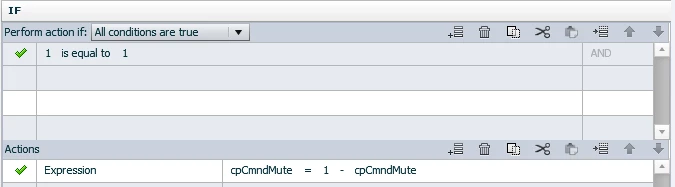
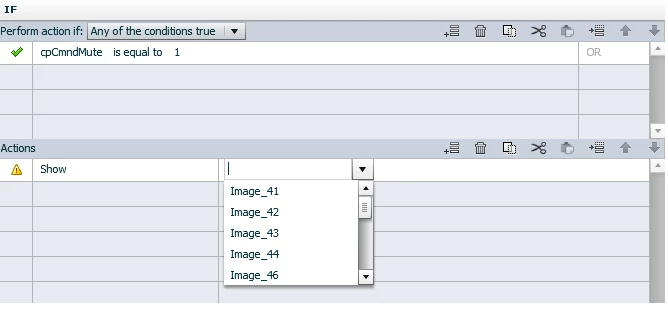
Here I want to show the audio png with line or the mute icon. and in else statement I want to hide it. But I am not able to view/find the smart shape for mute button.
Please guide me through this.
Thanks,
Parichaya


 AdChoices