



Help With Feedback Captions for Click Boxes
Hello all;
I am in need of some help, please. I am working in Captivate 2019 on a Mac.
I'm trying to work on a simple simulation where users need to click on a click box. If they get it right, they click to continue. If they don't:
- first, they will get a box that tells them where they should have clicked and an arrow pointing to the same
- then they click a continue button that clears the screen of the hints so they can try again
- if they get it right the project advances
- if they don't get they get another text box that says sorry, click to continue.
I was struggling with figuring a way to do this since you can't have more than one failure message on click box and I found this older post that was very helpful in getting me started.
1. I first made it so all elements on the screen (other than the click boxes) were hidden on entry.
2. I created a user variable named cb_attempt with a value of 0.
3. Then, as directed in that post post I created one large click box that covered the screen (cb_false) that had unlimited attempts and an advanced action for success, and one proper click box (cb_true) where the user is meant to click.
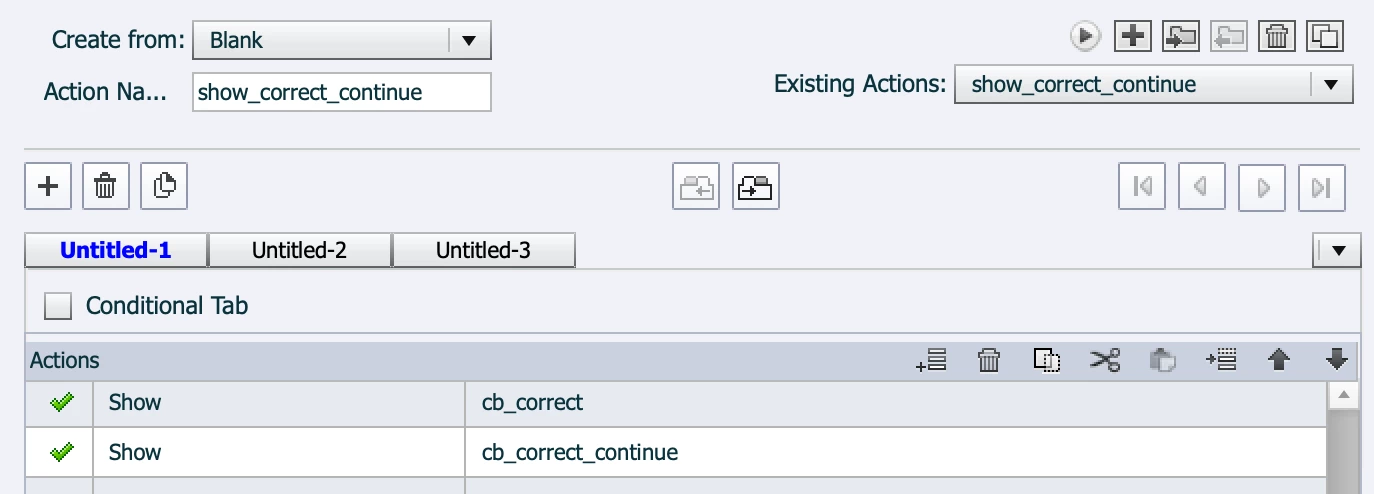
4. I created an advanced action so that when the user clicked the box correctly, a text box and a click button would show to advance the project:
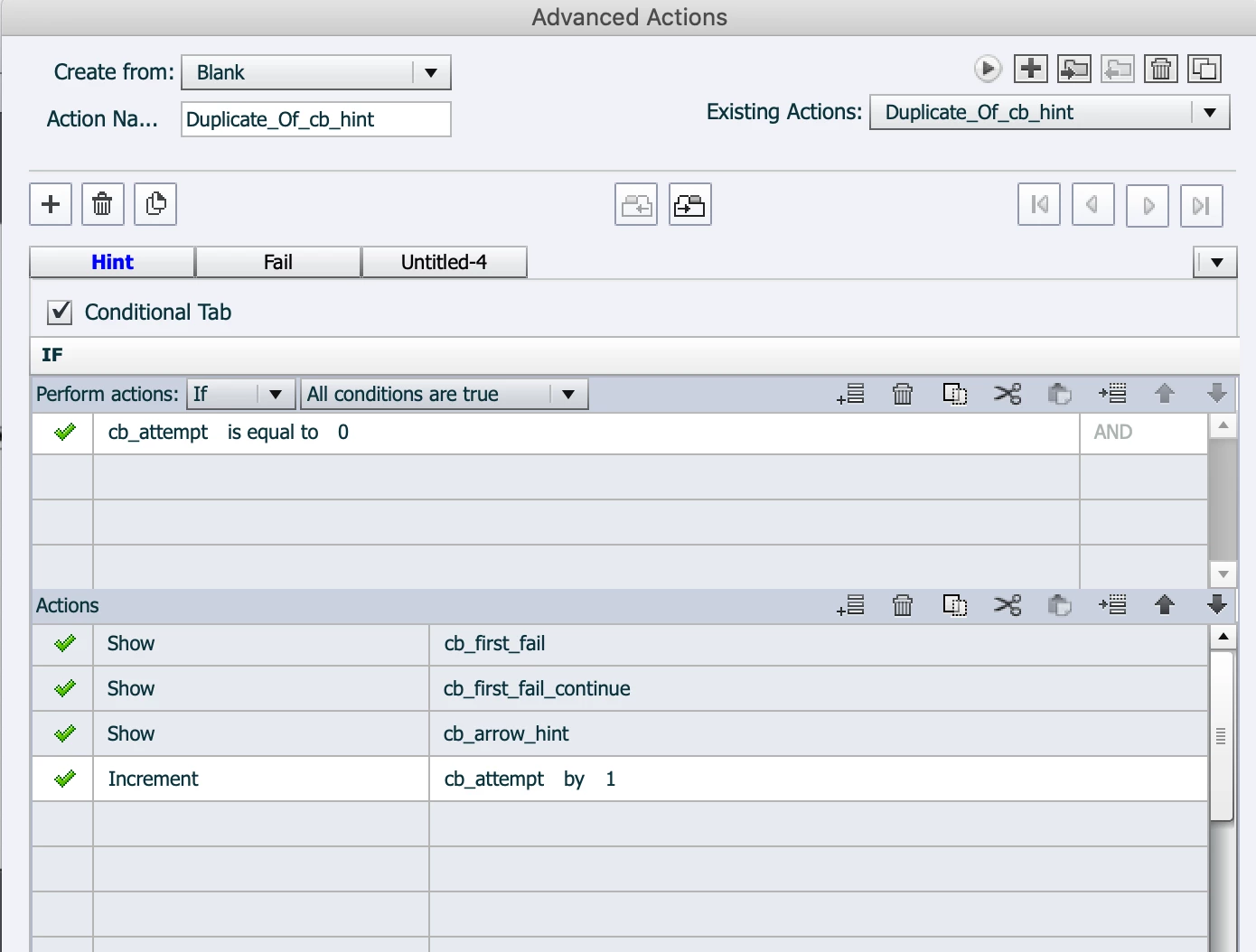
5. I created an advanced action (cb_hint) so that when the user clicks on the greater (false) click box they would get a first error message and a button to continue (see first decision below):
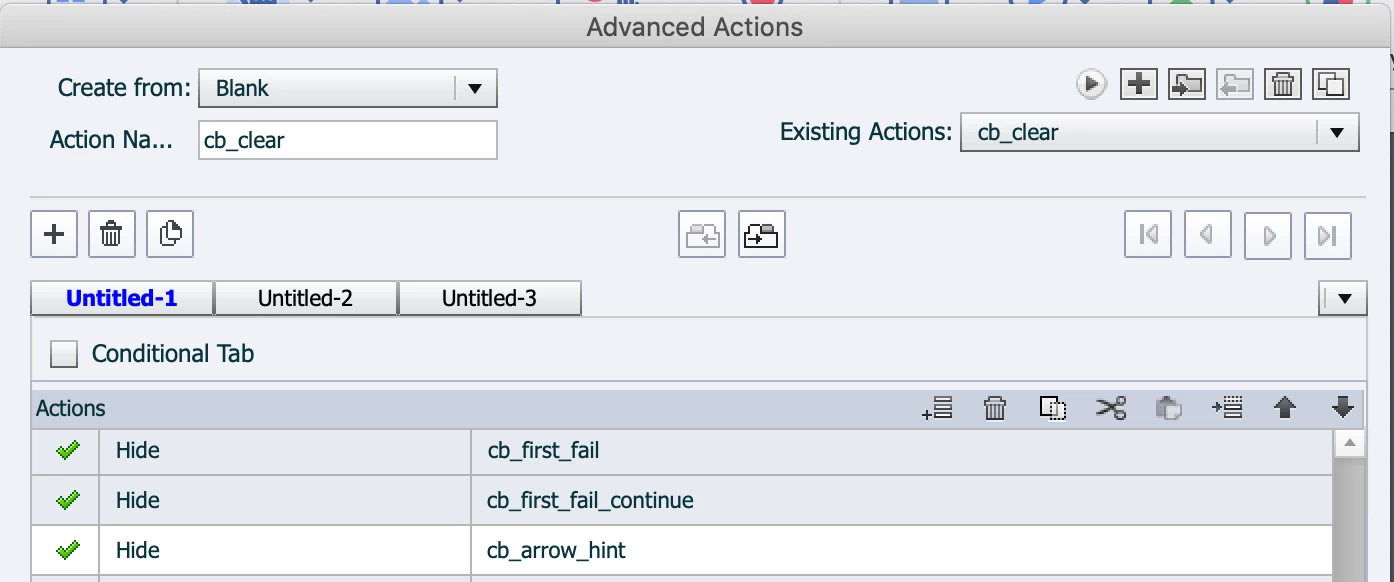
6. I created another advanced action so that when the user got that first error message and clicked on the button to continue to the second try, the screen would clear again:
*Up to this point, everything works perfectly. After this step, though, things don't work.
7. In the advanced action shown above in #5, there is a second decision. When learners click to clear the screen as desribed in #6, they get a second chance to click the box correctly. If they click correctly they get the get the box and continue button to advance as described in #4; if wrong, they are *supposed* to get a section failure message, which I tried to rig as a second decision on the advanced action cb_hint, but since this is where things stop working, I'm assuming it has something to do with the increments or condition in the Fail decision (I have tried to set the condition as "if cb_attemp is equal to __" 1 and 2 but nither worked):
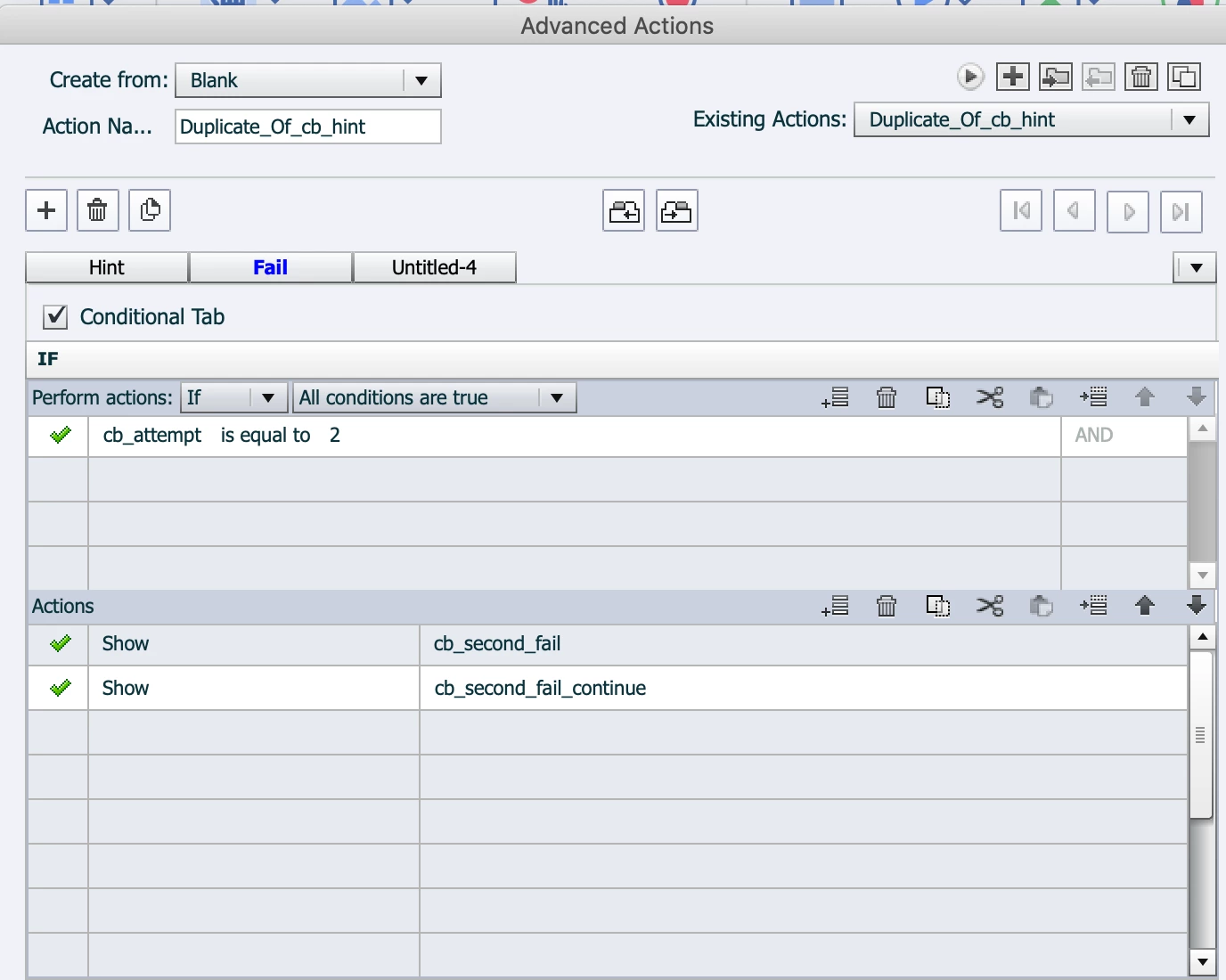
When the user click to clear the screen (point #6), the screen clears. But when the click in the wrong place a second time, nothing happens, i.e. the Fail decision above doesn't work.
I've tried to figure it out but I can't seem to sort it. Does anyone have any ideas?
Here is the screen from my tester (ignore the white box, as it is there to cover the project for privacy, and it is under the main full-slide click box (cb_false):
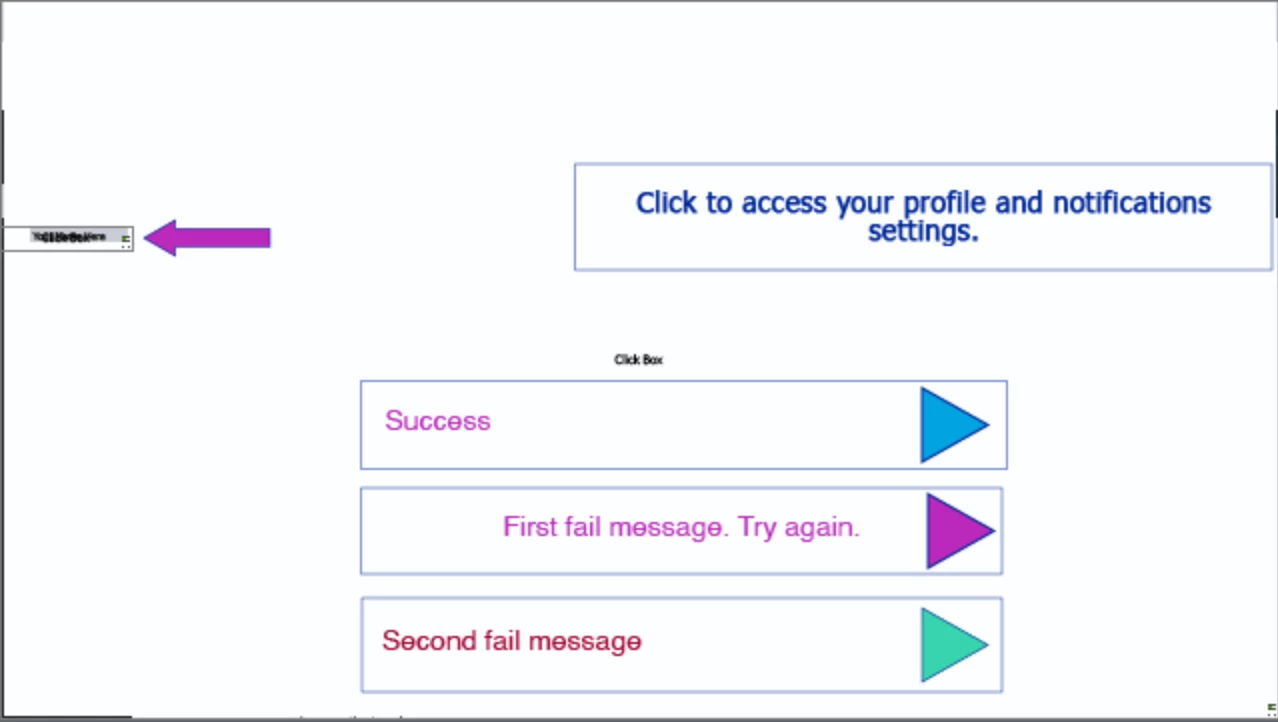
In the older post I linked to it did say the text boxes should all be in the same place and they have been - I just separated them here so you could see; it didn't help when they were all on top of each other.
Finally, here's my timeline:
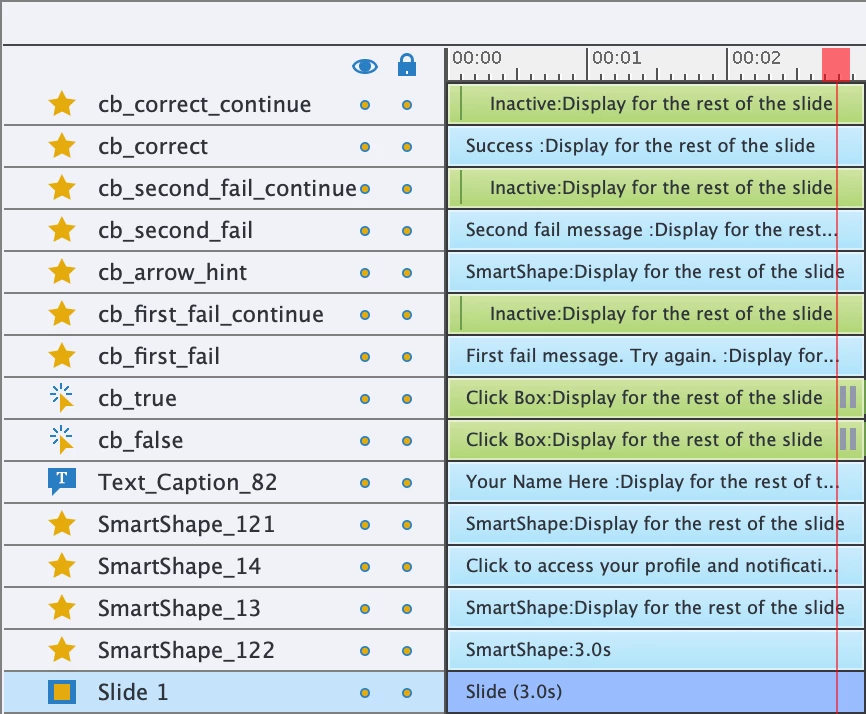
The elements under cb_false aren't relevant to this issue as they are design things (a small shape or image for example).
If anyone has any thoughts or ideas here I'd appreciate it. I can't seem to understand why this process, which should be simple, isn't working.
Thanks!
samamara

 AdChoices