
Participant
November 4, 2015
Question

Show/hide objects on a randomized question

  • November 4, 2015
  • 3 replies
  • 394 views

In Captivate 9 I'm trying to create a customized review by using advanced actions powered by the variable cpInReviewMode to show/hide objects placed on quiz slides.

Quiz slides were created from a GIFT file and I'm using them in the course via randomized question slides.

When I create the if/else statement in advanced actions, I do not see any of the objects placed on the question pool slides. I've tried a text box, image, and custom shape - nothing is listed. Yet, on the quiz slide itself I'm able to show/hide the object in the actions area (NOT advanced actions). I'm also able to select advanced actions to run on enter.

The question pool slide seems to function normally, its just that my objects are not available when writing conditional or standard advanced actions.

Any ideas? Do you know of any object that is selectable in actions in this scenario? Is it the randomized question throwing it off, even though I've placed the objects on the actual quiz pool screen?
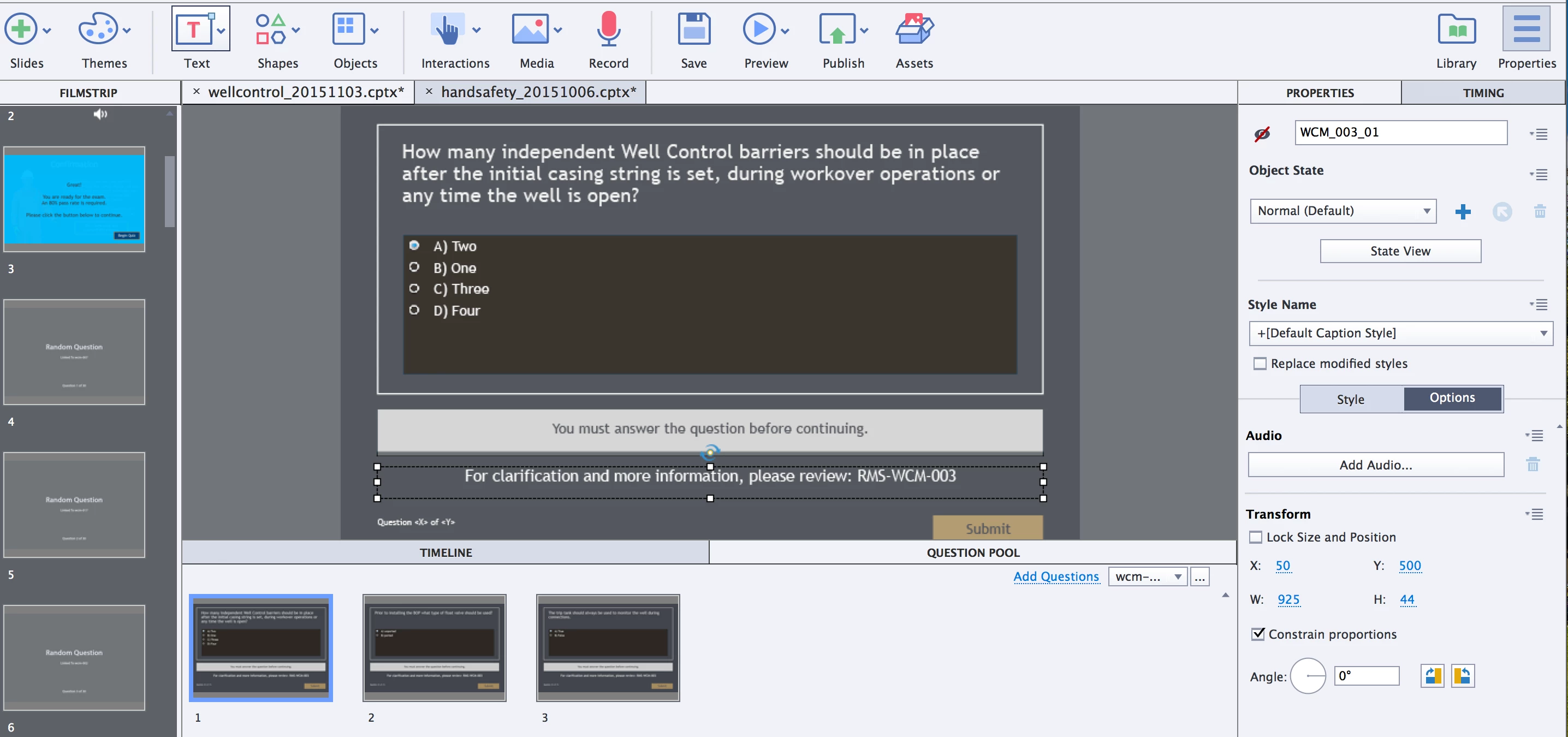
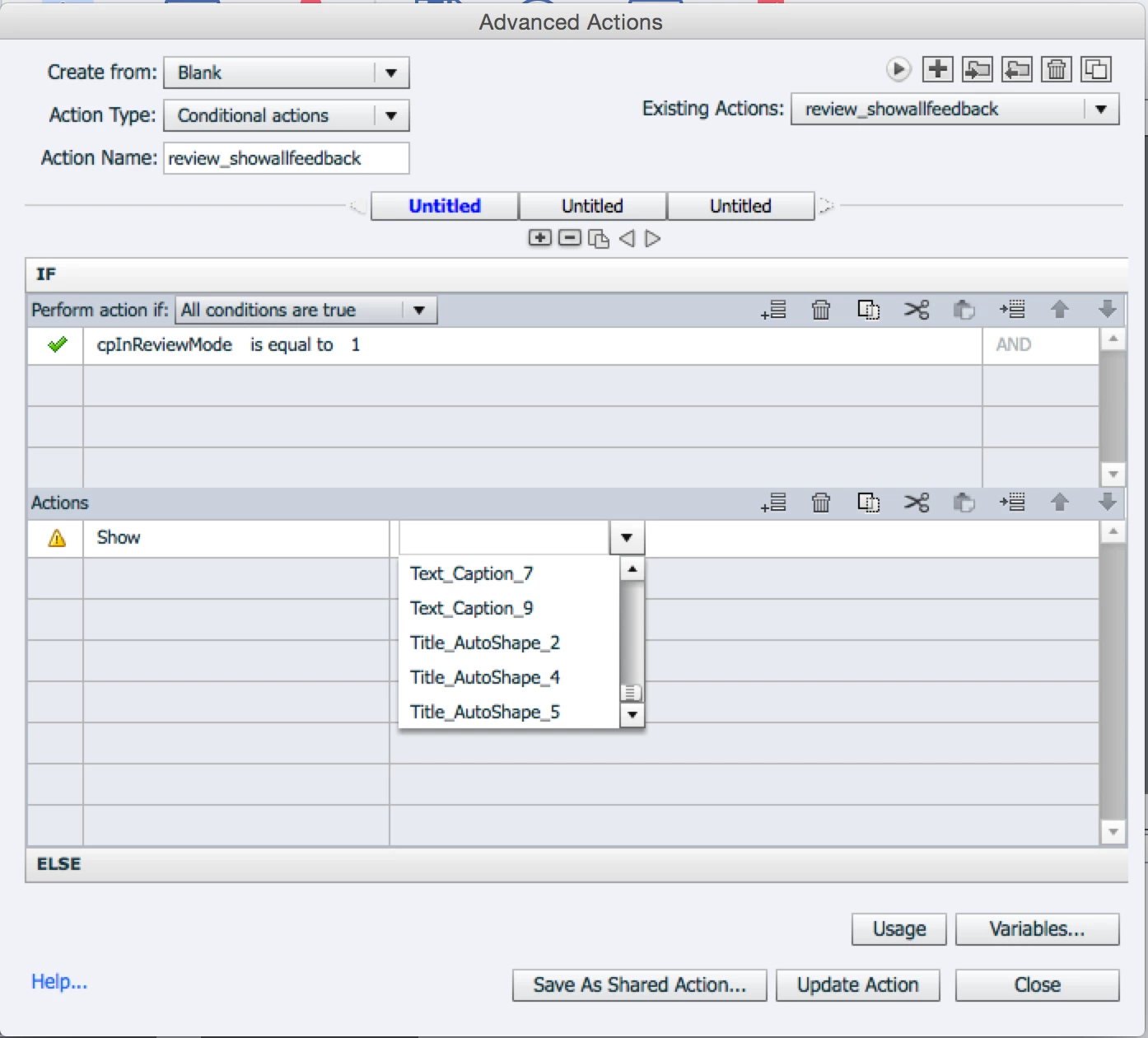
Shows: it is at the end of the list and no WCM text objects are available. There are about 10 right now. Renaming them doesn't help. Changing the state of the object doesn't help either.

Thanks in advance!

Dana

This topic has been closed for replies.

3 replies

Lilybiri
Legend
November 5, 2015

If you use question pools most customisation is not possible at all. You have to keep with the question functionality as it is designed, which means a lot of strict rules. It is one of the reasons I have been looking for quick ways to create custom questions. Maybe logging feature requests could help, but lost hope

Participant
November 5, 2015

‌Using a question pool is the only way to randomize question, right? This particular course (it is basically a bi-yearly assessment) has 14 pools with a total of 74-ish questions in those pools. The learner sees 30 of the.

The custom quiz feedback tells a learner where in the policy the question came from so they can study more (especially if they failed).

Suggestions for using random questions and custom feedback together?

Lilybiri

Lilybiri
Legend
November 5, 2015

What I tried to tell is, that you need to keep within the design of question slides when you use question pools, which means no customisation at all. You can edit the default captions, but that is it. No advanced/shared actions etc... It is not possible to have custom questions in a pool at all. The new small enhancements in Captivate takes away an old pain (confusion between Next and Skip buttons during Quiz/Review) but the old strict rules, and limitations for formatting are still there. I wished it could be different, but I'm just telling what the situation is.

RodWard
Community Expert
Community Expert
November 5, 2015

Move your quiz question slides back out of the Question Pool to the main course flow.  I think you'll find that the objects THEN start appearing in the Advanced Actions selection lists.

There are lots of things that don't work when you are dealing with Question Pools.

Feel free to log the issue with Adobe so that they can see it's important to someone, otherwise they may think nobody cares about it.

Participant
November 5, 2015

Using a question pool is the only way to randomize question, right? This particular course (it is basically a bi-yearly assessment) has 14 pools with a total of 74-ish questions in those pools. The learner sees 30 of the.

The custom quiz feedback tells a learner where in the policy the question came from so they can study more (especially if they failed).

Suggestions for using random questions and custom feedback together?

RodWard, I wasn't sure if you would see my reply to Lilybiri, so I'm doing this reply to you as well.

RodWard
Community Expert
Community Expert
November 5, 2015

Thanks Danah, but I see every post that goes up on this forum.

Lilybiri is correct.  Like it or not, there are just some things you cannot do with Captivate's current implementation of Randomized Question Pools.

Participant
November 4, 2015

I'm using OS X Yosemite v10.10.5