November 1, 2016
Question

Video works in Preview but not in Publish

  • November 1, 2016
  • 4 replies
  • 916 views

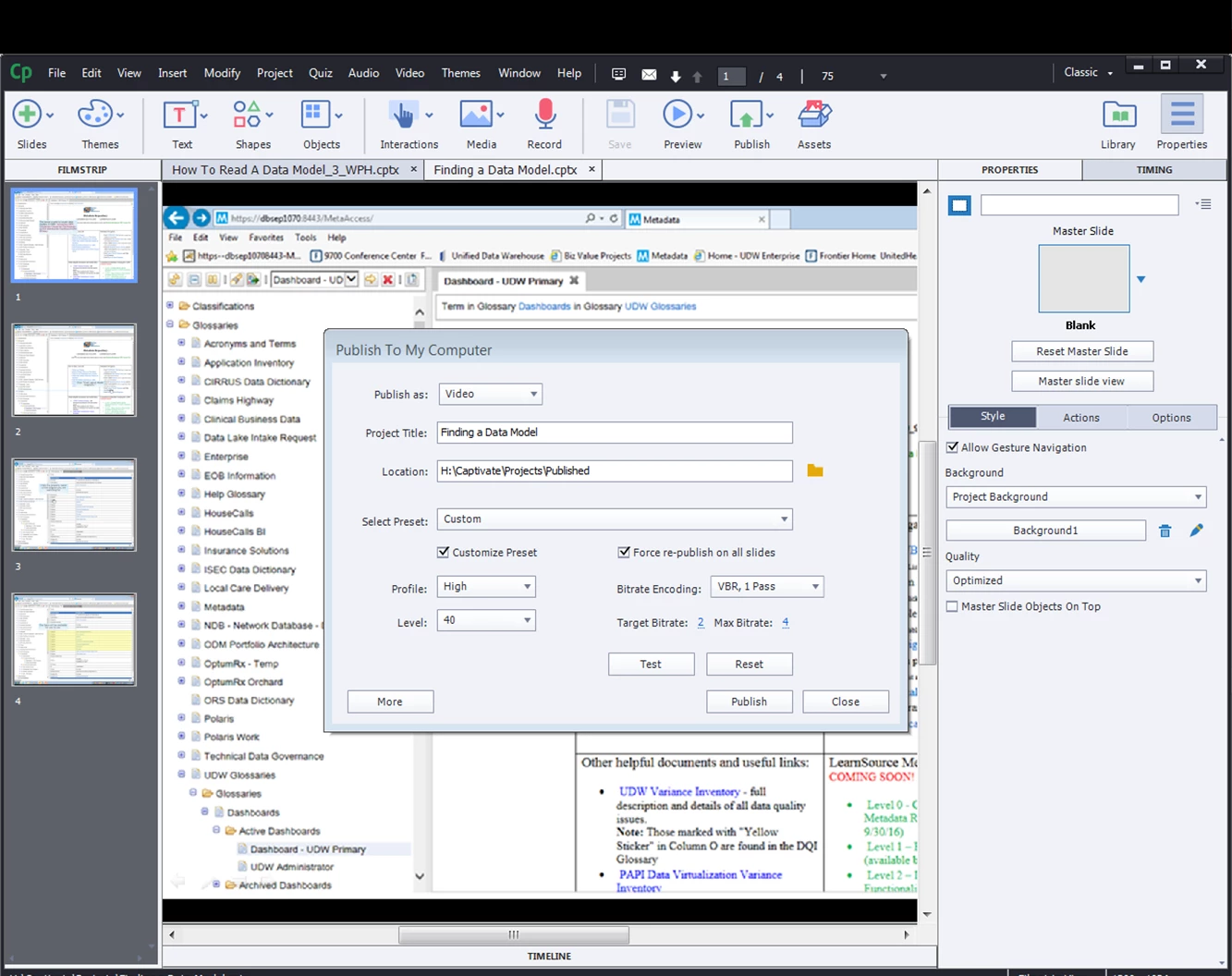
I am working in Captivate 9 and I recorded a video using File/Record New/Software Simulation/recording type Demo and when I complete recording I save the video as a captivate file.  I then publish the file as a video to my computer (see image).  Then I insert the video into the first Captivate presentation by clicking Media/video/Browse and get the video.  It plays perfectly when I preview the slide but when I publish it, the video becomes a small line with moving diagonal grey lines and the video will not play.  Any suggestions?
    This topic has been closed for replies.

    4 replies

    November 2, 2016

    Ok, I tried not to load the video as a media element but instead used the button to open a file on URL/Computer as a pop out window and again it plays in Preview but not in publish.  Do I still need to connect it to the LMS?

    Lilybiri
    Legend
    November 2, 2016

    When you say 'publish as a video', do you mean to MP4 format? In that case there should be no problem to insert it as a video into a Captivate project. What is not recommended, is to insert a cptx-project saved as SWF into a main cptx-project. A video is not an issue at all, but an interactive project into a main project can lead to a lot of problems.

    There are a lot of methods for Previewing, the one that is NOT a preview method is Play slide, because it will not honor possible pauses. The best Preview methods are Preview in Browser, or Preview HTML in Browser, depending on the output you'll consider when publishings. Those are very close to the final output. Play slide is meant for adjusting timing of objects or synch audio with objects appearing.  For HTML5 output, uploading to a webserver after publishing is often necessary to see all functionality.

    Chaining means: at the end of the first project, use the command 'Open another project' or 'Open URL or File' to open another published project. The hierarchy between the projects has to be preserved when uploading to a server or to a LMS.

    November 2, 2016

    I don't understand chaining, could  you explain it a little more?

    BDuckWorks
    Inspiring
    November 7, 2016

    Lilybiri​ has assisted by responding already, but here's my thinking:

    A simplified example of what I called chaining, is called a curriculum within the CornerStone LMS.

    You upload multiple SCORM packages, each generated from a separate Cp file, and in the LMS identify them as part of a single course, define the sequence of materials, and add any quizzes, exams, and supplemental material. The LMS then manages the completion data, tracking where each user is within each course, exams, and the materials.

    The curriculum is only marked as complete once the whole sequence is finished.

    IMHO, your approach (as outlined above) building one Cp file then importing it into another adds a great deal of complexity into the Cp files. You'll need to manage the resolution of each file, and ensure they match.

    That said, it may work fine for short video sequences, but I would rather you be weary that complications could arise

    Since you're talking about a video segment, the ​curriculum i described above would be overkill for your project. I'd recommend that you publish the video file to the LMS or webserver and use a webobject to trigger playback of the video file from your Cp project.

    BDuckWorks
    Inspiring
    November 1, 2016

    Depending on where you're final project will be published, you should be testing on a webserver or LMS. Check with your LMS administrator to determine if there is a 'pilot' or 'development' area for your work in progress.

    Here are a few suggestions:

    • Don't try to insert one project into another, chain them together.
    • When 'chaining' multiple projects together, they should be published separately and linked together via an LMS.
    • Preview isn't publishing, preview is meant to adjust timing and simple layout issues.
    • Publish your files to a local webserver, then a pilot site, and finally a production site (once earlier issues are resolved).

    There are lots of tips buried in these forums, and it can be very time consuming to locate them all, if you want to get up and running quickly enroll in a Captivate getting-started class, then consider advanced training.