
Participant
June 30, 2019
Question

3/4 Walk Cycle Puppet Warps When Walking

  • June 30, 2019
  • 2 replies
  • 983 views

This is similar to this discussion: Puppet distorting on walk cycle  but I have tried the solutions from that discussion and have not been able to fix it. Thanks in advance for any help.

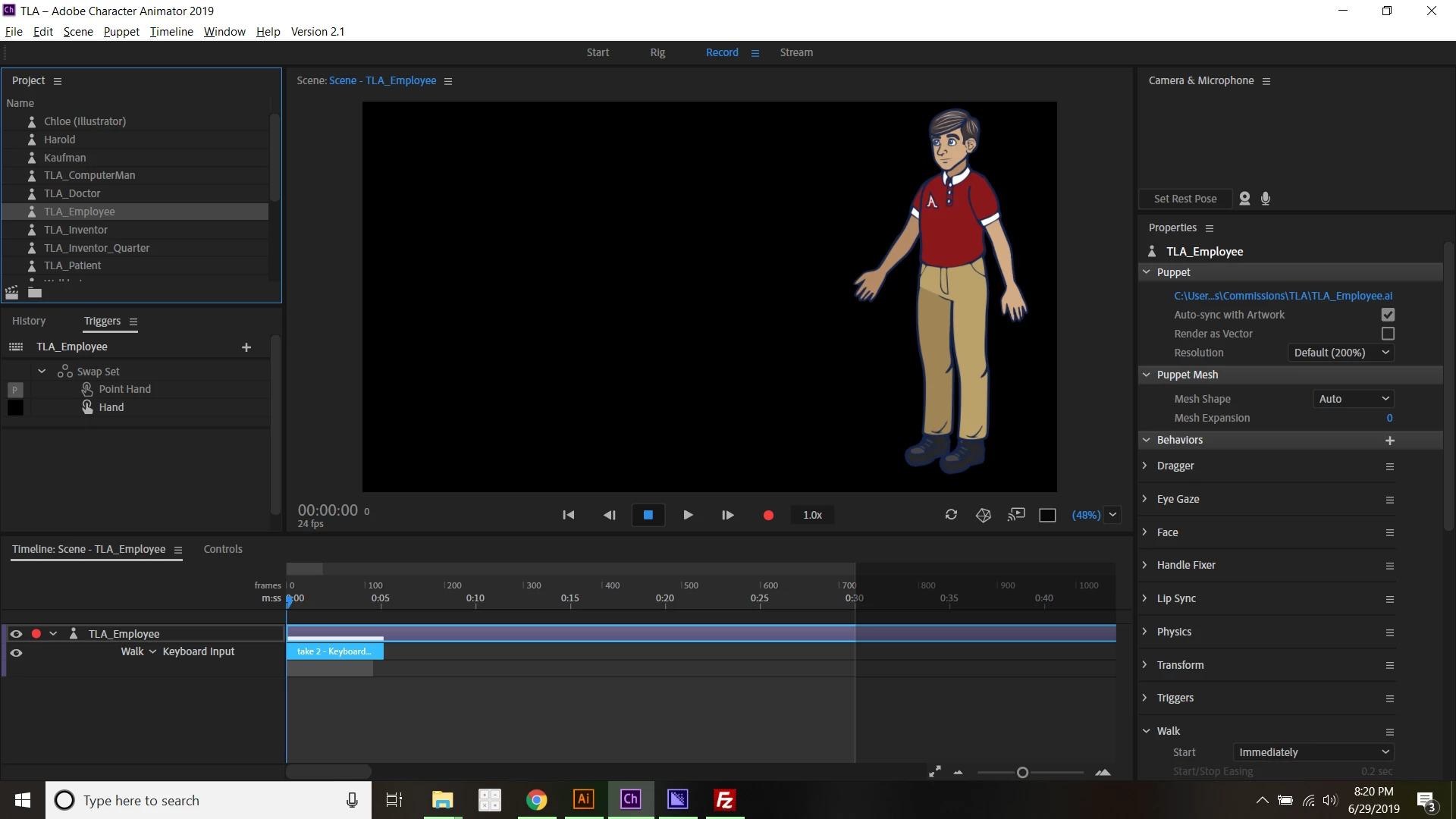
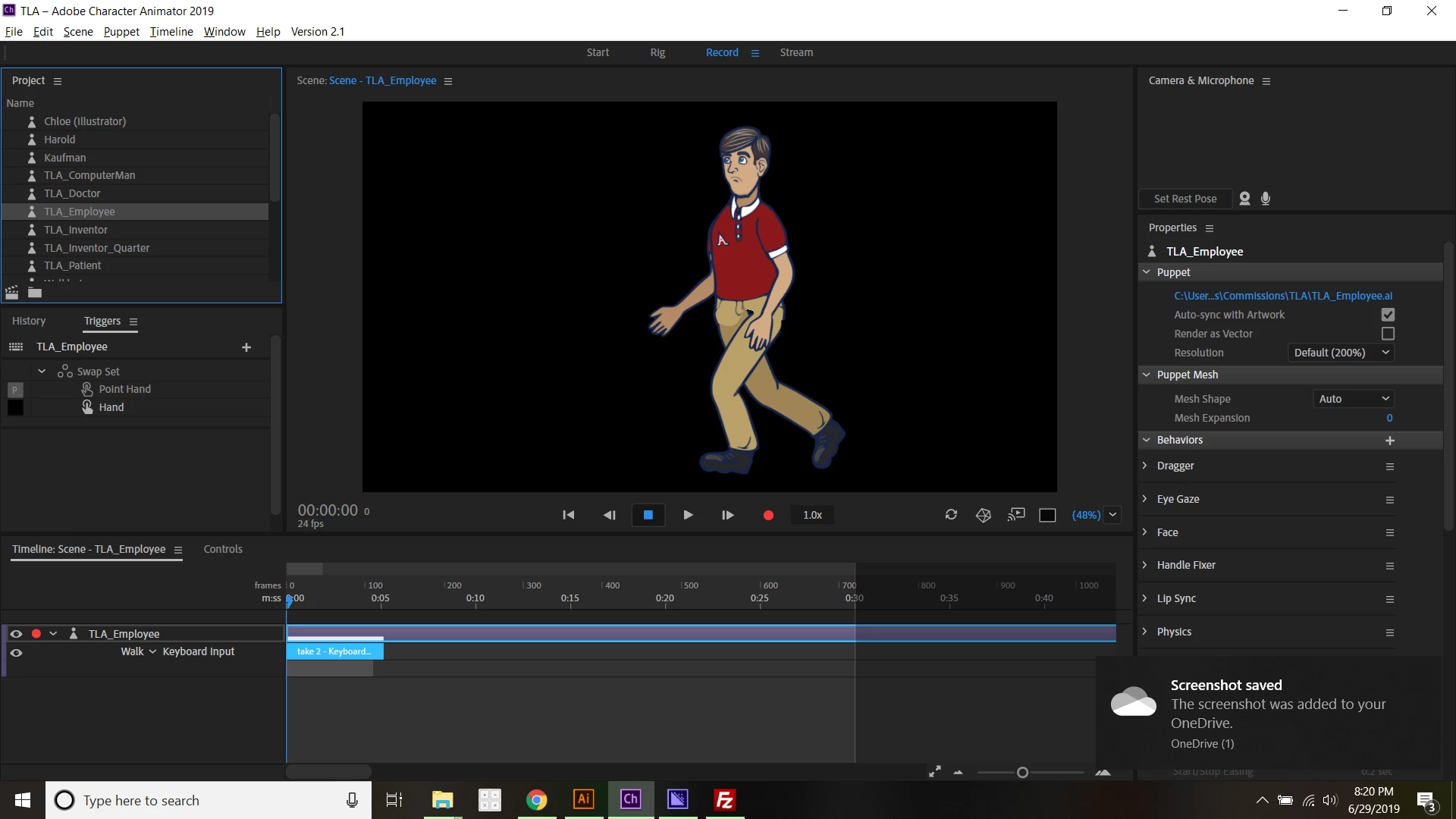
I've followed OkaySamurai's Kaufman tutorial to set up my puppet. Unfortunately, when he walks, his body drops down, his face stretches, and he just in general looks silly.

I'm hoping someone has an answer. Here is my puppet.

Here's a video of what it looks like when he walks:

And here are two screenshots, one when the character is being still, and the other when the character is walking.
This topic has been closed for replies.

2 replies

alank99101739
Legend
July 1, 2019

Here are the steps I went through.

First, I turn on the mesh icon. It did not come up with a nice mesh.

I noticed the hidden "Assets" layer. I selected and delete that as CH see hidden layers as well. I don't know if important in your case, but it can cause strange problems.

Next I clicked on the "Right Quartile" layer.

Zooming in...

  • I turned on Independence on the Left Eye and Right Eye layer. They are locking down the eyes stopping movement
  • I put independence on the mouth layer
  • I noticed Head and Neck are on the same point - normally Head is above Neck, but it what you have looks good then tits fine. (I removed the two tags again)
  • I removed the Nose tag

Here is the new screenshot after making the above changes.

Oh, and avoid tags on origin markets. Put a second squest.

Participant
July 1, 2019

Thank you for your assistance on this!  I'll check this out when I get home and see if that fixes some of the issue.

I also adjusted the Walk behavior settings, reducing the "Strength" and increasing the "Stride Length" to get a semi-natural movement. I also added a Stick to his jaw to try to reduce the face stretching.

I'll update this when I implement your changes.

gupta shivangi
Legend
August 1, 2019

Hi gaiusjaugustus,

Did you get the issue fixed?

^Shivangi

alank99101739
Legend
June 30, 2019

i Will try to look at puppet later when computer on, but one thing to try is to turn on the mesh view in the scene window (pentagon filled with triangles). With that on you should see what part of head is not moving. There is probably some tag there somewhere causing the problem.  I try deleting each tag one by one (followed by undo) to try and track down which one it is. Then once the tag is know, I try to work out why.