


Participant
Apr 26, 2017 3:47 AM UTC
Answered

Adobe Character Animator Not Opening (can't fetch cmaps)

Hello,

I installed Character Animator to my computer recently and was able to play around in it for a bit, but one day when I tried to open it, an error popped up instead that says "can't fetch cmaps" and the program itself doesn't start.
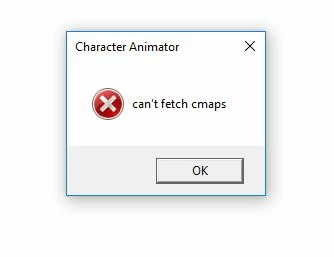
I tried restarting my system and uninstalling and reinstalling Character Animator, but the error still pops up whenever I try to open the program. Help for a fix would be much appreciated. Thank you!

This topic is closed to new replies. Start a new post to keep the conversation going.
isaiahk77047197Correct answer
Participant
Apr 26, 2017 4:34 AM UTC

I ended up finding the solution elsewhere in the Adobe forums: I had to repair my font cache by deleting "Fntcache.dat" from my System32 folder and restarting my system. It opened with no issues. Thank you Mylenium!

1 reply

isaiahk77047197AuthorCorrect answer
Participant
Apr 26, 2017 4:34 AM UTC

I ended up finding the solution elsewhere in the Adobe forums: I had to repair my font cache by deleting "Fntcache.dat" from my System32 folder and restarting my system. It opened with no issues. Thank you Mylenium!

Translate