
Participant
February 26, 2019
Question

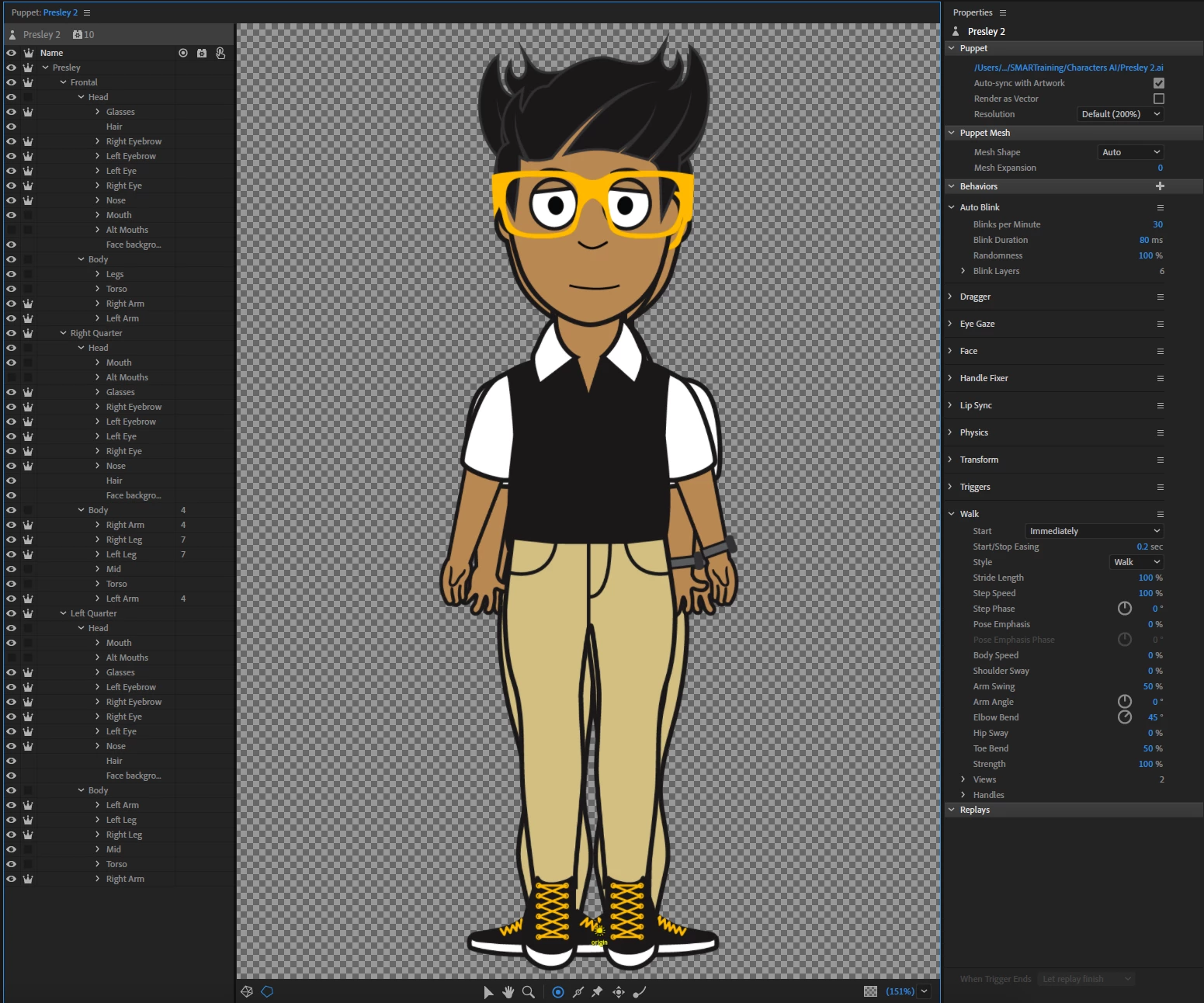
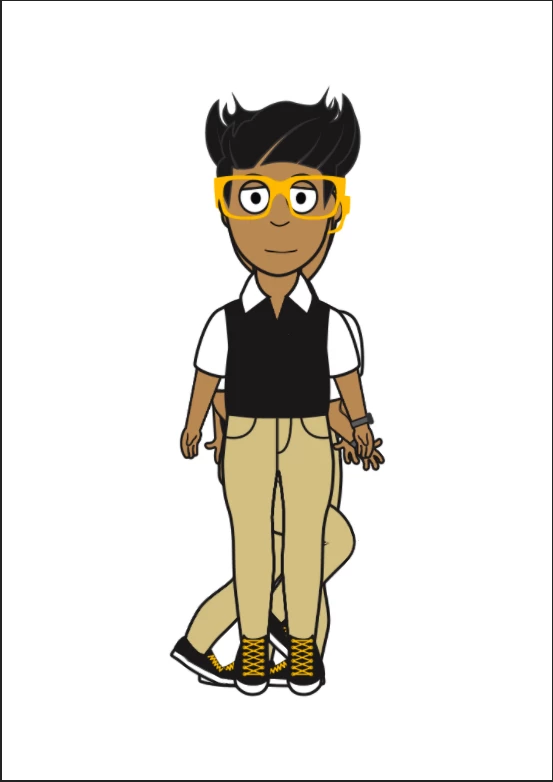
All profile views showing at same time in scene, only want one view at a time.

  • February 26, 2019
  • 2 replies
  • 1365 views

Hi there, first time question asker.

I've run into the problem of all the profile views showing at the same time. Whether it just be when I only want a frontal, or when I have a walk behavior. I believe that they are all tagged correctly, and all views have been made independent, but the program does not recognize them. This is the first time I have had this problem, and comparing the files to other puppets I have made, and the Adobe Puppets, I can't seem to find the flaw. Hopefully someone can spot what I'm blind too! Thanks in advance.
This topic has been closed for replies.

2 replies

alank99101739
Legend
February 27, 2019

Weird! That sort of situation sounds like a cache clean might have solved it. There is the two arrows in a circle you can click on in the scene window, plus if you hold down ALT it does a bigger wipe When you click.

evaf45139165
Participating Frequently
March 24, 2020

Hi there,


I was wondering If you ever got around to solve this problem. I am currently having it with my puppet.

Clearing the cache did not work. I can see the puppet walking behind the frontal one and if I hide it in rig mode, it simply won't show up, though puppet will move according to walk parameters. I also tried manually retagging but it did not help.


Thanks for any hint!

alank99101739
Legend
March 25, 2020

In the Walk behavior properties I think there are Views and Handles section you can expand. The idea is they will show how it has found the differen profiles and what layers it has bound to things. You expect to the see the Left Quarter and Right Quarter profiles linked to for example. If not then it does not understand those profiles. If that is wrong, nothing will work, so I would start there.

alank99101739
Legend
February 26, 2019

Did you add the Walk behavior to the root of the puppet? It picks which profile to display. You could take the eyeball off the Left and Right profiles so they are not displayed by default.

If you have a Walk behavior already, please check the “View” or “Handles” section (expand them) to see fi they are binding to the 3 profile views correctly.

Ahhh. I bet you have not tagged the layers. You called them “Left Quarter”, not “Left Quarter Profile”, so it has not auto-tagged them is my guess. You can add the tags yourself, or rename the layers so it Starts auto-tagging. Because the layer names are not what was expected, the profile tags probably were not added.

kylet2Author
Participant
February 26, 2019

My first thought was the layers as well, but they did auto-tag, and I retagged them just to be sure. The Walk behavior was on the root of the puppet, and they appeared to bind to the profiles correctly. I have a feeling that this is a very rare one-off situation that one of the parts in my Illustrator file is either corrupt or something that CA doesn't like.

After testing quite a few rebuilds, I started plugging parts from the character into an older character file I have that works. Through that I've narrowed it down to something in the Torso portion of the Illustrator file. Currently still narrowing down parts to find the culprit, but it's looking like a name tag, collar, neck, or body.

CoSA_DaveS
Participating Frequently
February 27, 2019

In your first screen shot, see where Walk's Views parameter says it's matching on two views? Twirl that open to show what they are. Are they what you expect?

When Walk has two or more views matching, it will trigger either the left or right one(s) depending on which arrow key you press. It will also hide all siblings (i.e. layers at the same level as the view-tagged groups). That should ensure you only see one at a time. If you had them at different levels in the hierarchy, it wouldn't work, but yours appear to be correct, so I'm not sure what's wrong. If you can share your puppet here (or privately via direct message) we'll diagnose it. File > Export > Puppet...