ILJI
Inspiring
May 19, 2017
Answered

Any way to copy visemes as keyframes to After Effects?

  • May 19, 2017
  • 1 reply
  • 2414 views

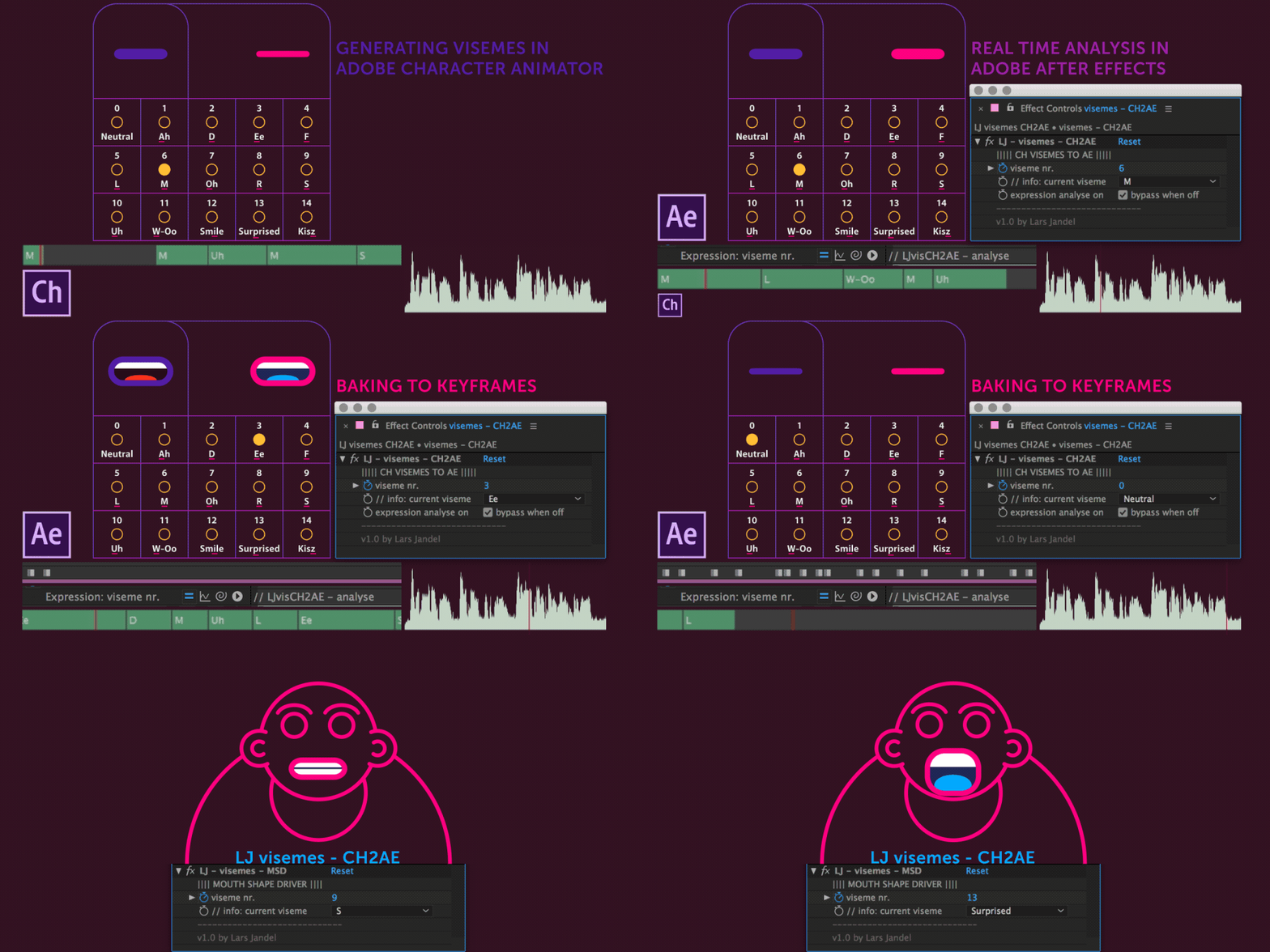
I was wondering as Character Animator does this nice computing of lip sync from audio: I guess, the visemes are like keyframes triggering the mouth shapes. Is there a way to copy this information to After Effects to get like toggle hold keyframes, e.g. stating the corresponding key numbers for the 14 mouth shapes?
As Character Animator can benefit from AE's face tracker, it would be nice being able to copy data the other way around as well. 

Thanks!

    This topic has been closed for replies.
    Correct answer CoSA_DaveS

    Strange about the embeds - another try to upload at least the gif again. Thanks!


    Impressive workaround! Almost sorry to say that a new Copy Visemes for After Effects command (right-click on a viseme take bar, just above the visemes themselves) has been added to the recently announced, soon-to-ship, version of Ch (1.1).

    1 reply

    oksamurai
    Legend
    May 19, 2017

    Not yet. But this is a common request we hear at http://adobe.com/go/ch_wish - you're not alone, people want more data coming in from CH to AE. Like even if my handles came in as nulls...man that would be awesome for tracking purposes.

    Anyway, agreed - thanks for the feedback!

    ILJI
    ILJIAuthor
    Inspiring
    May 19, 2017

    Cool - sounds like it's gonna happen - hopefully sooner than later
    Yep, getting hold of all the animation data would be great!
    Thanks for replying Dave!