


Participant
July 11, 2019
Question

Arm IK doesn't work

  • July 11, 2019
  • 4 replies
  • 402 views

Hallo everyone.

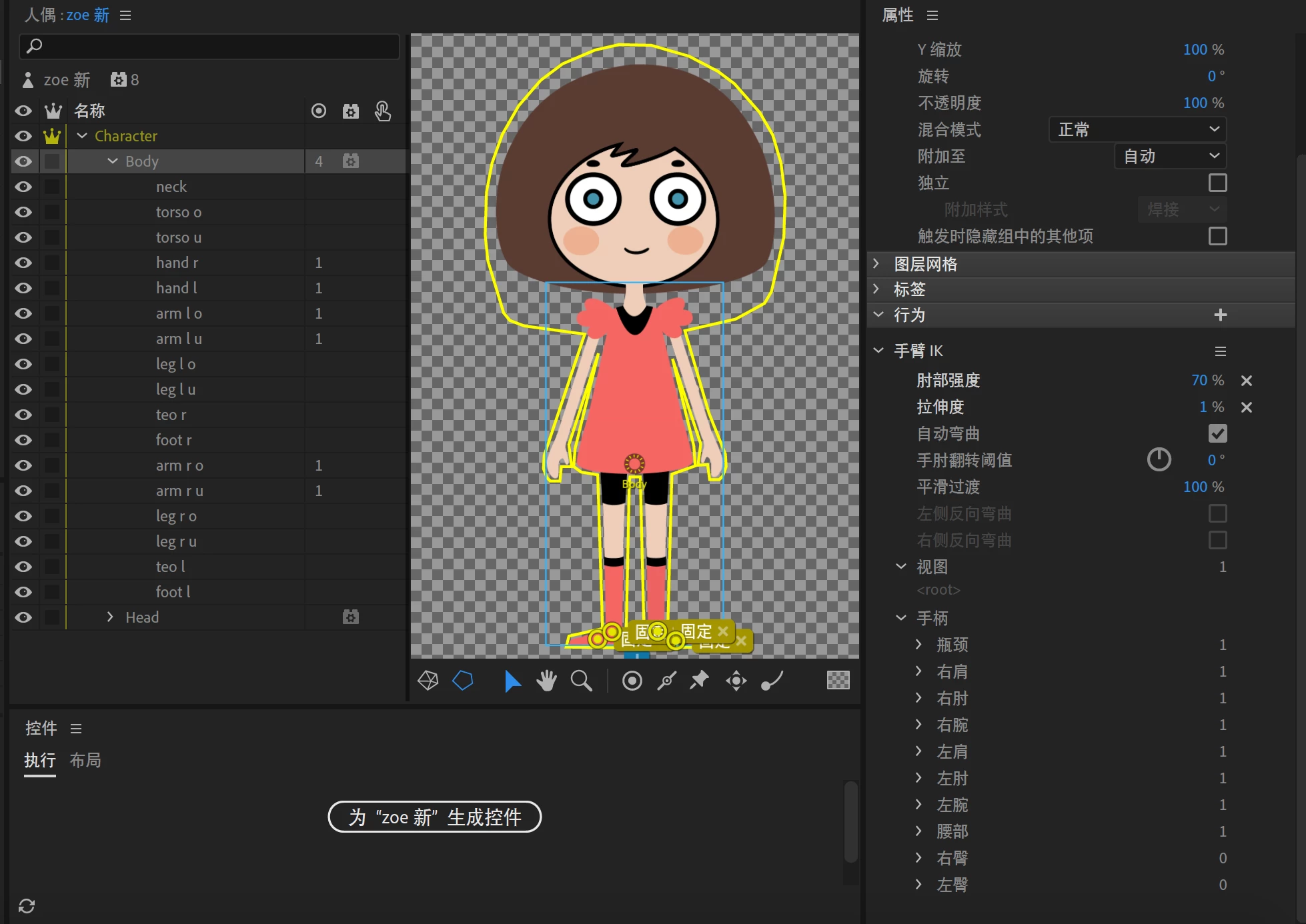
I just made a puppet and when I set the arm IK, I found that it doesn't work.

I set the stretchiness to 1% so that I think the arm shouldn't stretches .

I don't know why .

I show the settings. The language is Chinese and I don't how to change it but I think it could be referenced.

Thank you.
This topic is closed to new replies. Start a new post to keep the conversation going.

4 replies

alank99101739
Legend
July 12, 2019

Sorry, don’t have computer with me to try, and i assume you have read Adobe Character Animator Help | Control puppets using behaviors (the section on arm ik, with video)

If you put a dragger on the hand, does the arm sort of move like you want?

The examples i have seen in the forums create an independent layer for the arm then attach to the shoulder. A mistake in that case is the shoulder tag must be on the body, not the arm. You might like to exprriment creating a Left Arm layer, put all the arm parts in it, make it independent, put the shoulder tag on the body where the arm attaches, the elbow and wrist on the arm layer. The docs does not say the arm needs to be independent, but the examples i have seen do that.

Participant
July 12, 2019

OK

Thank you for your answer and suggestion. I will try to arrange the layers.

alank99101739
Legend
July 12, 2019

The IKArm behavior relies on various tags like wrist and shoulder, I could not see them in the screenshot,  Can you share a screenshot showing where the different handles etc are?

Participant
July 12, 2019

hallo, thank you for your answer.

Today I try to switch  my computer language to English but in CH it still shows me Chinese.

Do you mean this tags and handels?

right wrist and draggble

right shoulder

right elbow.