
Known Participant
June 14, 2022
Answered

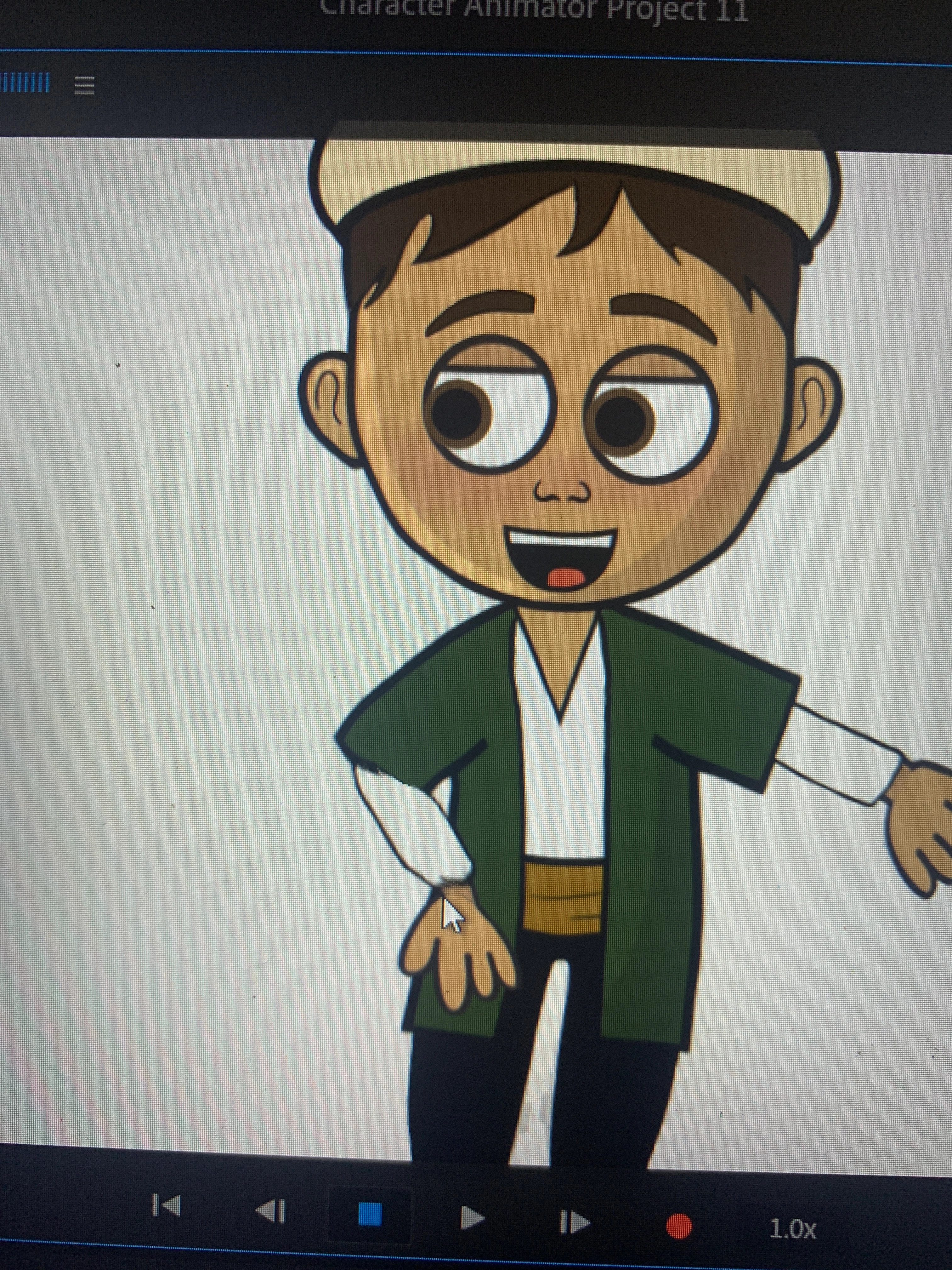
Arm movement causes glitch/deformation
  • June 14, 2022
  • 2 replies
  • 353 views

Hi everyone. My boss wants to start a youtube channel so i started to draw caracters and animate them with adobe character animator.

Everynight, i go to bed with proud that my puppet works okay but then every morning it all falls apart when i open it again, i see new problems (and they were all totally working fine when i last check)
Now my arm problem looks like this; the lines are weird and blurry, and it all looks really deformed.. ıt was ok for weeks and i didnt make and changed but now its like that. 


but is there any hero that won't just check the arm but look into the whole puppet to see some possible future issues in there? Pls help me out i feel like i'm never gonna get out from this loop and my boss is starting to get bored of waiting for them to solve...  here is the puppet; https://drive.google.com/file/d/18gcx-zNmxnBIVkFngkIZ37hQ_KZBcVNK/view?usp=sharing


thank you in advance

This topic has been closed for replies.
Correct answer k_oshiro

I explained this in the video because I am not good at English.


1) Put together the arm layers upper arm forearm wrist.

2) Add a crown mark to the arm layer to make it independent.

3) Remove one of the shoulder tags from the body layer and the arm layer because they overlap.

Thanks.


Modified puppet.

https://drive.google.com/file/d/1VJ5XPSGgqtyMte9rsHSFewSk-G7QBWqP/view?usp=sharing


YouTube (in Japanese)

https://youtu.be/B5xOaeyN43o


2 replies

k_oshiro
Community Expert
k_oshiroCommunity ExpertCorrect answer
Community Expert
June 14, 2022

I explained this in the video because I am not good at English.


1) Put together the arm layers upper arm forearm wrist.

2) Add a crown mark to the arm layer to make it independent.

3) Remove one of the shoulder tags from the body layer and the arm layer because they overlap.

Thanks.


Modified puppet.

https://drive.google.com/file/d/1VJ5XPSGgqtyMte9rsHSFewSk-G7QBWqP/view?usp=sharing


YouTube (in Japanese)

https://youtu.be/B5xOaeyN43o


k_oshiro(AdobeCommunityExpert)
TheOriginalGC
Community Expert
Community Expert
June 14, 2022

One problem I'm seeing is that the right arm has the "arm" layer outside of the right arm layer so it's not behaving the same way. Also, the arms probably need to be independent of the body to keep the mesh from warping.

Known Participant
June 14, 2022

Thank you so much ❤️❤️