This topic has been closed for replies.

2 replies

alank99101739
Legend
February 26, 2020

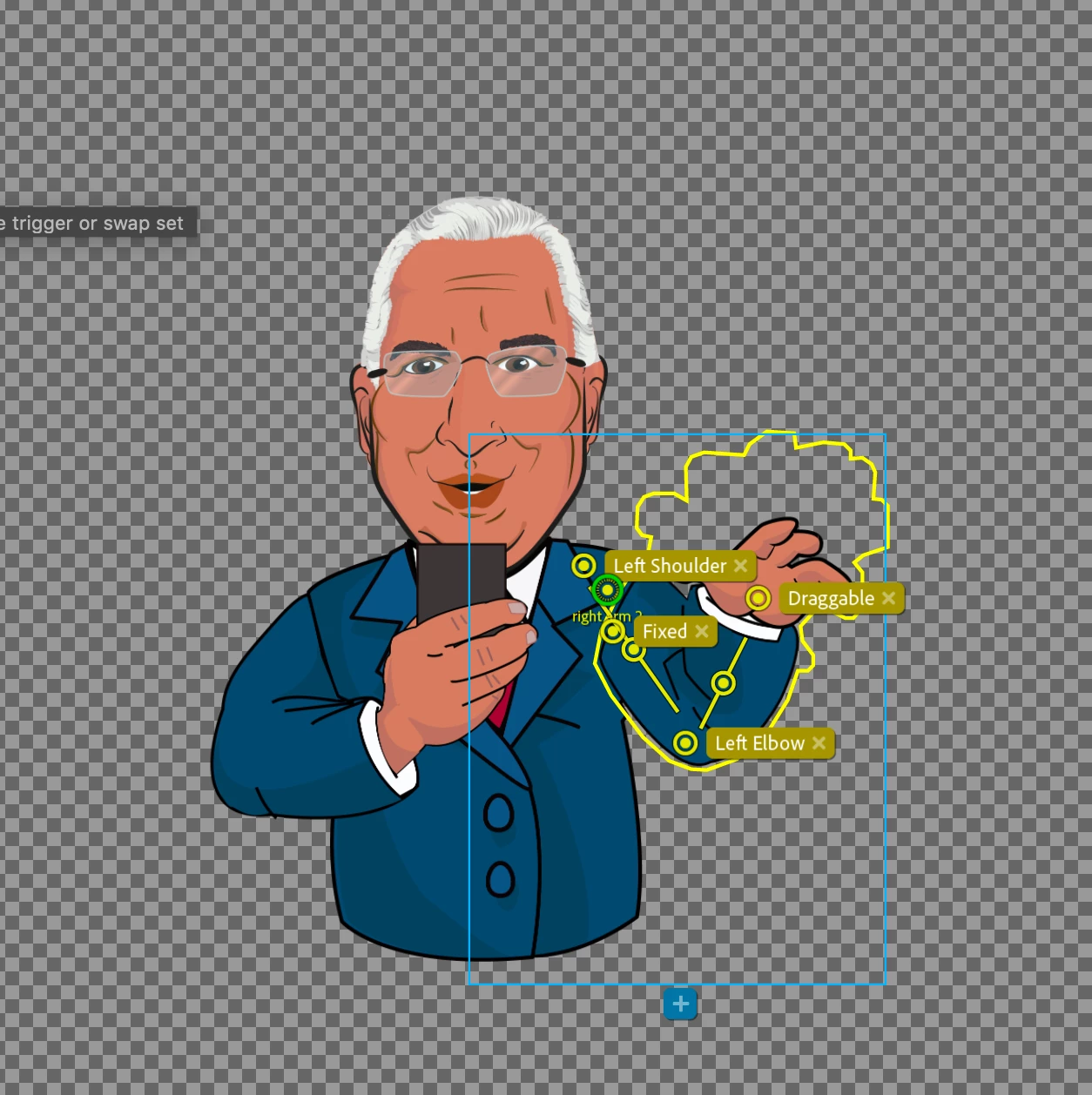
I am used to extending the arm artwork behind the body with a semicircle so the attach point (green) is inside the arm artwork, otherwise you can get a gap between the arm and body when it rotates. 

Participant
February 27, 2020

I have removed the fixed handle and changed the green circle location and the same problem continues..

How do I change the Attach Style?

Jeff Almasol
Adobe Employee
Adobe Employee
February 27, 2020

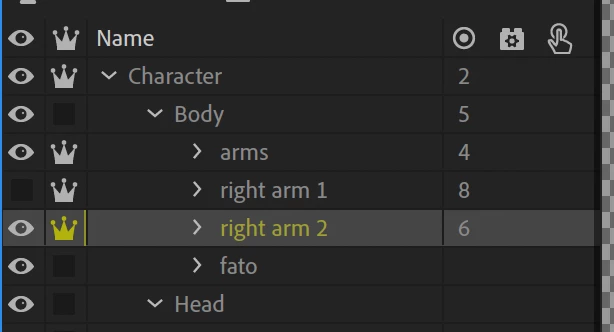
With the "right arm 2" layer selected, look in the Properties panel on the right side of the app window, in the Layer section, just under the "Independent" option. Set Attach Style to Weld.

Jeff Almasol
Adobe Employee
Adobe Employee
February 26, 2020

What seems to be happening is that the arm is trying to rotate around the elbow. If you remove the Fixed handle tag from the upper-arm stick, does it help? It also seems like the Attach Style is set to Free (i.e., that independent "right arm 2" layer is allowed to move freely from the torso, so does changing Attach Style to Weld help as well?


Participant
February 27, 2020

I have removed the fixed handle and changed the green circle location and the same problem continues..

How do I change the Attach Style?