



Arm won't connect to the body?
Hi Guys,
I have been trying to find out why i cant attach this arm so it moves with the body, if someone can help me id be most grateful, i have tried to dig around in the project for about 4 hours and i cant seem to find the answer!
This is what it is doing......
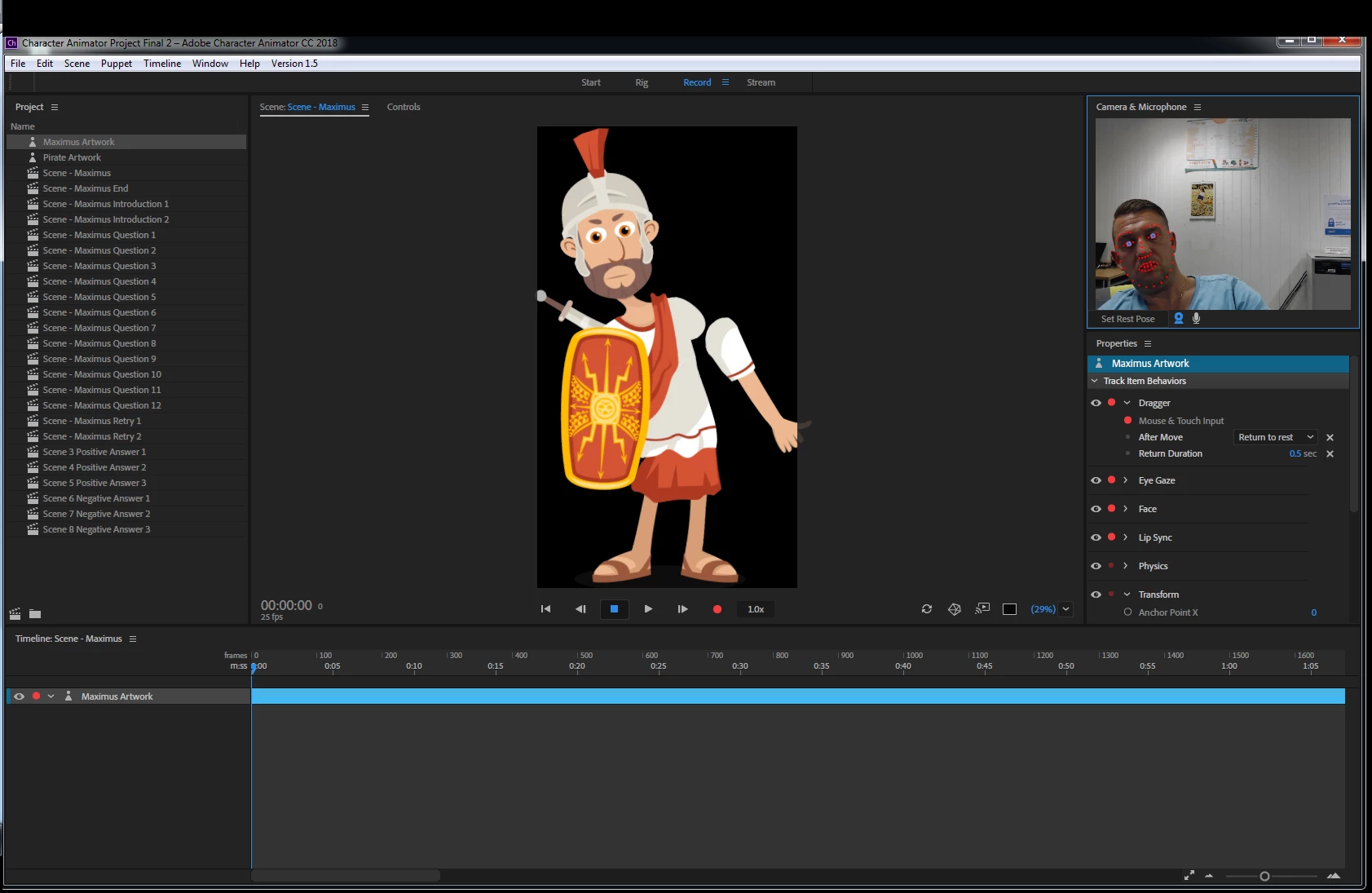 IMAGE 1
I have been into the rig tab after looking at other discussions and tried to move the origin point as this seems to have been a common problem in other peoples projects but its still not connecting with the body.......
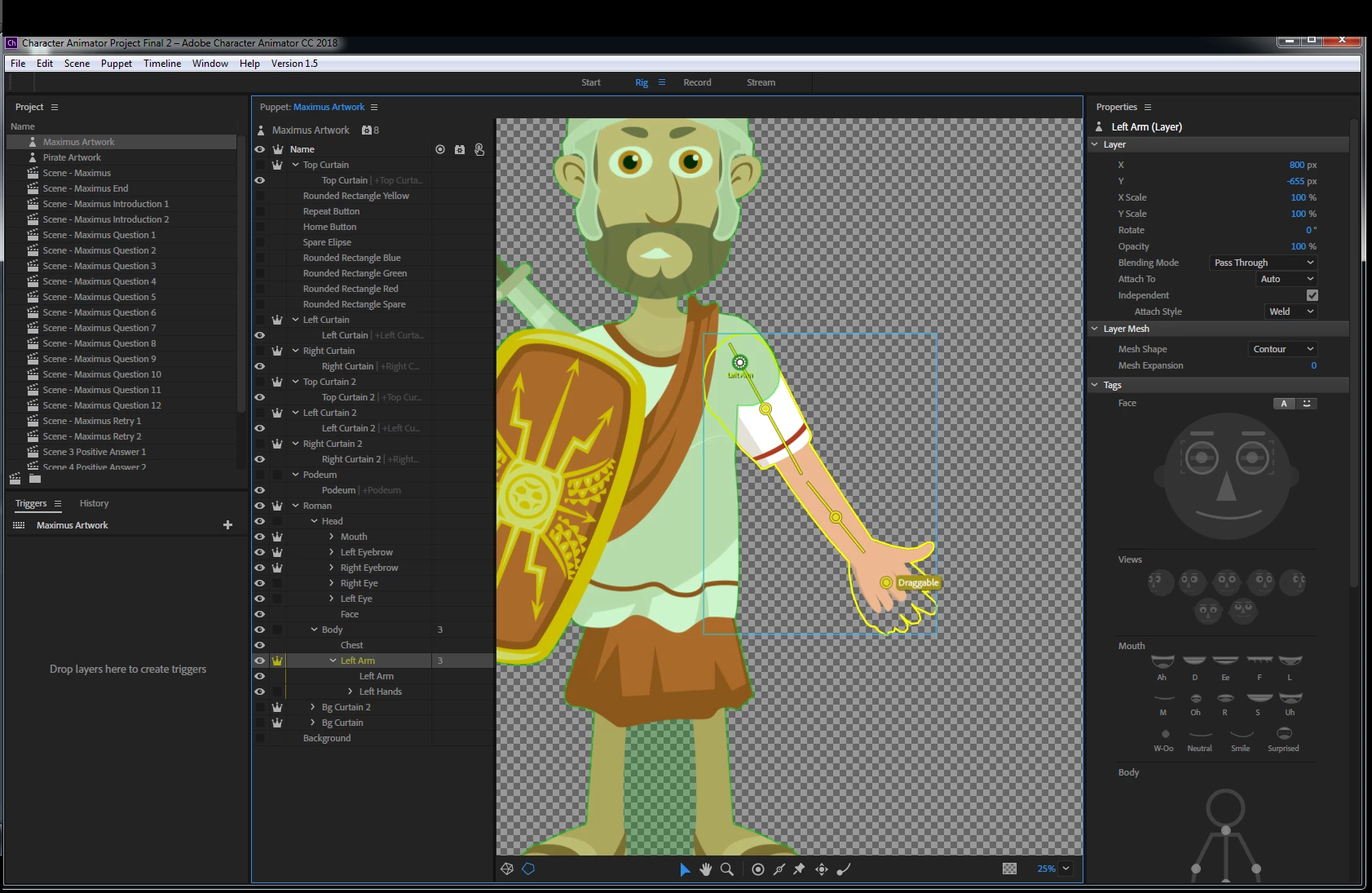 IMAGE 2
Even though it picks the origin point up and attaches it to the body (Shown in the green) when i go back to the project it still moves about as image 1 shows?
I have noticed that when i move the origin point to attach it to the body as shown in Image 2 after i have tested it in the record tab and it hasn't worked, i have gone back into the rig tab and it displays the origin point like this.......
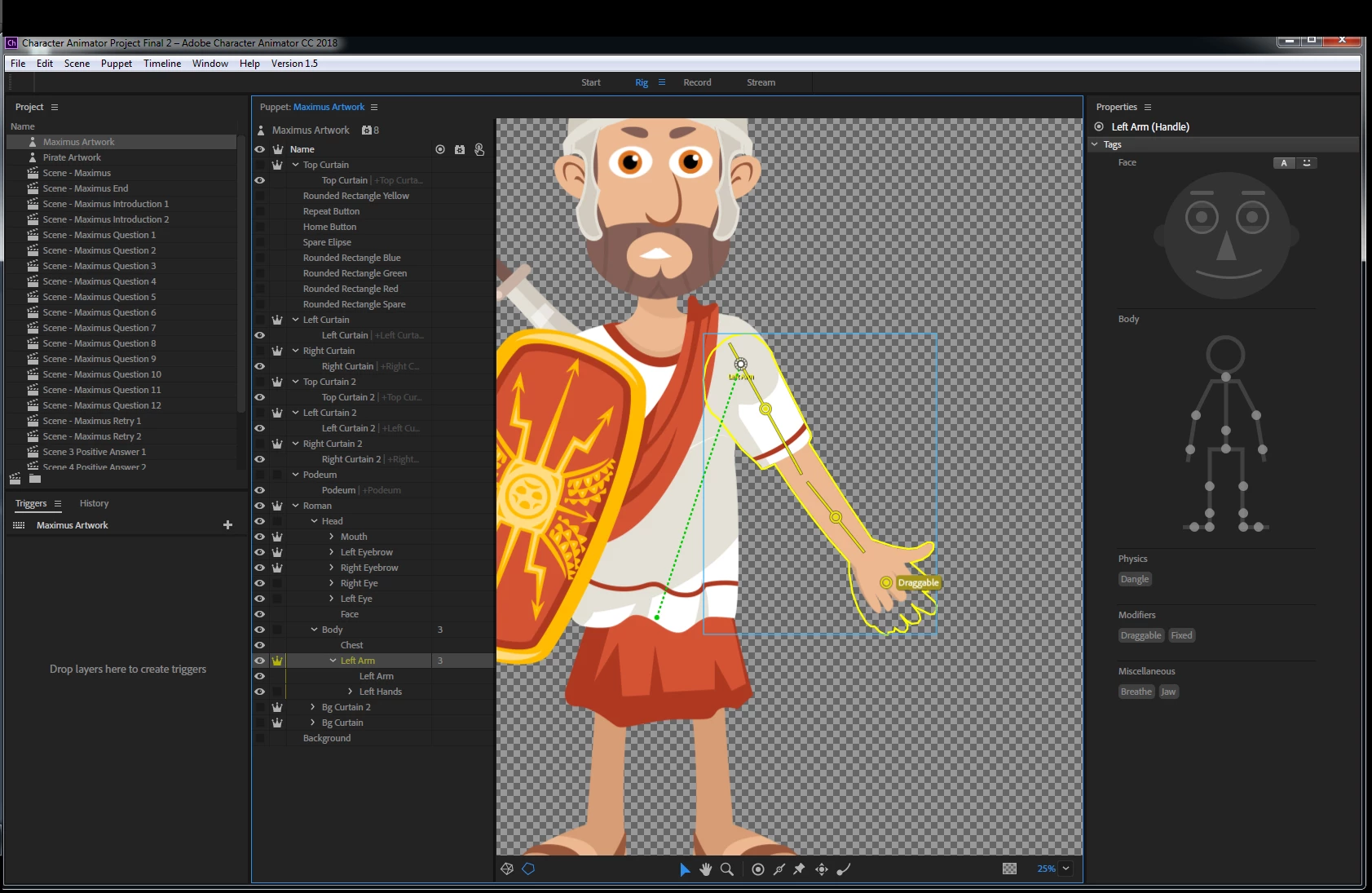 IMAGE 3
So i then have to move the origin point so it picks the body up again as shown in image 2? Could this be an error in the project or is it something simple that i am not doing or missing!!?? Please help its doing my head in!!!!
Many thanks
Chris C
 AdChoices