PedroMaccarone
Participating Frequently
October 16, 2018
Answered

Arms joint & bending

  • October 16, 2018
  • 2 replies
  • 2281 views

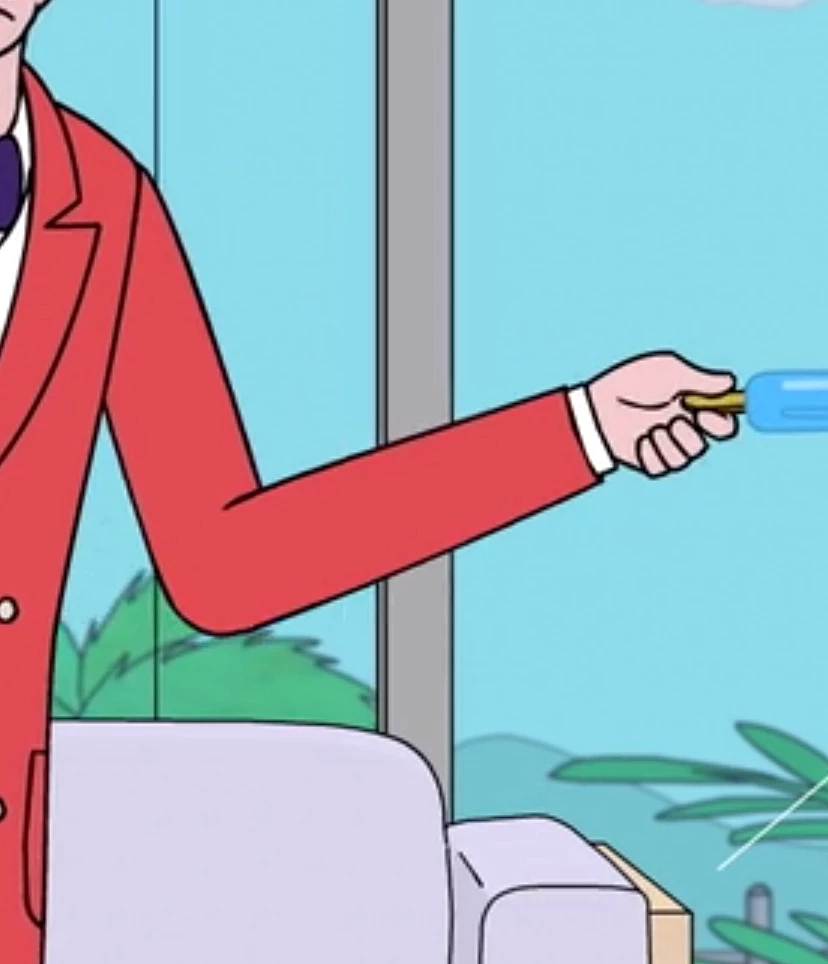
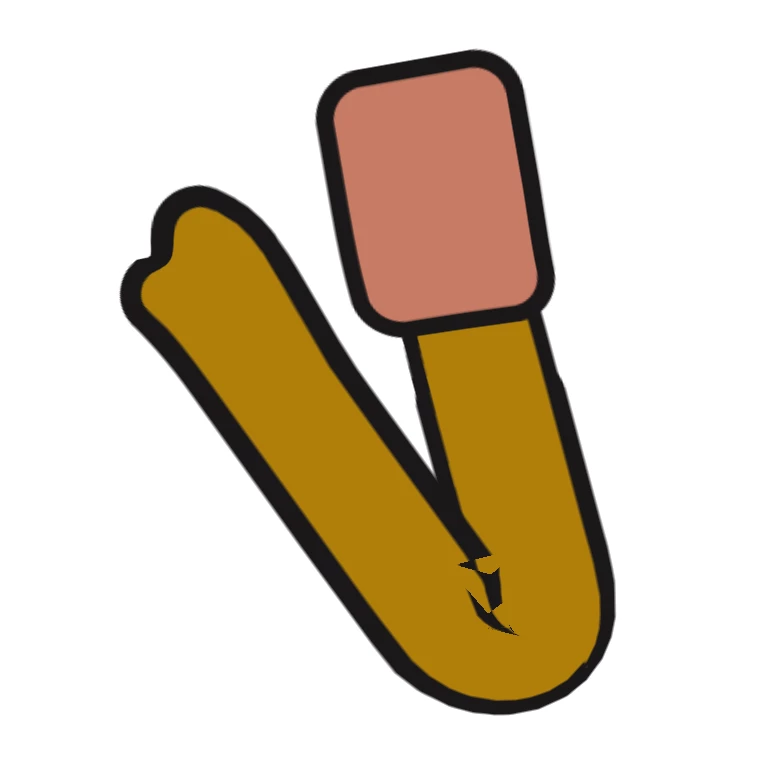
Hello guys. Perhaps there's a workaround for this and I haven't figured it out yet. I need my character's arms to bend like the picture of this red suited character, and all I'm getting is what you see on the other image. I've tried making the forearm without lines so the lines of the other arm part fill that void but...no. Any ideas?

This topic has been closed for replies.
Correct answer alank99101739

Where you put the sticks will make a difference, but if you are after that exact effect, I suspect you will need to have the two arm segments as two separate layers - so you can use “hinge” at the elbow joint. Anything with warping at the joint won’t get that little overlapping segment.

The forearm would be attached to the upper arm using an indepdent layer. I would put the forearm on top with a bit of a black line, but not all the way around the joint. i am not sure this will work, but something like the following.

Here are the two arm segments (in different colors for clarity).
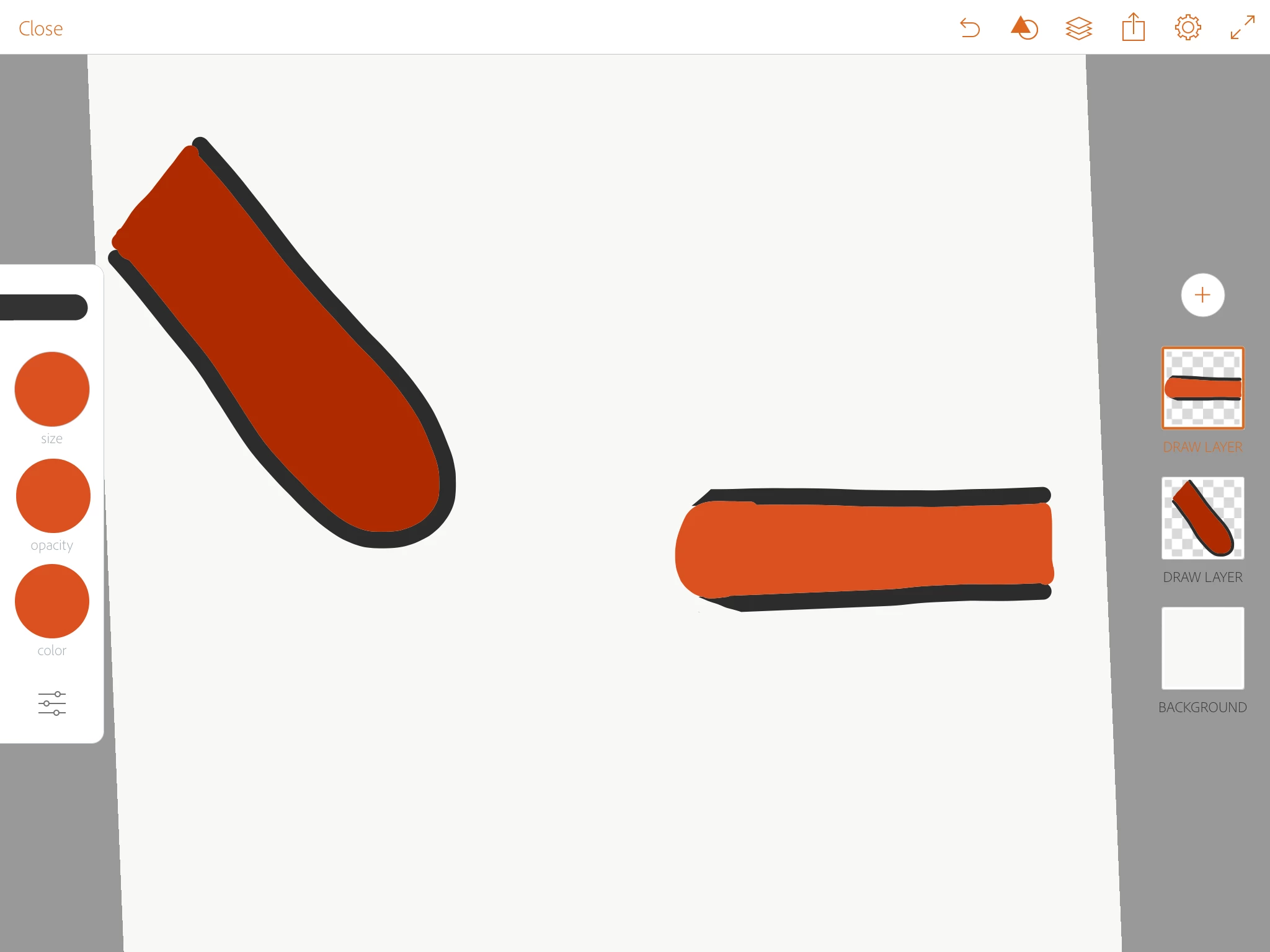
When they overlap, you see some of the forearm black line over the underneath layer.
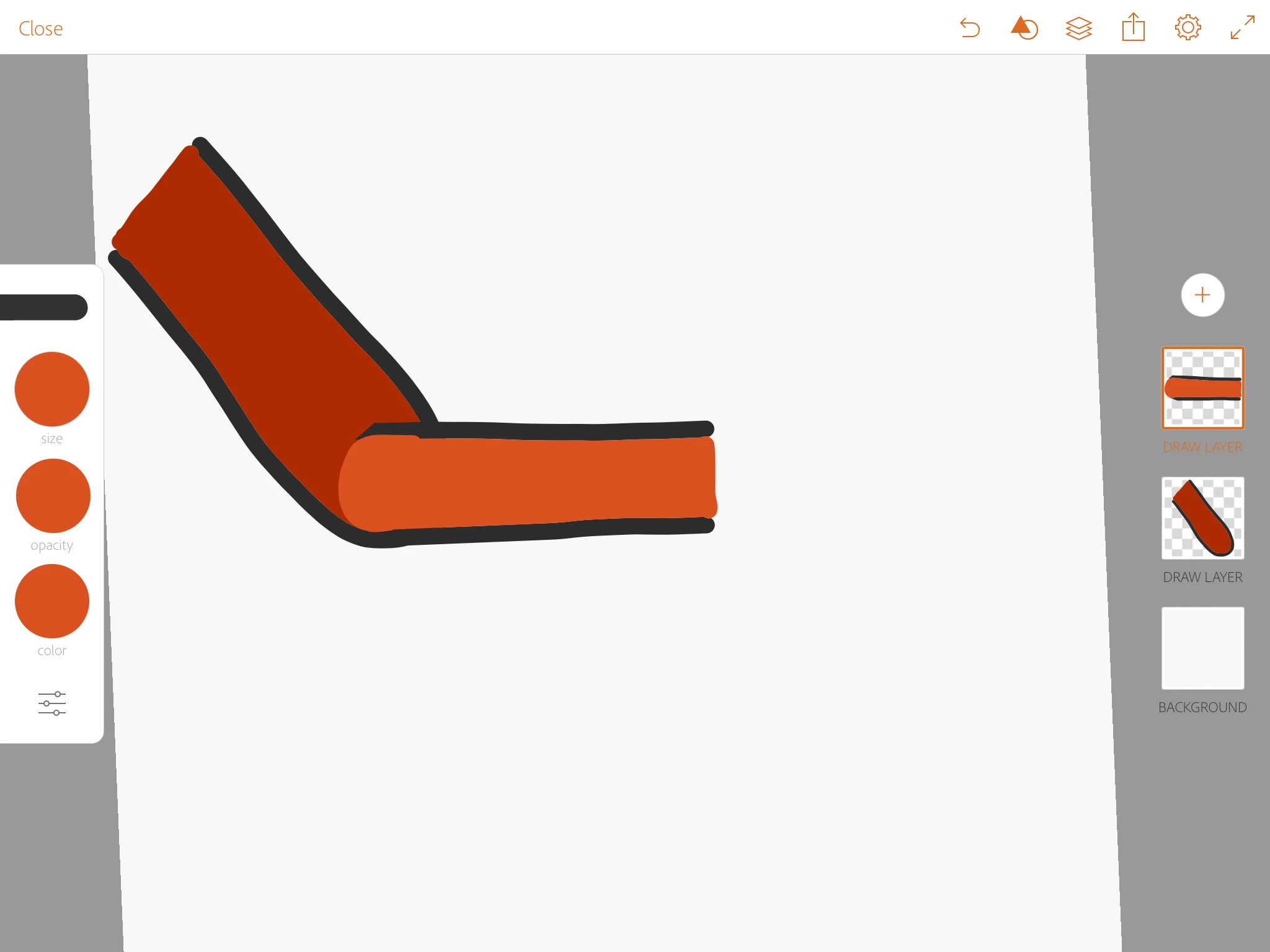
it might take some experimentation to get it right. But i think two independent layers will be required to avoid warping,

However, careful placement of sticks will reduce the distortion you are seeing,

2 replies

genesioz26988543
Participating Frequently
December 26, 2018

YES!!! Thank you!!

alank99101739
alank99101739Correct answer
Legend
October 16, 2018

Where you put the sticks will make a difference, but if you are after that exact effect, I suspect you will need to have the two arm segments as two separate layers - so you can use “hinge” at the elbow joint. Anything with warping at the joint won’t get that little overlapping segment.

The forearm would be attached to the upper arm using an indepdent layer. I would put the forearm on top with a bit of a black line, but not all the way around the joint. i am not sure this will work, but something like the following.

Here are the two arm segments (in different colors for clarity).

When they overlap, you see some of the forearm black line over the underneath layer.

it might take some experimentation to get it right. But i think two independent layers will be required to avoid warping,

However, careful placement of sticks will reduce the distortion you are seeing,
PedroMaccarone
Participating Frequently
October 16, 2018

Respect my good Sir!

I was already trying with separate arm parts but couldn't find the way, but touching the sticks and the HINGE did the trick. Now I'm getting this results. Much much better.

Known Participant
May 22, 2020

Hello, guys!

i had the same issue and was glad to find this thread, but i was not able to pull up this on my project.

I tried on my current project, with several animation already done and was could not make it work . I separated my arm in arm/forearm, set as independent movement and hinge an only produced glitches. I tried several combinations of parenting/handle, etc. and nothing...

I decided to start a new puppet just for that and also couldn't make it work, my shoulder is a little distorted, but my forearm follow my elbow, but does not connect to my hand, it's always horizontal... if any of you guys still has that project and could help me i would appreciate a lot.

Thanks in advance!