


Participant
February 8, 2023
Answered

Arms will not go in front of body

  • February 8, 2023
  • 1 reply
  • 463 views

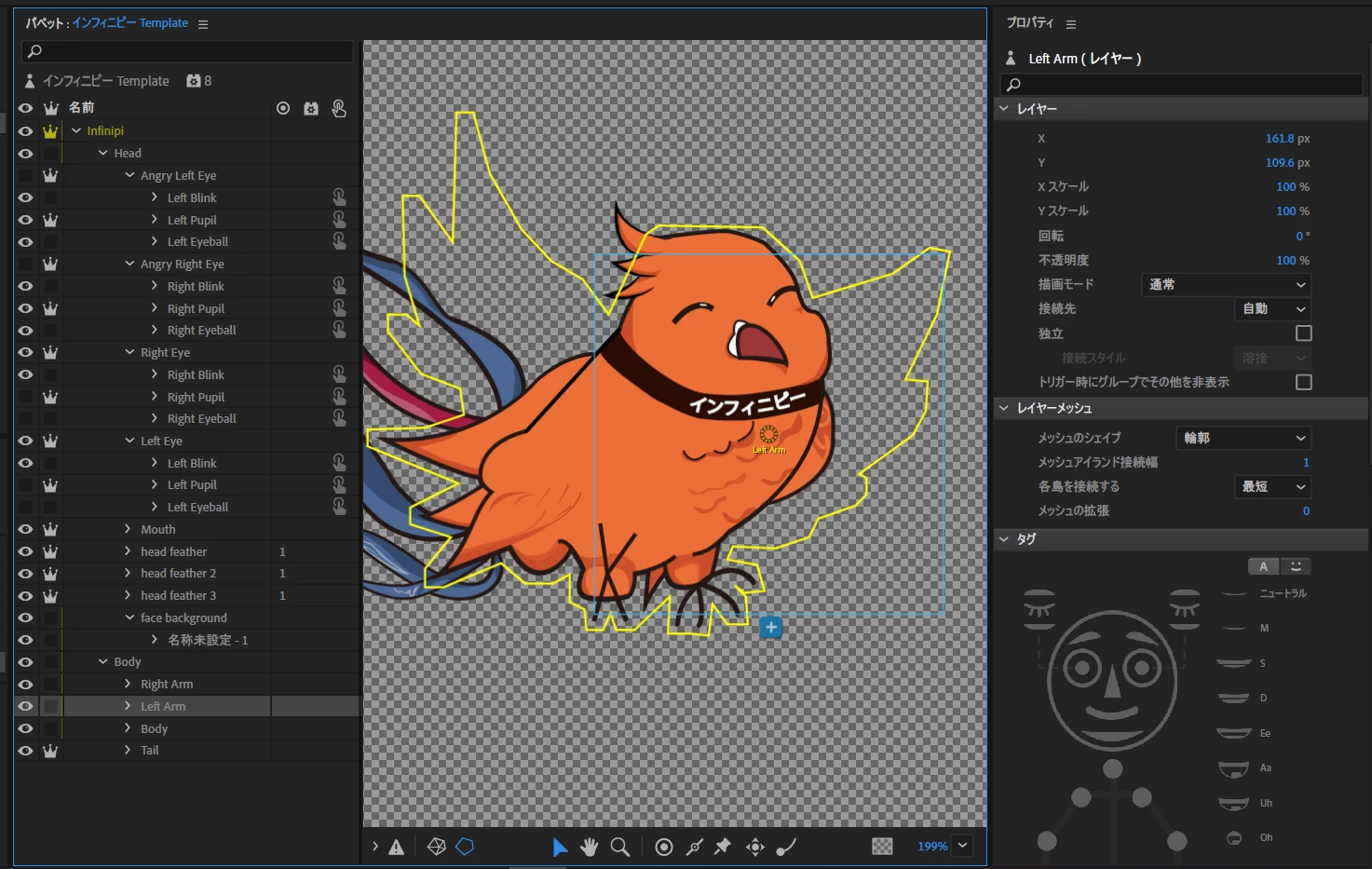
I've been working on a simple bird character. I used the basic blank template from the adobe site. I ordered the layers correctly (to my knowledge) but the arms(in this case wings but whatever) will not go in front of the body layer even if I moved the layers in front of the body.


Any help on how to fix or what I am doing wrong?
 

This topic has been closed for replies.
Correct answer ジェイソン220048181ibl

Thank you for your reply.

I actually figured out the problem. It seems that Character Animate ignored my clip mask from Illustrator and projected the whole picture instead of just the clipped portion as it would in Illustrator. So I just erased the part within the clipped sections and was able to fix the error. (Originally I just duplicated the body, separated the head from the body with a clip mask, so when imported into Character Animate it showed the whole body in the Face Background section, including the parts within the clip mask. Similiar to what you describe.)


But now its all fixed and Ive managed to create a simple slightly animated character as I've intended. Thank you.

1 reply

TheOriginalGC
Community Expert
Community Expert
February 8, 2023

Ia it the body or the head that the wings will not move in front of? Because the wing layers are clearly behind the head layers.

ジェイソン220048181iblAuthorCorrect answer
Participant
February 9, 2023

Thank you for your reply.

I actually figured out the problem. It seems that Character Animate ignored my clip mask from Illustrator and projected the whole picture instead of just the clipped portion as it would in Illustrator. So I just erased the part within the clipped sections and was able to fix the error. (Originally I just duplicated the body, separated the head from the body with a clip mask, so when imported into Character Animate it showed the whole body in the Face Background section, including the parts within the clip mask. Similiar to what you describe.)


But now its all fixed and Ive managed to create a simple slightly animated character as I've intended. Thank you.

TheOriginalGC
Community Expert
Community Expert
February 9, 2023

Good call. CH definitely does not know how to process those masks.