Participant
November 24, 2021
Question

Artwork won't sync from Photoshop

  • November 24, 2021
  • 2 replies
  • 445 views

Hello,


i have been trying to edit this puppet in photoshop like changing color overlays but the new colours wont sync in character animator. does anyone have an idea what im doing wrong?
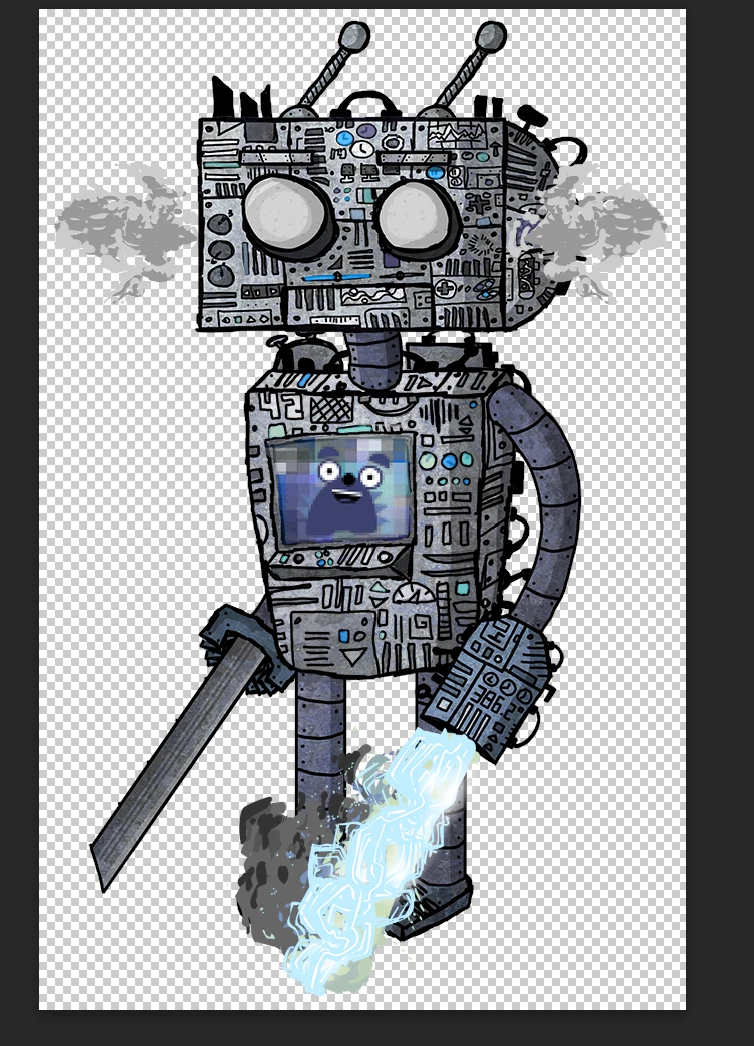
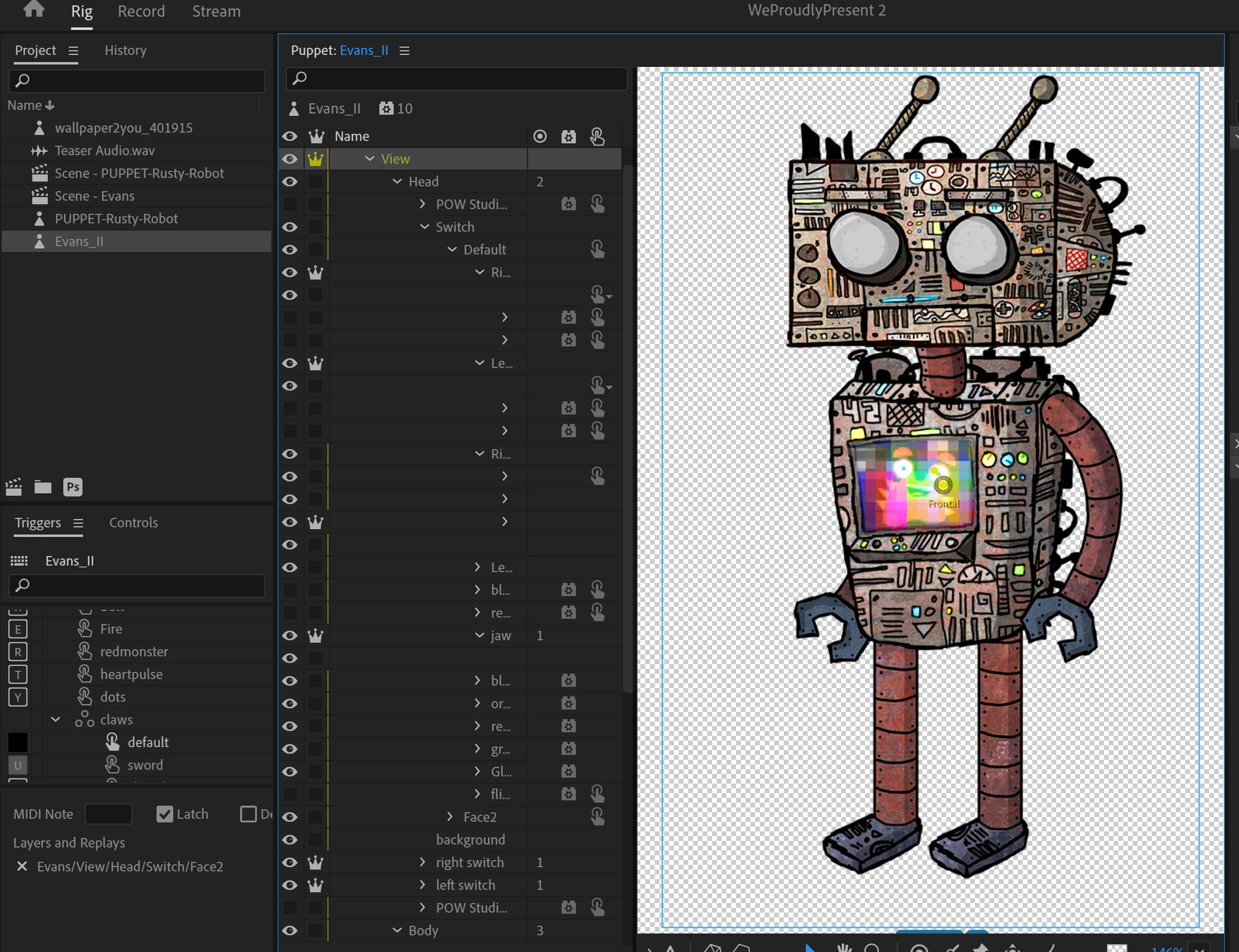


This topic has been closed for replies.

2 replies

oksamurai
Community Manager
Community Manager
December 1, 2021

Sometimes CH doesn't always see a change as sync-worthy. You can always try selecting another layer and moving it left or right one pixel and back again, then saving - that will be enough to force a sync.


You can also play with blend modes inside CH, if that's the tchnique you're using. Or worst case scenario, rasterize (right-click and select this option) the layer in PS, which will bake the effect into the layer.

Participant
December 1, 2021

1st of all - i'm so honored 😉 i watch all of your tutorials in youtube. 

and 2nd - thanks for the tip,  i'll give it a try and get back to you.

best regards

alank99101739
Legend
November 24, 2021

I don't know how you are doing it, but a few suggestions:

  • Remember that not all fancy Photoshop and Illustrator features are supported by CH. So it may be, e.g. for color change, the new effect is ignored.
  • If you are adding new layers of artwork, are those new layers appearing in the rigging hierarchy? If not, are you sure you are editing the PSD file etc that CH is using? (There is a "Path" property for puppets. Edit Original should always use that path.)
  • If you added new hands (hold things) using new layers, are they in swapsets or similar? Are triggers hiding the layer where you put the new artwork?
Participant
November 25, 2021

hey thanks for replying! 🙂


ad 1) yeah i know, but that colour overlay is something that has been done before (watched it in youtube tutorials: how to create/edit puppet in CH animator)


ad 2) haven't tried it yet - i just wanted to make minor changes like changing the color and yeah i always click > CTRL E within the puppet in CH.


ad 3) im very new to this software so i havent tried it yet nor i dont know how to.
