


Syneos
Known Participant
September 30, 2025
Question

Body Tracker – Comment garder une posture neutre (bras le long du corps) à l’activation ?

  • September 30, 2025
  • 2 replies
  • 288 views

Bonjour à tous,

Je rencontre un problème avec Adobe Character Animator 2025 (version française) et le Body Tracker.

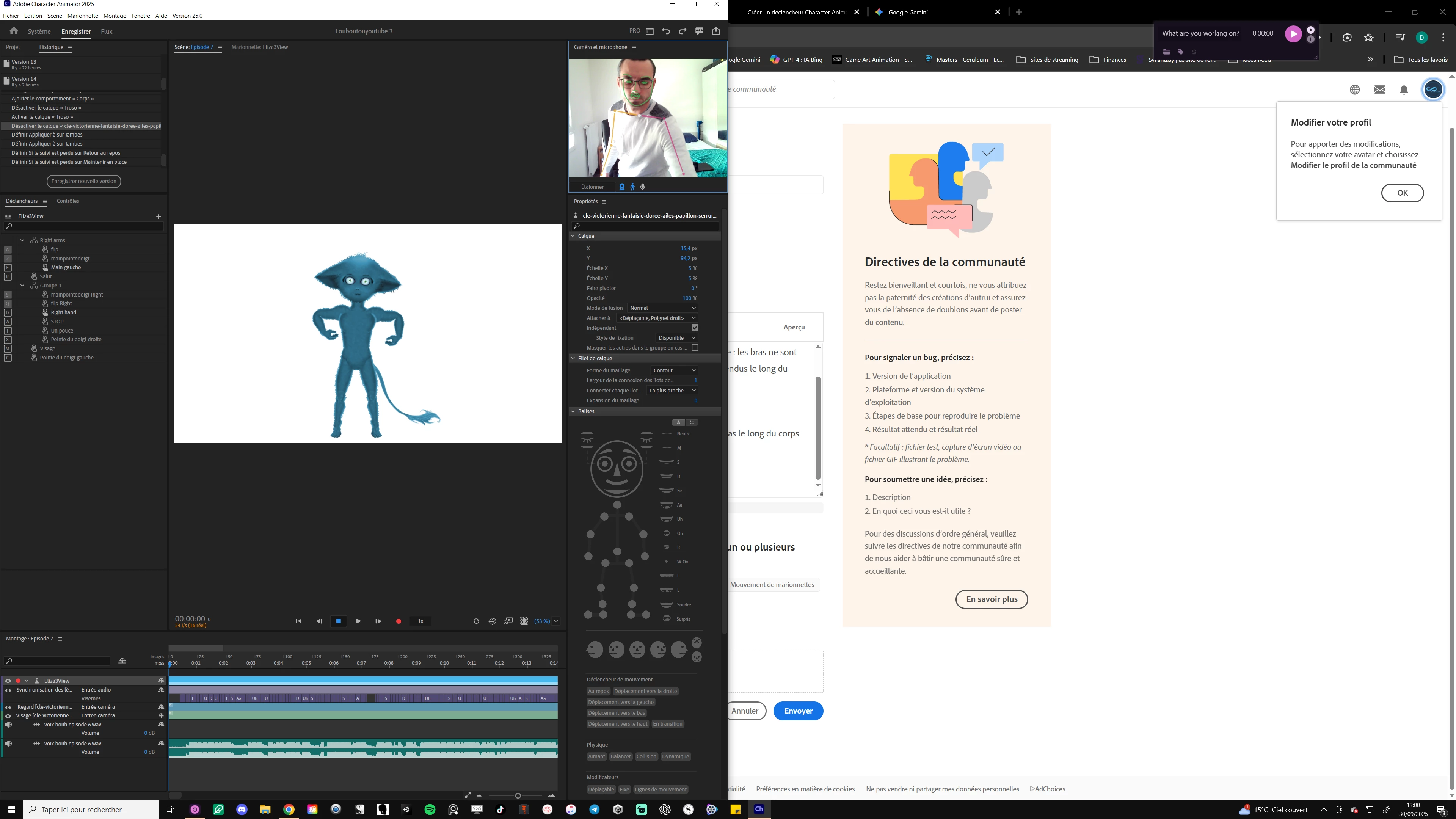
Quand j’active le Body Tracker sur ma marionnette, celle-ci adopte une posture bizarre : les bras ne sont pas le long du corps mais écartés comme un singe, même si je veux qu’ils restent détendus le long du torse.

Même en utilisant la fonction "Etalonner" cela n'arrange rien du tout.

Ma question :
Comment faire pour que ma marionnette parte toujours de la pose neutre avec les bras le long du corps quand j’active le Body Tracker ?
 

Merci d’avance pour votre aide !

2 replies

TheOriginalGC
Community Expert
Community Expert
September 30, 2025

When calibrating using body tracker, the program expects the arms to be held away from the body, as if your arms were the sides in the letter "A". You may also need to step further away from the camera so that all of your body is in view. Sometimes, you may need to start over by clicking on the refresh button in the lower right corner of the scene before calibrating again. Finally, if the puppet has a Dragger behavior, consider disarming it. Dragger, Walk, and other behaviors that would normally control limbs can fight with body tracking and create unexpected results.

Syneos
SyneosAuthor
Known Participant
October 1, 2025

C'est un problème qui je n'arrive pas a résoudre, merci pour vos réponses, mais rien ne semble régler cela...

TheOriginalGC
Community Expert
Community Expert
October 1, 2025

Are you able to use body tracking with the Hopscotch puppet as k_oshiro has suggested? If so, then there could be an issue with the puppet's rigging. If you are able to do so, share a screen shot of the puppet in rigging mode so that we can get a clearer look at the hierarchy.

k_oshiro
Community Expert
Community Expert
September 30, 2025

J'ai traduit du japonais vers le français à l'aide d'un logiciel de traduction.


Lors du calibrage, reculez suffisamment pour que votre poignet soit entièrement visible dans le cadre de la webcam.
Essayez cela avec la marionnette Hopscotch par défaut.
Si Hopscotch bouge correctement,
il se peut qu'il y ait un problème avec le rigging de votre marionnette personnalisée.

k_oshiro(AdobeCommunityExpert)