


Participant
February 4, 2020
Question

Camera and Microphone Issues on macOS Catalina

  • February 4, 2020
  • 4 replies
  • 1009 views

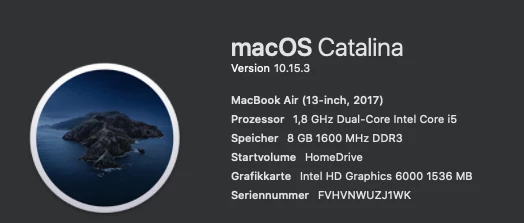
Hey, i've downloaded Character Animator to animate my Character using voice and Face Detection. But, unfortunately, CA v3.1 (build 49) says i need to give permissions to use the Camera in my Settings. I'm Running the Studio on the following OS
 

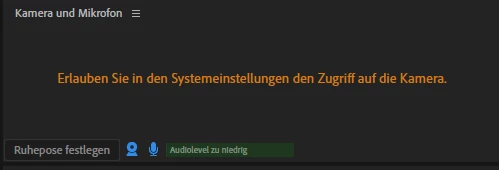
That's what Character Animator is telling me


This are my Settings. There's no option to add access. 
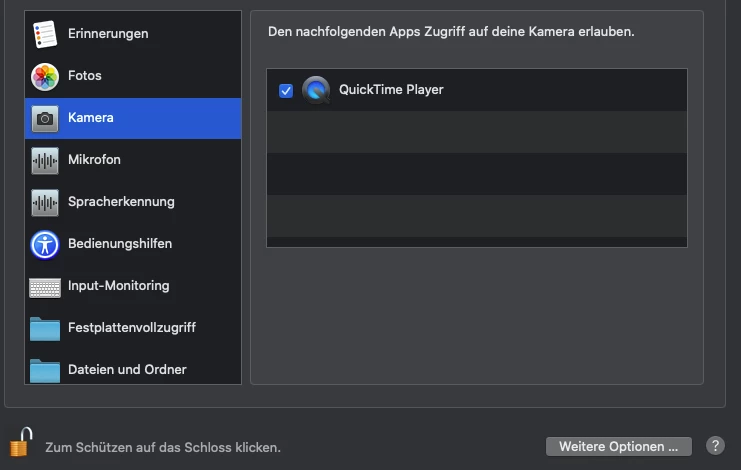
 

Character Animator doesn't even ask for permissions to access Camera...


I Hope someone can help me fixing it. 

Thanks.


This topic is closed to new replies. Start a new post to keep the conversation going.

4 replies

Participating Frequently
March 13, 2020

I got it working by just uninstalling the Character Animate and then re-install it again. Just make sure to approve access to camera and mic.

Known Participant
February 26, 2020

Same issue, but I don't even get an error message.  I've been through the steps, and have a longer list of accessible apps, but there is no way to add an app and there is no "video hardware" option in Ch preferences that I would expect.  Camera works with literally any other application.

Participating Frequently
March 13, 2020

Yes for me too..... Oh what I hate these new security features in MAC OS.....

@mj
Community Expert
Community Expert
February 4, 2020

Hi,


Running the same specs and no issues.


I'm sure you've been through this checklist.

  1. Your camera and mic are blue in the Camera and Mic Panel. (Top right)
  2. You have the camera selected from the hamburger menu of the same panel.


Good luck

.mj