


Participant
Jan 8, 2019 7:28 PM UTC
Answered

Can't split audio lip sync into visemes

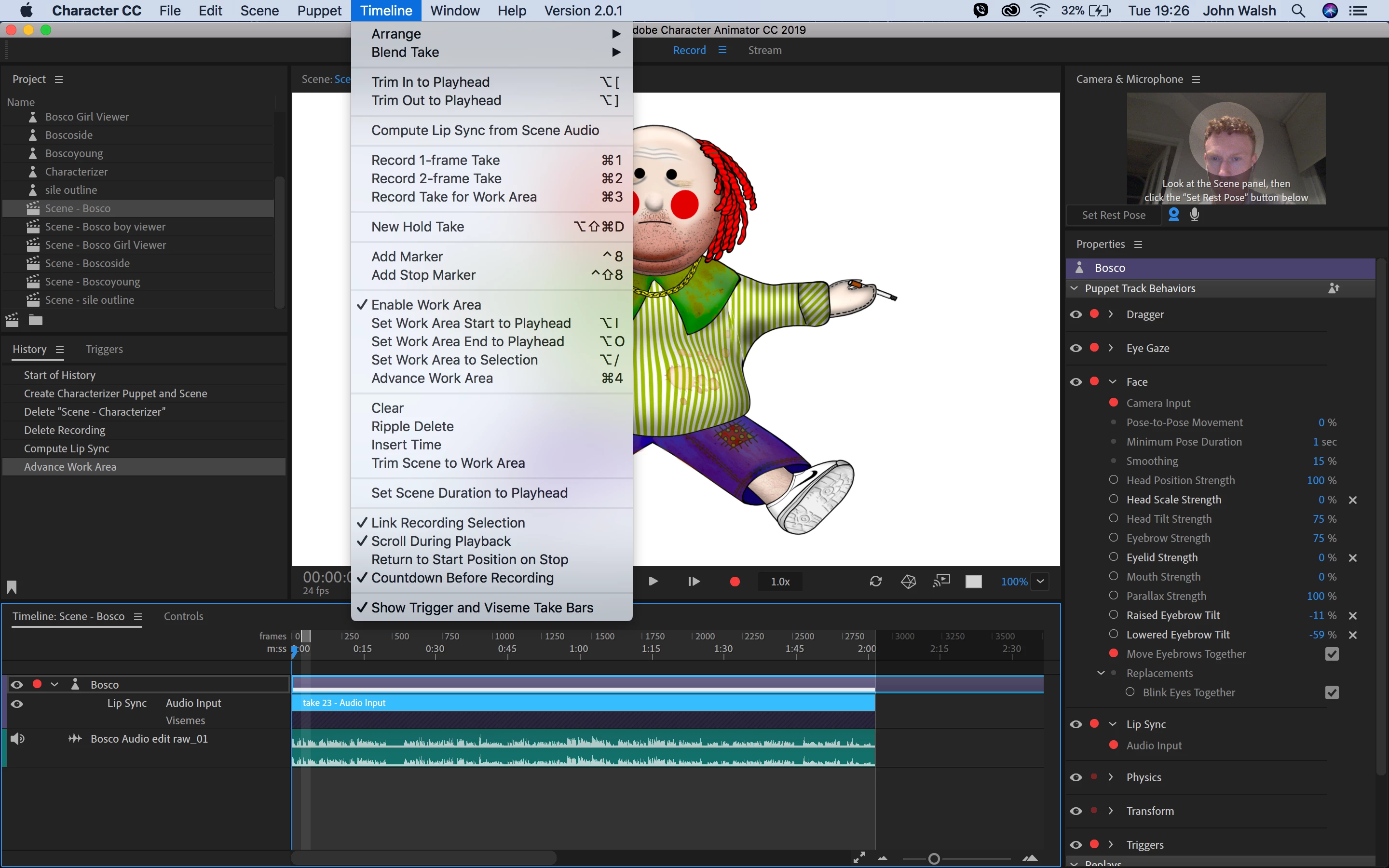
I used the "Compute Lip Sync from Scene Audio" option but I now can't adjust the visemes.  Other forums have said you select the audio input bar and select "split into visemes" from the Timeline bar but this option isn't there.  Not even greyed out, just not there.   Don't know what to do.  I've enclosed a screenshot

This topic is closed to new replies. Start a new post to keep the conversation going.
alank99101739
alank99101739Correct answer
Legend
Jan 8, 2019 7:48 PM UTC

Did you have the audio track selected when you did the compute from visemes? You have to select the audio track and the puppet (with lipsync enabled) for it to work.

Try zooming in - they can disappear if you are zoomed out too far (but I don’t think that is your problem). (Scroll bar at bottom right corner of timeline panel.)

If you right click in the black area immediately under the blue highlight bar, does it come up with viseme names? Can you add one by hand and stretch it out manually?

There was a post like a month back where someone had the same problem, but I cannot remember the problem. I don’t think it was enabling the mic...

4 replies

alank99101739
alank99101739Correct answer
Legend
Jan 8, 2019 7:48 PM UTC

Did you have the audio track selected when you did the compute from visemes? You have to select the audio track and the puppet (with lipsync enabled) for it to work.

Try zooming in - they can disappear if you are zoomed out too far (but I don’t think that is your problem). (Scroll bar at bottom right corner of timeline panel.)

If you right click in the black area immediately under the blue highlight bar, does it come up with viseme names? Can you add one by hand and stretch it out manually?

There was a post like a month back where someone had the same problem, but I cannot remember the problem. I don’t think it was enabling the mic...

Translate
Participant
Jan 8, 2019 8:36 PM UTC

I'm an idiot, I just needed to zoom in.  Thanks so much. 

Translate
alank99101739
Legend
Jan 8, 2019 8:39 PM UTC

You are not an idiot. I did not look closely enough myself. The diagonal bars are the indication that you need to zoom in And I did not notice that on the screenshot!

Translate