DarkestFaerie
Participant
January 28, 2026
Question

Cannot Move Origin, Eyes Go Wonky
  • January 28, 2026
  • 1 reply
  • 0 views

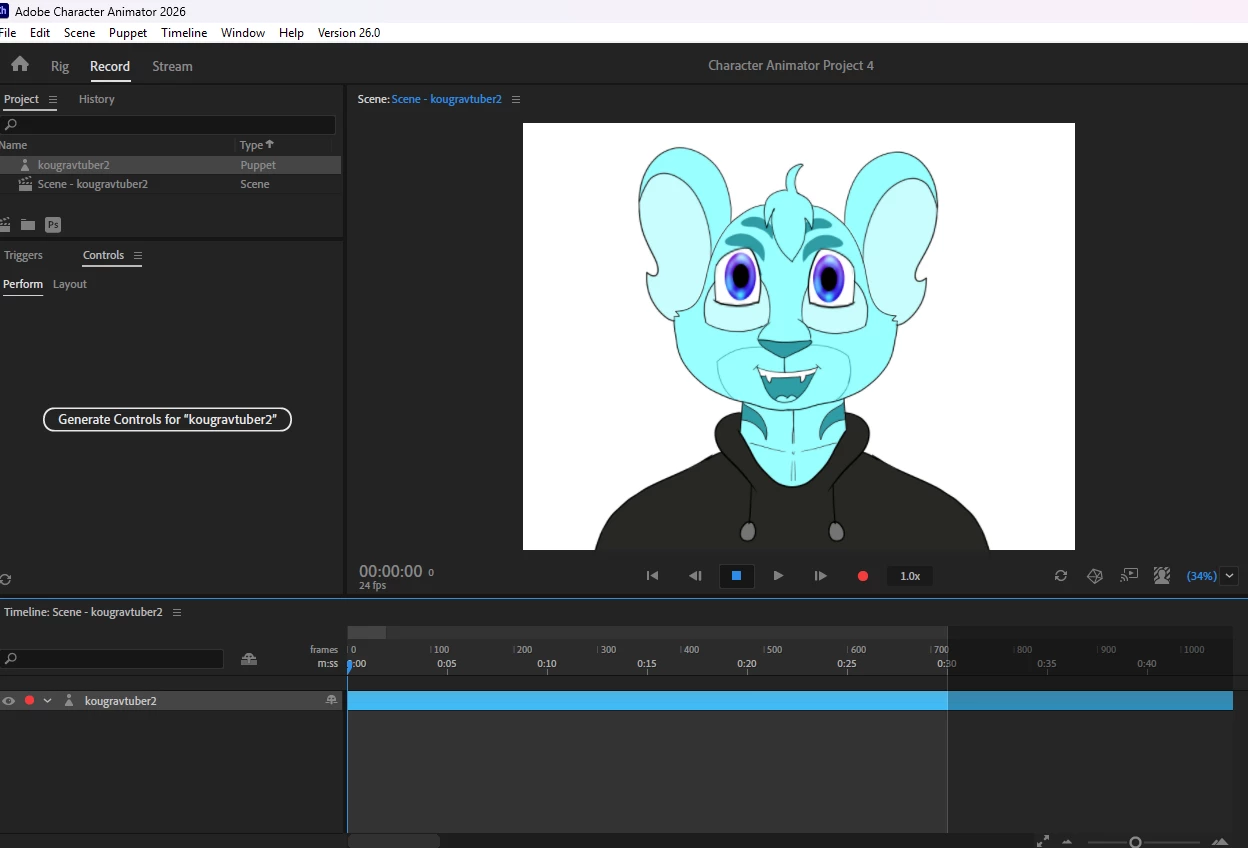
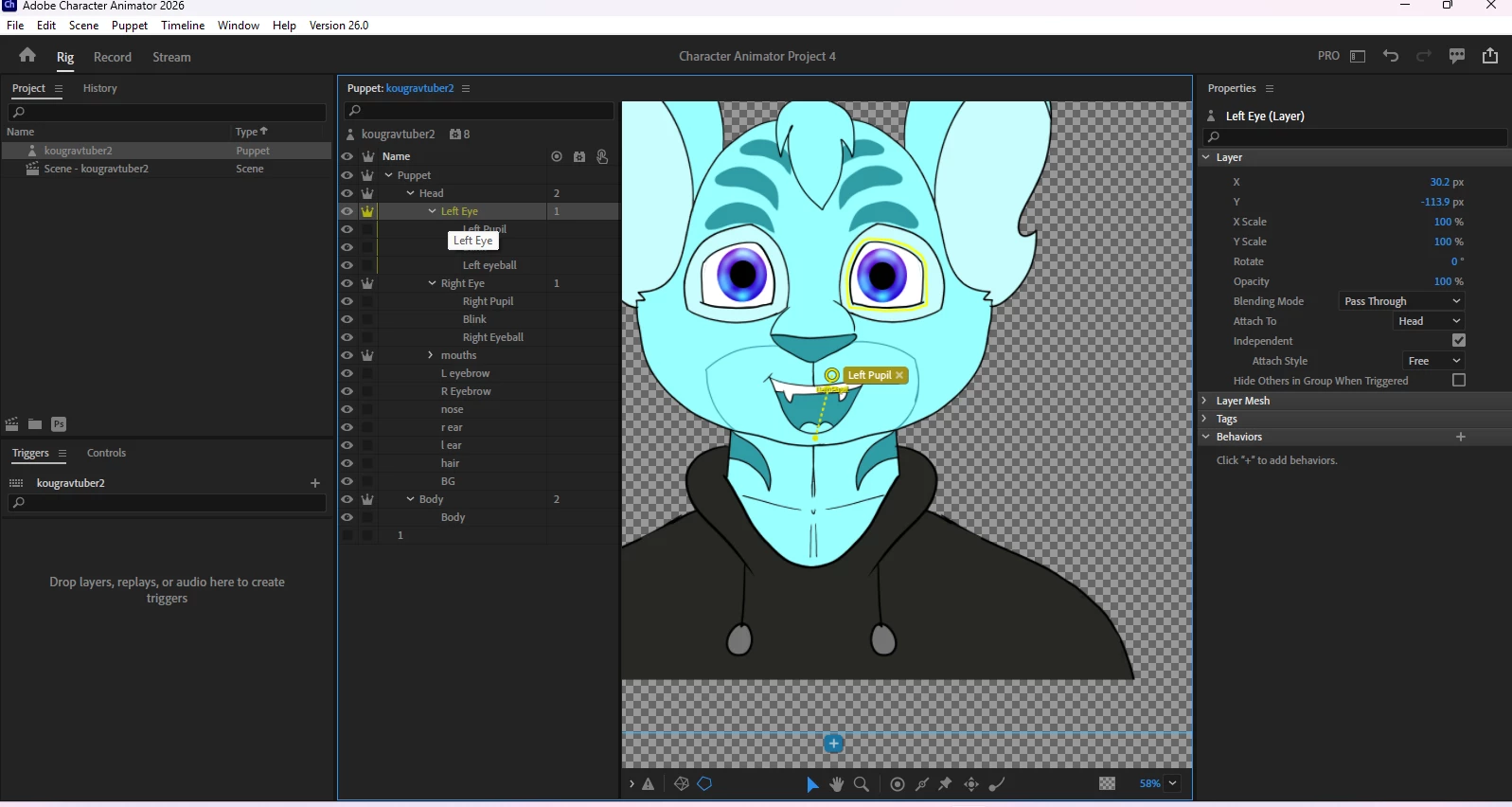
As the title says, every time I try to move the origin for the eyes, I cannot, and then when I go back to look at it in rig mode, it looks wonky. 

I have the file here, can someone please help? What am I doing wrong?

Linky Link via Onedrive

    1 reply

    DarkestFaerie
    Participant
    January 28, 2026

    I fixed that (Was a simple tagging issue) but now I can’t get eye tracking to work! I’m sure at this point it’s just a user error, but would love someone to still take a look at this.

    TheOriginalGC
    Community Expert
    Community Expert
    January 29, 2026

    For some reason I cannot access the link. Did you enable sharing? Looking at the images, it looks like you have the Left Eye tagged as Left Pupil instead of Left Eye. Also, you have the Left Eye layer tagged as independent, instead of the pupil. The pupil will not be able to move if it is still part of the other layers.

    Also, what program did you use to create the file? If you used something like Procreate, you will need to open the file in Photoshop and save it again. While Procreate can save a file as a PSD, Character Animator requires data that only comes from PSD files saved in Photoshop.