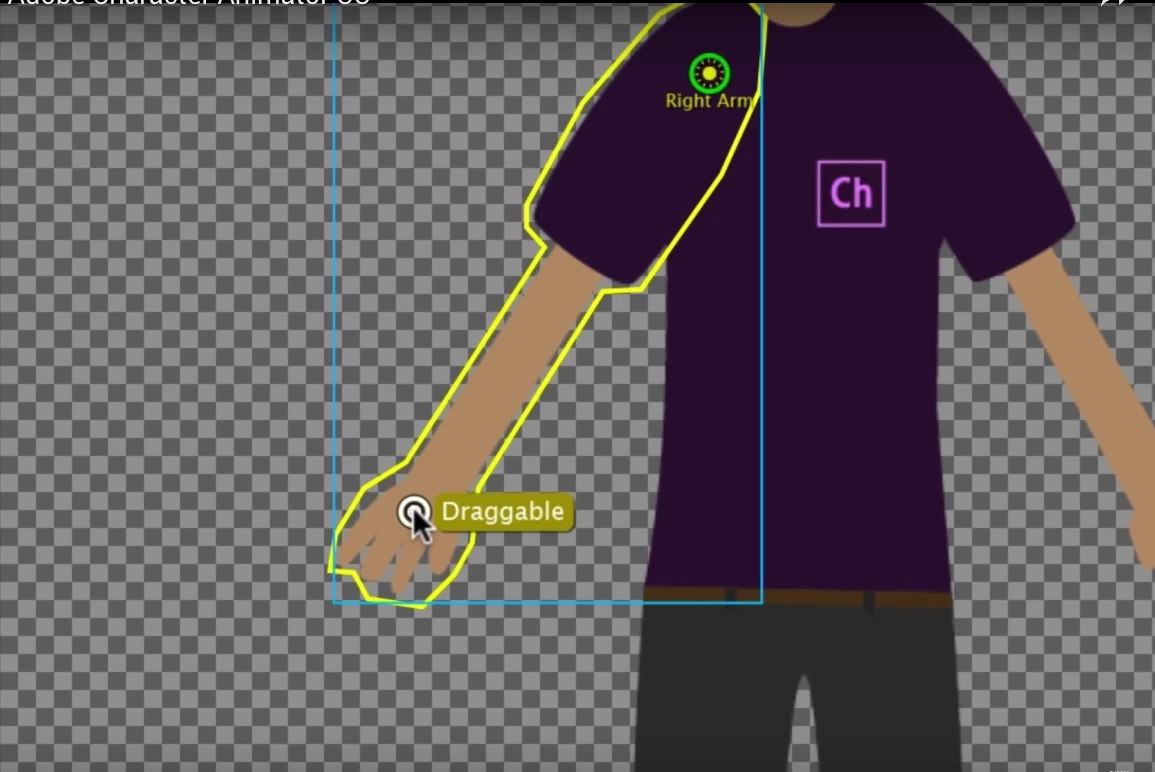
Okay, thanks for the screenshots. So you are in the scene mode but you have not recorded a "take" yet. The "Dragger handle()" part is a recording I had made in the scene. The red dots means you have everything armed ready to record. So press the red circle at the bottom of the scene window to start recording (it will give you a 3 second count down), or press control-R (windows). That will start recording values for all the armed properties. If you drag the hand around while recording, you will get a "take" appear under the puppet bar you currently have. You just click in the scene near where you know the dragger is (on the hand) and start dragging the hand around. You can practice without recording first, but if you want to keep the movements you need to record it.
Project Wookie, Episode 2: Rigging Simple Arms and Legs - YouTube showed simple rigging of a photo (no independent layers like Chloe has) - Episode 25 shows independent layers. Project Wookie, Episode 3: Recording a First Scene - YouTube shows an example of recording.
A useful trick is if in Rig mode, if you click on the dragger and hit "Enter", you can type in a name like "left hand". WHen you make a recording, that name appears inside parenthesis. E.g. "Dragger handle()" would become "Dragger handle (left hand)" which makes it easier to work out what takes are for what.




 AdChoices