
Answered
Character animator-fading issue
Hi, I created a clock and I want it to change time, how do I make it fade out one hand and fade in next hand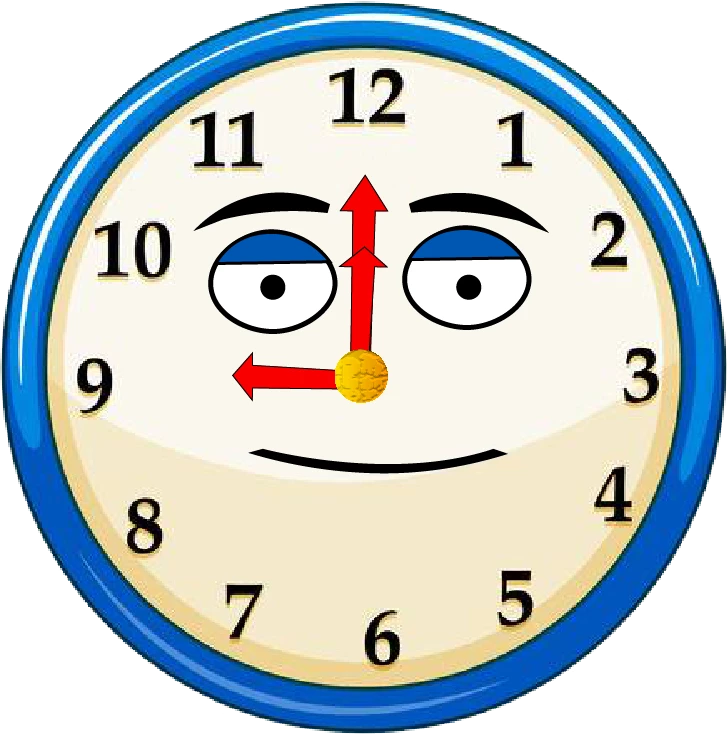 . I just want to the small hand (9) to fade out and fade in small hand (12)

Hi, I created a clock and I want it to change time, how do I make it fade out one hand and fade in next hand. I just want to the small hand (9) to fade out and fade in small hand (12)
There are several ways you can do it. If you want it to fade out and in, then you will need a Transform behavior to adjust the Opacity value. E.g. have the Clock as a puppet, then put two short hands for 9 and 12 and put a Transform behavior on those layers. Rename the Transform behaviors so you can tell which is which. Then use keyframing or similar so one Transform Opacity starts at zero, then changes from 0 to 100. The other Transform will do the opposite - start at 100 to change to 0.
You could make it rotate by the way - set the origin of a single short hand to be the center of the clock and add a Transform behavior. Key frame the "Rotate" value to the angle you want it. So it can start at 9 o'clock, then swing up to 12 o'clock and stop there (again using keyframing). You could add a Transform to the big hand too if you wanted to.
Already have an account? Login
Enter your E-mail address. We'll send you an e-mail with instructions to reset your password.


 AdChoices