Known Participant
July 29, 2017
Answered

Character Animator Not Dragging

  • July 29, 2017
  • 2 replies
  • 1429 views

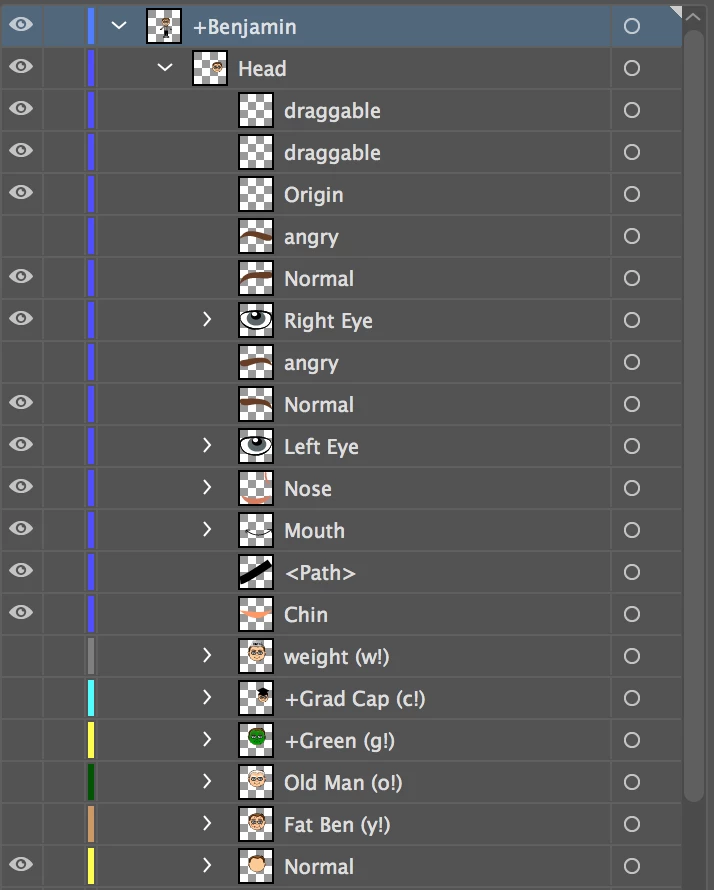
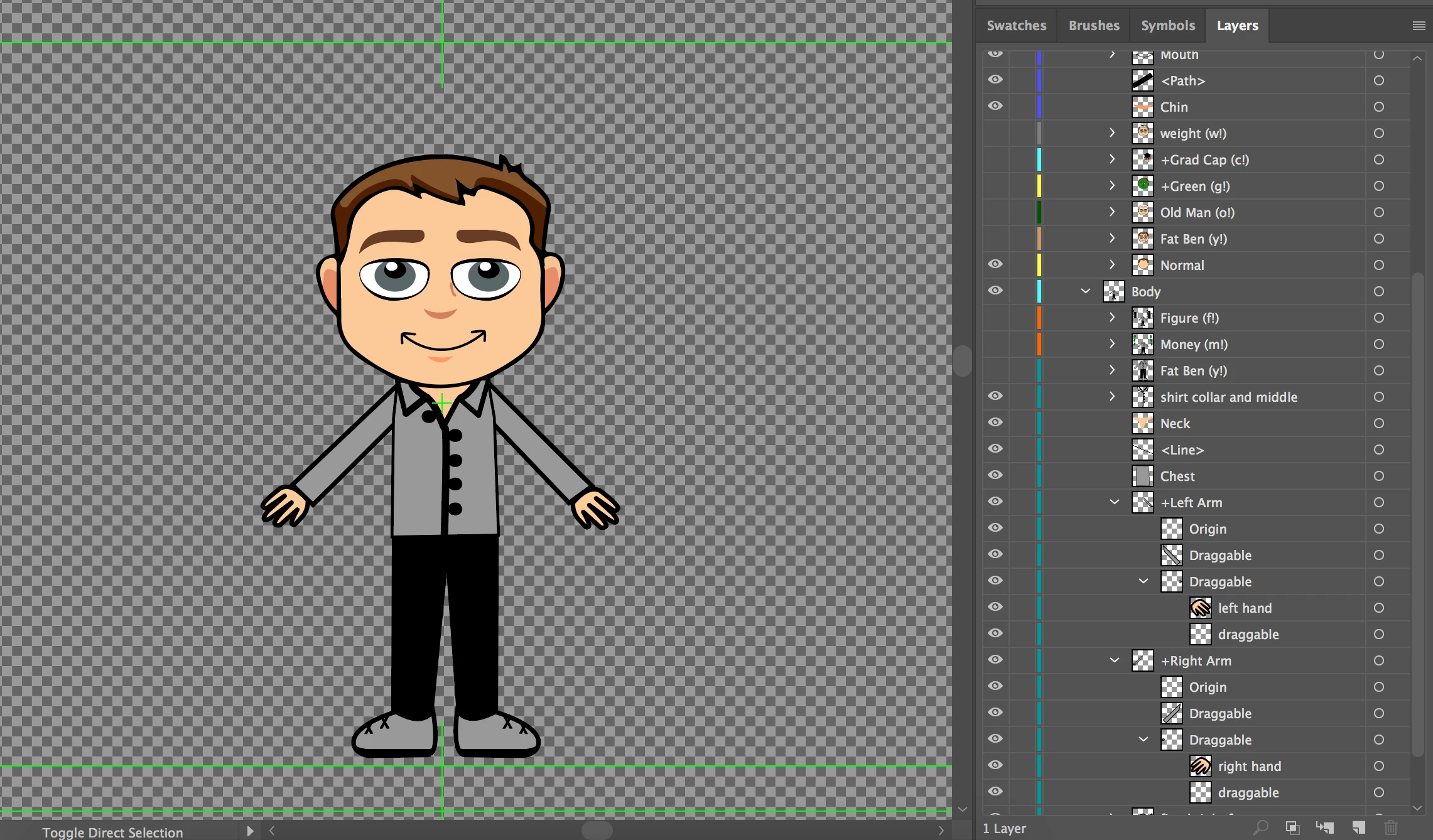
I cannot figure out why the arms on my character do not drag in Character Animator. I have been going through several different Okay Samuri's Character Animator examples from the Adobe website. Some have the plus + symbol on the arms, and others do not. It seems like no matter what I change in the naming of the layers, the arms still are not draggable. In glancing at the Illustrator layers, can anyone see anything wrong with my naming?

Also, most of the example files from the Adobe website that demonstrate what I want to do are Photoshop files. Is the code for the layers the same for Illustrator and Photoshop?

Thanks,
This topic is closed to new replies. Start a new post to keep the conversation going.
Correct answer oksamurai

Adding "draggable" in the art files is kind of an old way to do it - now we recommend using the dragger tool inside CH's rig mode. Just select the arm group, add a draggable handle to where you want it to drag, and it should work. See https://youtu.be/_smLXODTd6U?t=29m7s  for more info.

Generally PS/AI doesn't make a difference - just use whatever you feel comfortable with.

2 replies

oksamurai
oksamuraiCorrect answer
Legend
July 31, 2017

Adding "draggable" in the art files is kind of an old way to do it - now we recommend using the dragger tool inside CH's rig mode. Just select the arm group, add a draggable handle to where you want it to drag, and it should work. See https://youtu.be/_smLXODTd6U?t=29m7s  for more info.

Generally PS/AI doesn't make a difference - just use whatever you feel comfortable with.

Known Participant
August 1, 2017

Ok, that seemed to work! Thanks for your help, Dave. You have such great tutorials!