



Answered
Character Animator v2.0 sneak peak questions
In case anyone missed it, Adobe shared a sneak peak on 2.0 features. (Thanks Dave!)
Browsing through a few things caught my eye.
- No release date was mentioned... 😞
- The new squashing and damping looked nice - sounds like might work well on hair too (I hope).
- There was a 3/4 walk perspective - but no frontal walk (I think a full frontal walk would be hard mind you - because its not just stretching the artwork.) Personally, I am hoping 3/4 walk will make a frontal walk easier to fake - I just zoom in on the torso anyway (hide the legs) - a walk behavior that just did the boring bobbing up and down of the body for a frontal view is still useful to increase productivity.
- Arm bending support - bring it on! That one really had to be fixed. Good to see arm stretchyness addressed as well.
- Question: The "Work Area Bar" - the video mentioned can export a subrange. Do the physics start from the start of the scene? (Will it solve that problem today?) Does this get remembered when you leave the scene and come back?
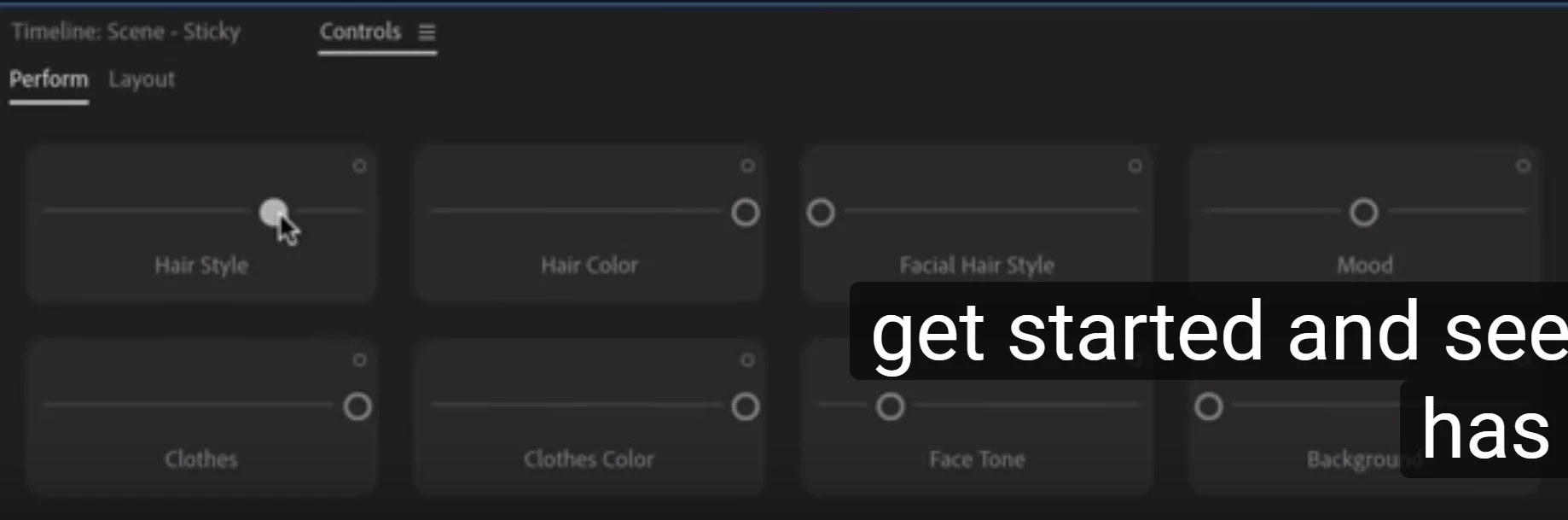
- Question: Towards the end there was an interesting screen with no explanation showing a stick puppet with a draggable "hair style" control. Looking closer, looks like hair color, mood (??), clothes, etc all present. Are these something like a cycle layer with a dragger control? That would be convenient for a side project. Mood was tantalizing. I was thinking recently that I really should redraw all the mouth positions based on mood, otherwise the mood is harder to spot when the puppet starts talking). This is particularly relevant for me because recently I was playing with Character Animator to create comics - so you do not see the smile before mouth movement - you just see the one frame, so showing a mouth position + smiling at same time would be useful. Not a mainline use case I know, but interesting.
- The video shows lag still as dragger moved, the hands lagged behind. Is there any way to eliminate the lag? Lag makes precise timing (e.g. music videos) harder to sync movements with the music track.

 AdChoices