
IAmChrishonda
Inspiring
December 20, 2021
Answered

Character Animator Won't Recognize Mic

  • December 20, 2021
  • 1 reply
  • 809 views

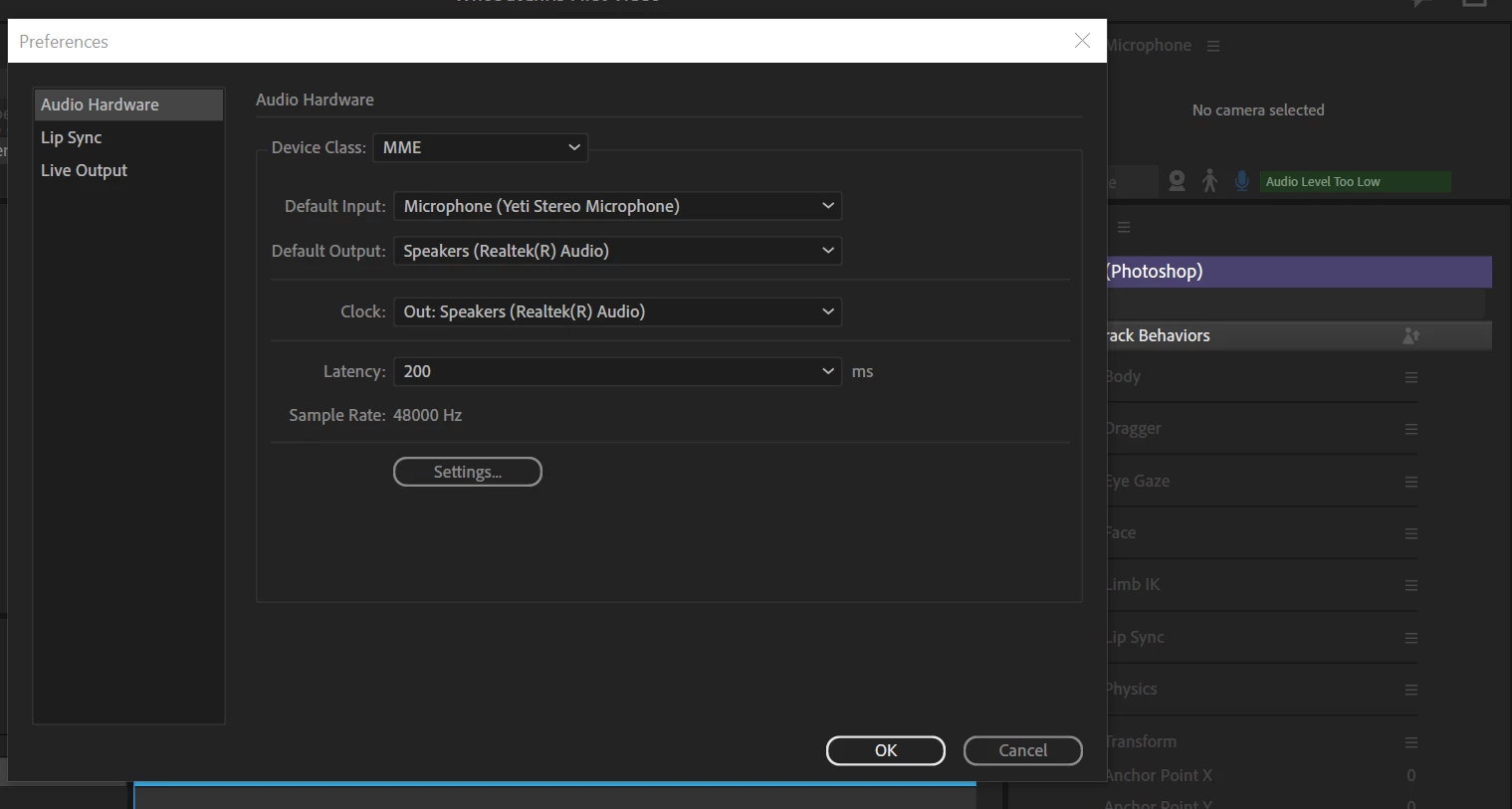
For some reason Character Animator doesn't recognize my Yeti mic anymore. I never have this problem on my Macbook Pro or Air. Just my Windows PC for some reason. This just started happening a few days ago. It worked before.
This topic has been closed for replies.
Correct answer oksamurai

My best guess is either a) the mic is being used by another program - try closing all other programs and see if it works, or b) some setting isn't working right - try adjusting the different params and see if it helps. A Yeti mic should definitely work, we have a lot of users who use that kind of mic.


Another thought is seeing the right side say "audio level too low" may mean it is detecting it, but you have to increase the input volume in your OS settings for the mic.

1 reply

oksamurai
oksamuraiCorrect answer
Legend
December 21, 2021

My best guess is either a) the mic is being used by another program - try closing all other programs and see if it works, or b) some setting isn't working right - try adjusting the different params and see if it helps. A Yeti mic should definitely work, we have a lot of users who use that kind of mic.


Another thought is seeing the right side say "audio level too low" may mean it is detecting it, but you have to increase the input volume in your OS settings for the mic.