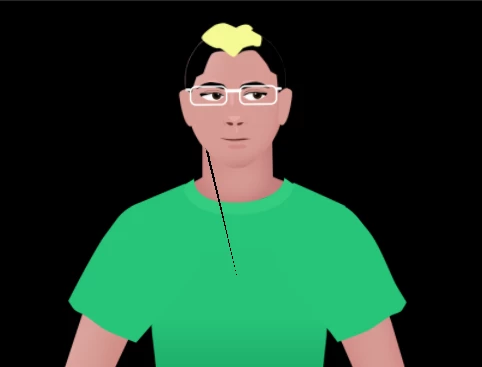
Hmm. The fact that the rip goes from the neck down over the shirt when you have separate pieces like the above also means its less likely to be the same as my problem. Assuming you have zoomed right in and checked its a closed loop for the neck (not just the start and end "very close" to each other, other suggestions are
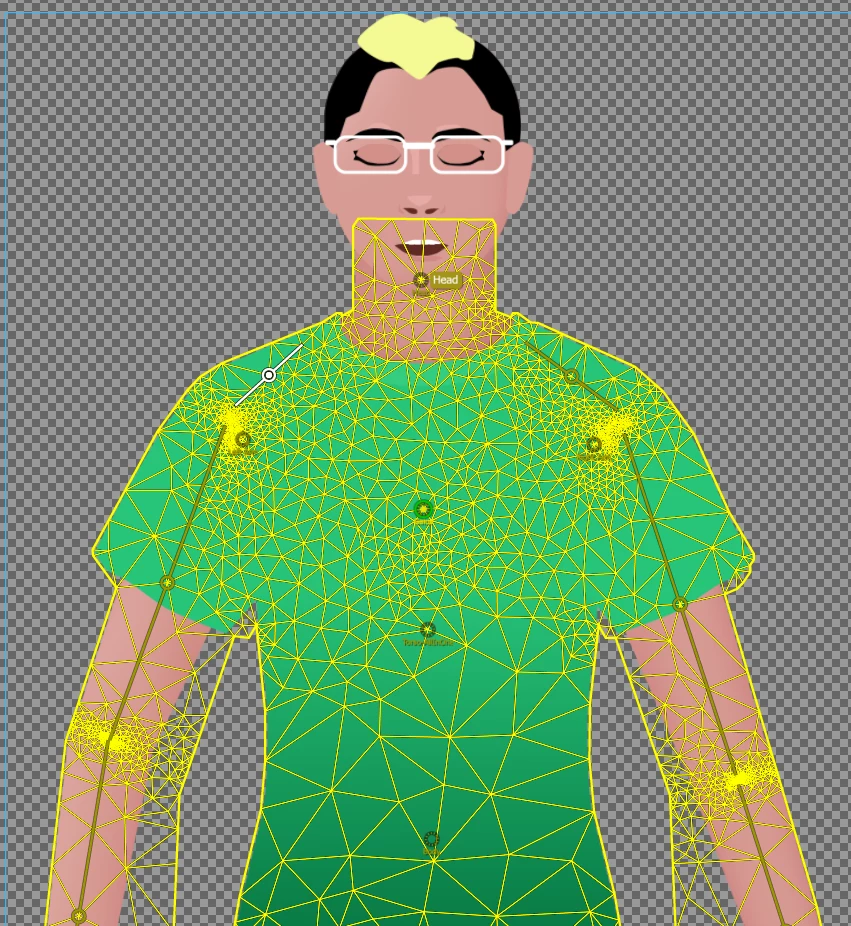
(1) in the scene window you can turn the mesh on as well - it might give you a clue to where the distortion is coming from
(2) try changing the hair color and outlines (basically anything black) to see whether that "rip" is actually black getting distorted on top of the shirt (rather than a rip). If you changed all the black to oranges and blues etc, you might get a hint to its source. Also try changing the background color from black to white - if a gap in the puppet, the black should change to white.
The other thing you can do is go into the artwork, try using the laso over the ends of the "rip" and see if there is a hidden object or point there you did not expect. Sometimes a single stray point can get Ch a bit messed up.
Other than that, you need to the true experts here to solve it. A frequent request is to export and upload the puppet file if you don't mind it being public - then people can explore directly.
Hey, thanks to your suggestion that it was the artwork, I was able to fix it (though still don't know what caused it).
I started over in rigging the character, checking after each step to see if the "rip" occurred. In the original artwork, the arms were independent. As soon as I turned off independence, I noticed that the rip would happen. So it seemed like it had something to do with the arm art.
I removed the "+" from the arms and noticed that when I pulled it into Ch, the Left Arm artwork wouldn't allow me to turn ON independence. Very strange. So I tried making the Left Arm layer order look like the Right Arm layer order. Still no luck.
So I just deleted the left arm and copy+reflected the right arm in its place.
That seems to have fixed the issue. I'm still not sure what about the Left Arm artwork was causing the problem. Nothing about it seems different from the Right Arm artwork (except that I drew it separately). If I ever figure it out, I'll update. But at least for now the problem is fixed.
Thanks again.



 AdChoices