Participant
November 19, 2020
Answered

Character Changes colors when moved to Adobe Premiere

  • November 19, 2020
  • 5 replies
  • 1824 views

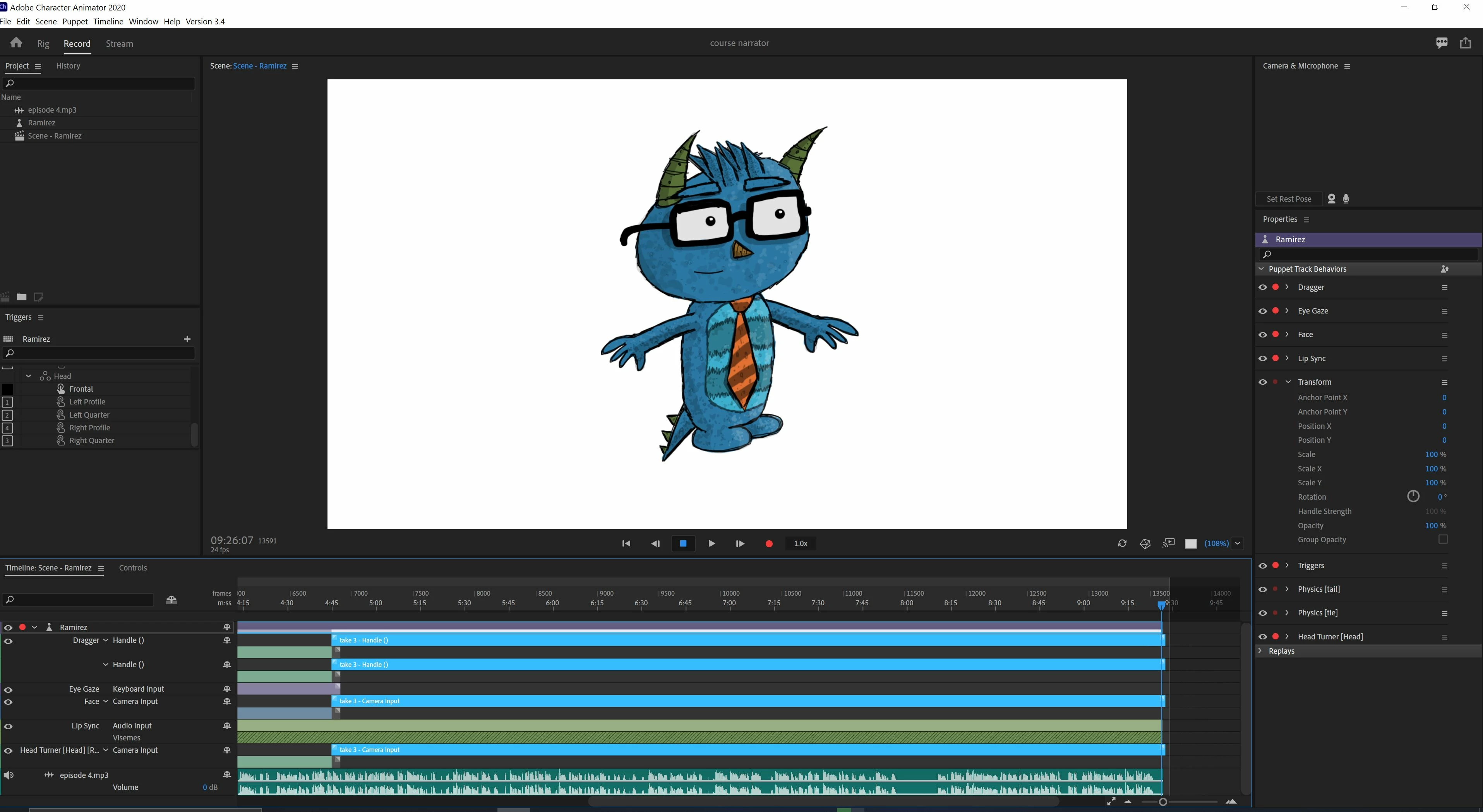
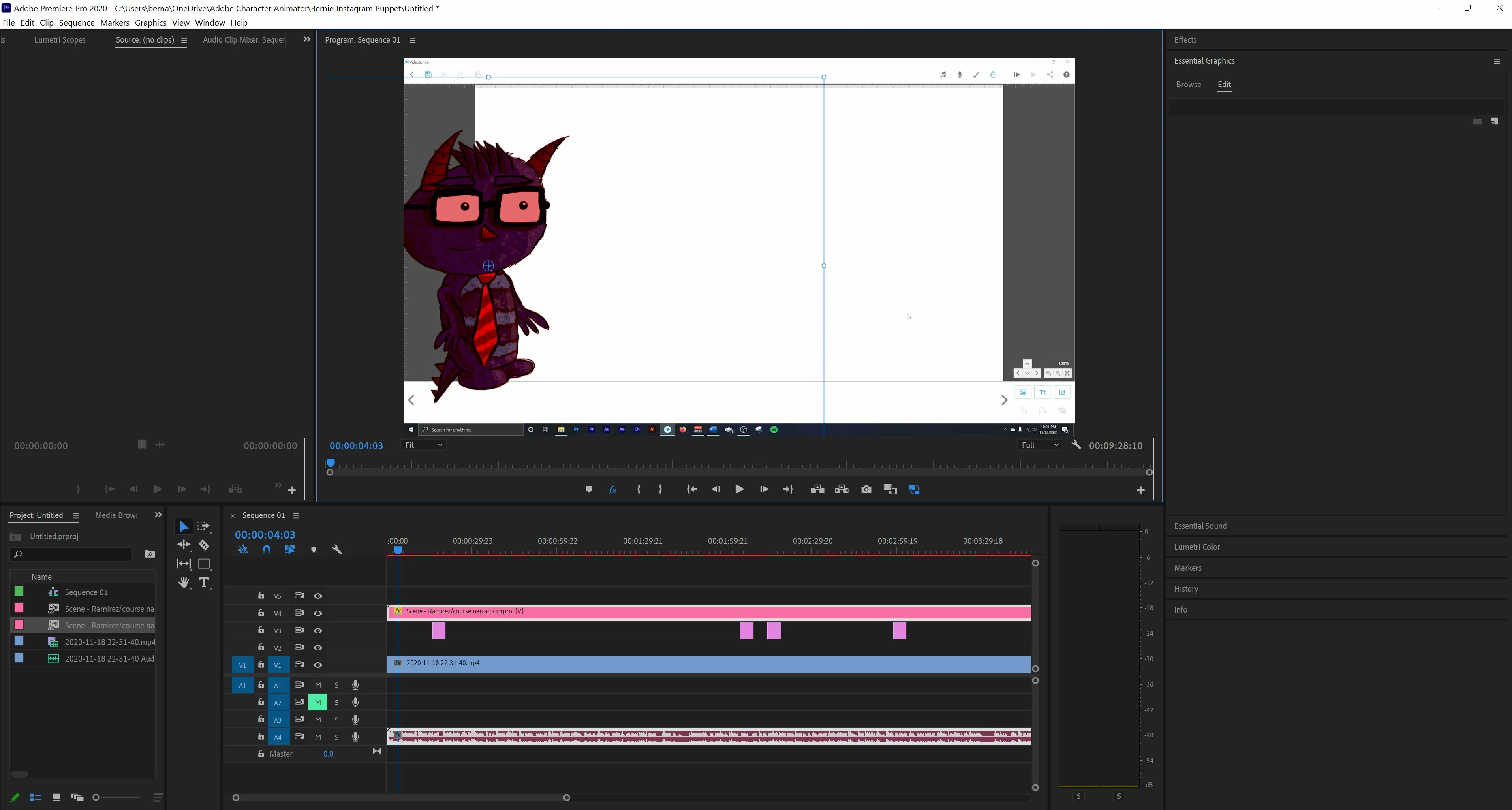
I'm using one of Daves puppets . The puppet is called Ramirez. When im done editing it on adobe character animator and i save the project. I open it up on adobe premiere, And on adobe premiere the color of the puppet changes to red. The color of Ramirez was blue on adobe character animator.

HOW DO I CHANGE THE COLOR BACK TO THE WAY ITS SUPPOSE TO BE? WHICH IS BLUE?
This topic has been closed for replies.
Correct answer BernieG23

I made a simple 50 second video on how to fix it on youtube.

https://youtu.be/XFhmu96b1Io

5 replies

BernieG23AuthorCorrect answer
Participant
December 1, 2020

I made a simple 50 second video on how to fix it on youtube.

https://youtu.be/XFhmu96b1Io

k_oshiro
Community Expert
Community Expert
November 22, 2020

The solution is explained on YouTube. 

https://youtu.be/4P3KhT7ujgg


The explanation is in Japanese.

k_oshiro(AdobeCommunityExpert)
BernieG23Author
Participant
November 20, 2020

It works fine in adobe after effects . But I rather do my editing in adobe premiere. 

Participant
November 30, 2020

Yup, interesting that is was fine on After Effects. Agreed, I rather use Adobe Premeire and was glad I was not the only one having this "red" problem. Thank you all for the solutions, working on it now and crossing my fingers one of these works. 

BernieG23Author
Participant
December 1, 2020

let me know if it worked for you. if you need anymore help i made a very quick less than 50 second video on how to fix the problem.

https://youtu.be/XFhmu96b1Io

Participant
November 20, 2020

日本語でごめんなさい。

【直し方】

●レンダラーの変更

画面上部の「ファイル」>プロジェクト設定>一般>レンダラー

こちらのMercury Playback Engineが『GPUアクセラレーション』になっていて症状が発生する場合は、

ソフトウェア処理に変更してください。

OKを押してプロジェクト設定を閉じ、プレビューレンダリングを実施し挙動をご確認ください。


これで直りました。

BernieG23Author
Participant
November 20, 2020

thank you so much it worked. this problem gave me a massive headach i couldnt figure it out.

do you guys see where it says Renderer:

you have to change that setting to "mercury playback engine software only"

and it should work.

worked for me

nmayr
Participant
November 30, 2020

I was having the same problem! Thanks for this solution!

Participant
November 19, 2020

I'm having the same issue as you right now. Since the last update all my Char Animator files I put in premiere have a reddish hue over them.

Participant
November 19, 2020

I'll add that when I do the preview in the source window it is fine. It's only when i put it on the timeline where it turns reddish.