
kjetils30485119
Inspiring
December 21, 2016
Question

Close programs to prevent information loss

  • December 21, 2016
  • 2 replies
  • 2244 views

Hi,

I got this message today, when working in both CH and AE.

Windows dialog box saying "close programs to prevent information loss.

Your computer is low on memory. Save your files and close these programs:

Character Animator CC Beta."
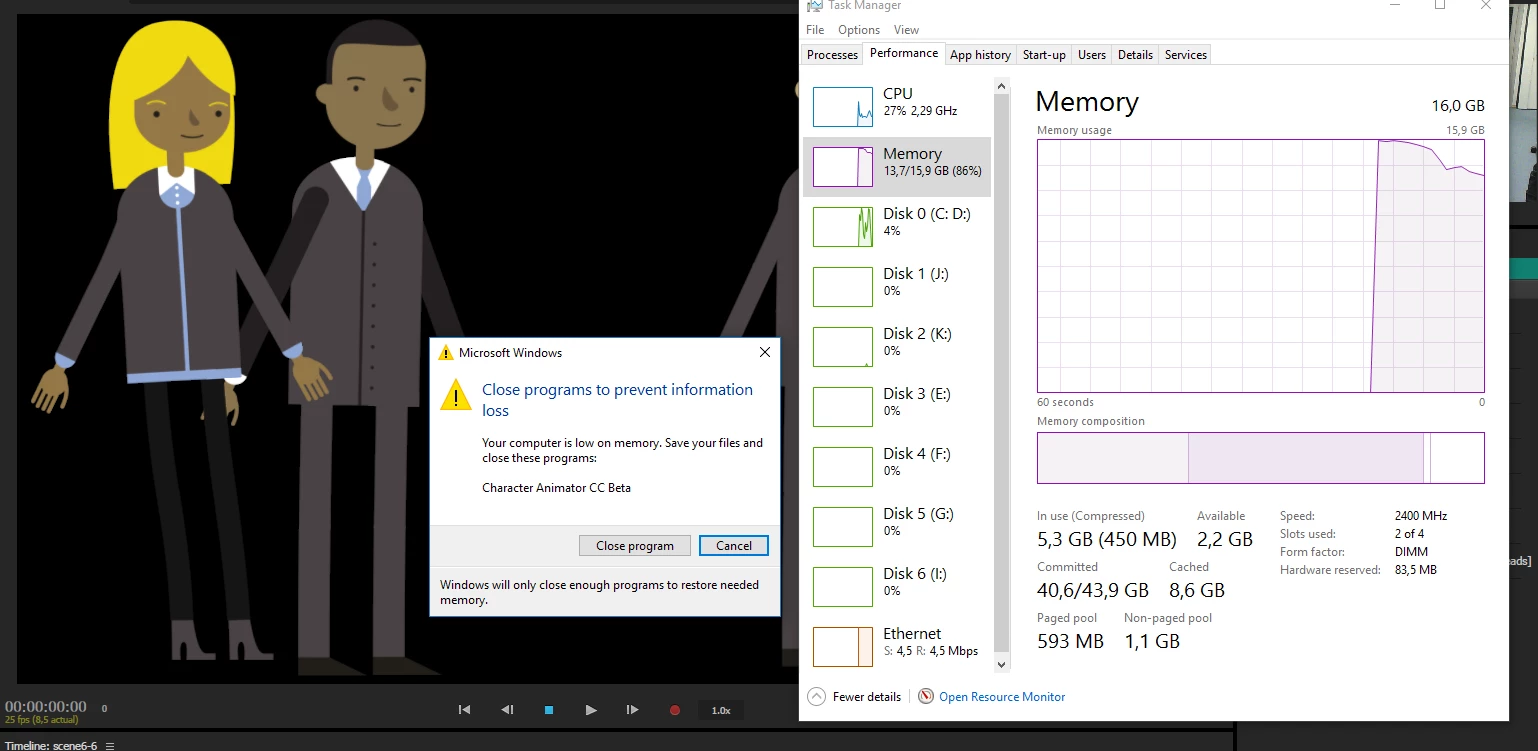
I waited a couple of minutes and the RAM usage went down to 8 (of 16), and then pressen cancel on the dialog box.

Unfortunately, minutes later I got a crash in AE.

Could it be an issue with memory leak?

    This topic has been closed for replies.

    2 replies

    Participant
    March 24, 2017

    I get this every....single....time I use Lightroom.

    Even with every other program including background programs stopped, still happens.

    Alienware 15 laptop. 16GB RAM, I7 proc.
    I have it set to use my NVIDIA graphics card (8GB video card).

    I am at a loss. I see so many people online with this problem as well.

    oksamurai
    Community Manager
    Community Manager
    March 24, 2017

    These are the Character Animator forums so I can't speak to how Lightroom does it, but in general we've only seen this in our product if people are doing very complex stuff - trying to constantly calculate all the physics, head tracking, lipsync etc in realtime can be extremely processor-intensive. For us we recommend running one program at a time (which you seem to say you've already done) and turning off or limiting behaviors like dangle if you don't need them.

    Jeff Almasol
    Adobe Employee
    Adobe Employee
    March 27, 2017

    You can also see in Resource Monitor (clickable from that link at the bottom of the Performance tab of Task Manager), in the Overview > Memory section or Memory tab, sorted by Commit, Working Set, or Private, if there's some other processes in the background that are contributing to the low memory situation on your machine.

    oksamurai
    Community Manager
    Community Manager
    December 21, 2016

    Hmm not sure.

    • Does this only happen with AE and CH running simultaneously?
    • How big are your puppets? How many in a scene? What dimensions and framerate?
    • Is this the only time it happened or has it happened multiple times?
    • Did this happen while the face tracker was on in an active scene?
    kjetils30485119
    Inspiring
    December 21, 2016
    • Does this only happen with AE and CH running simultaneously?
      • Only happened once, both programs were running.
    • How big are your puppets? How many in a scene? What dimensions and framerate?
      • AI files, between 100kB-1,6MB.
      • Rigged about 35 puppets in one CH project.
      • Around 8 scenes. From 1-4 in the same scene in CH, in AE I have at the most two scenes with four characters in each - eight in one comp.
      • They're all in Full HD 25fps, from 15-30sec.
    • Is this the only time it happened or has it happened multiple times?
      • This is the first time this happened. I'll update if this happens again.
    • Did this happen while the face tracker was on in an active scene?
      • Hm, yes I suppose the face tracker was on in the scene I was working on.
    oksamurai
    Community Manager
    Community Manager
    December 21, 2016

    Yeah, that sounds like a lot going on! Basically it sounds like you have some intensive stuff happening in both CH & AE - I'd recommend only having one open at a time. I know having them both open makes dynamic link easier, but for something as big as this you might have better luck doing one at a time. Regardless, if this persists let us know!