Inspiring
August 12, 2021
Question

color not right in scene

  • August 12, 2021
  • 2 replies
  • 571 views

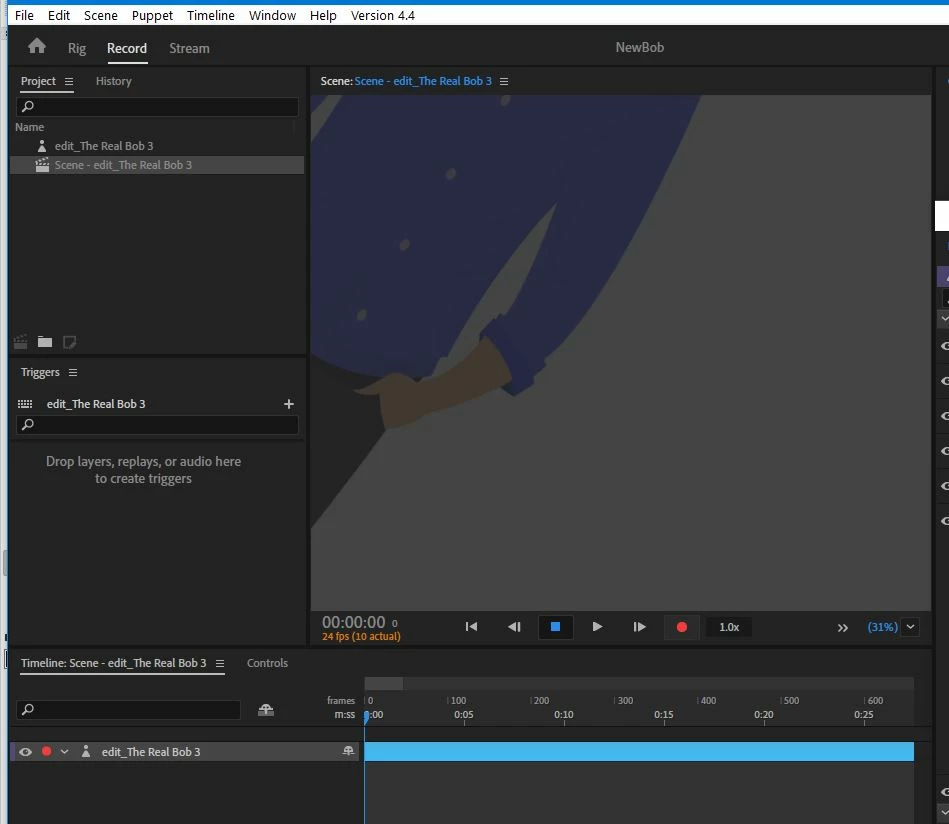
Hi, in rig mode the background color is white, which is what I want, but when I go to scene mode I get this which is not what I want.  
This topic has been closed for replies.

2 replies

Inspiring
August 12, 2021

Can you post a full UI screenshot instead of a cropped one while in Rig and Scene modes? It also looks like your character is washed out a bit, does it look like that in Rig mode? Is the opacity at 100% for your "edit_The Real Bob 3" layer while in Scene mode?

Inspiring
August 12, 2021

Inspiring
August 12, 2021

What about my question of how the puppet looks in Rig mode? Without a comparison it's hard to tell what's going on. On the left of the "Zoom Scene" dropdown (the bottom-right of the "Scene" panel that let's you change the zoom percentage, there's a double arrow icon. Behind that is a refresh button, if simply clicking that button doesn't help, try holding "Alt" then clicking it. This will clear the cache and refresh the scene.


What happens if you drag this puppet into a new scene or even a new project? Do you still get the same results?

k_oshiro
Community Expert
Community Expert
August 12, 2021

The background color can be switched by switching here.

k_oshiro(AdobeCommunityExpert)
Inspiring
August 12, 2021

i tried and no matter if I single or double click is doesn't change
