


luissanchez888
Participating Frequently
September 14, 2017
Question

Compute Lip Sync Not Working

  • September 14, 2017
  • 14 replies
  • 3826 views

Hello,

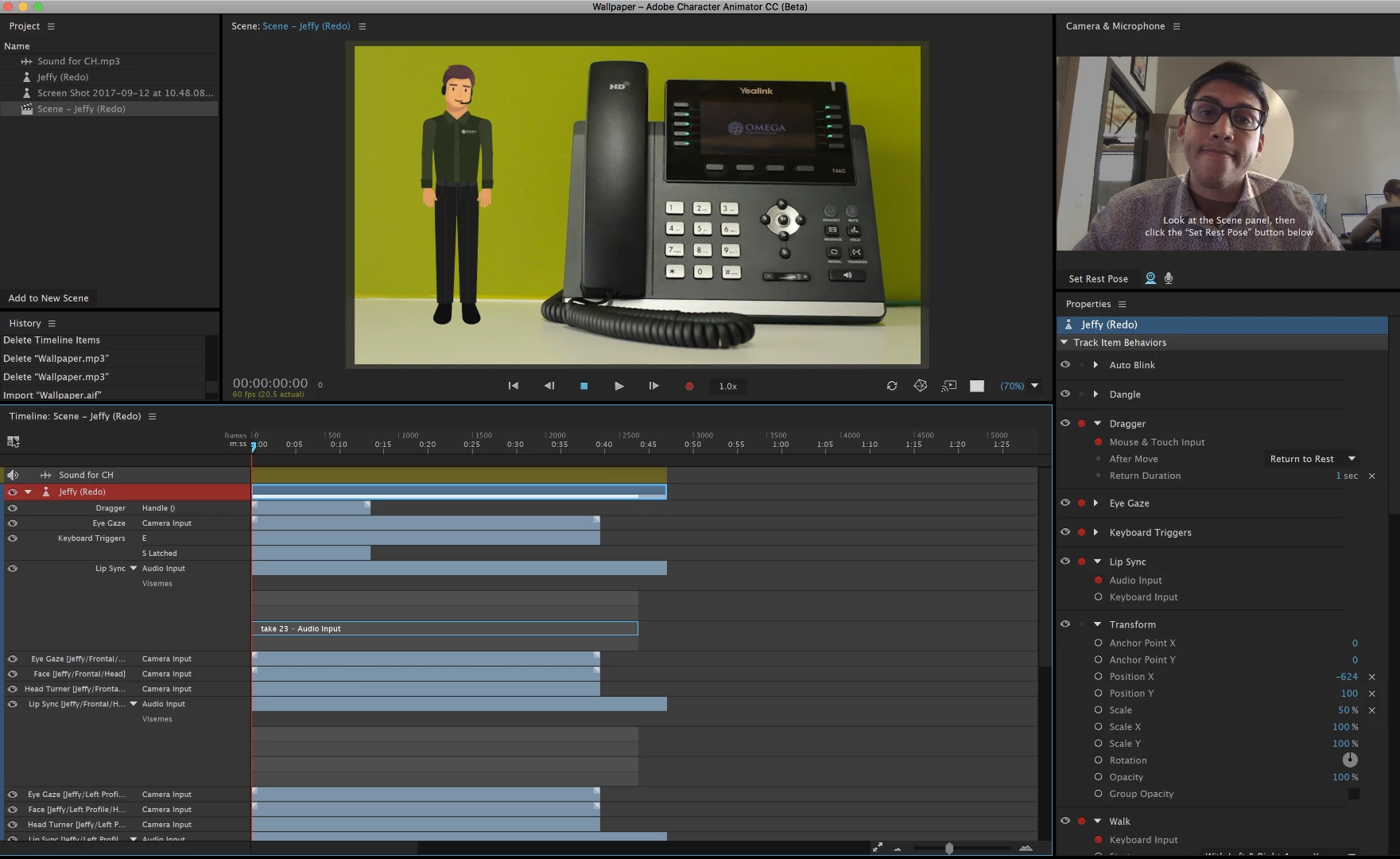
So far, the compute lip sync from scene audio has been working perfectly until just now. All of a sudden when I import an audio file (MP3) and try to compute the lip sync, it processes and goes through the loading bar, but it doesn't create the Visemes necessary for the mouth movements. So far I have tried other CH projects to see if it would work in those, but it is still not working. I've restarted my computer and checked for updates, and still nothing is working. As you can see in the screenshot, the only thing that happens after clicking on compute lip sync, is that these grey bars appear on the timeline, but no Visemes are actually there 😕😕 Is this a bug? How can I fix it?!?!?! I'm at work and have this project due! HALLLPPP!!! 😧
This topic is closed to new replies. Start a new post to keep the conversation going.

14 replies

Known Participant
October 12, 2017

I had this problem... Auto lip sync would invoke but record nothing, no vismes

I found by trial and error and some reinterpretation of instructions on the tutorials that if

in Scene arm My illustrator Puppet to RECORD then click out of the Scene into Puppet and then invoke auto lipsync from Timeline drop down it processed the compute correctly. (you can tell it is doing it's job because it takes a bit of time)

then you get your recording and vismes

it would be nicer if it just worked whilst in Scene mode

- Pete

Jeff Almasol
Adobe Employee
Adobe Employee
October 16, 2017

You shouldn't have to switch to the Puppet panel (Rig mode) for it to work -- it should work in the Scene panel (Record mode). If you have specific steps that reproduce this issue, we'd like to know. We haven't been able to reproduce it so far. Thanks.

oksamurai
Legend
September 14, 2017

That is SUPER weird - I've never seen that before. Can you DM me the mp3 file as a shared link (via Creative Cloud, Google Drive, Dropbox, etc.) to take a closer look?

luissanchez888
Participating Frequently
September 14, 2017

Hi,

Thanks for the fast reply! These were some of the files I was using:

Sound for CH.mp3 - Google Drive

Wallpaper.mp3 - Google Drive

Backlight.mp3 - Google Drive