Participant
Nov 7, 2021 10:26 PM UTC
Answered

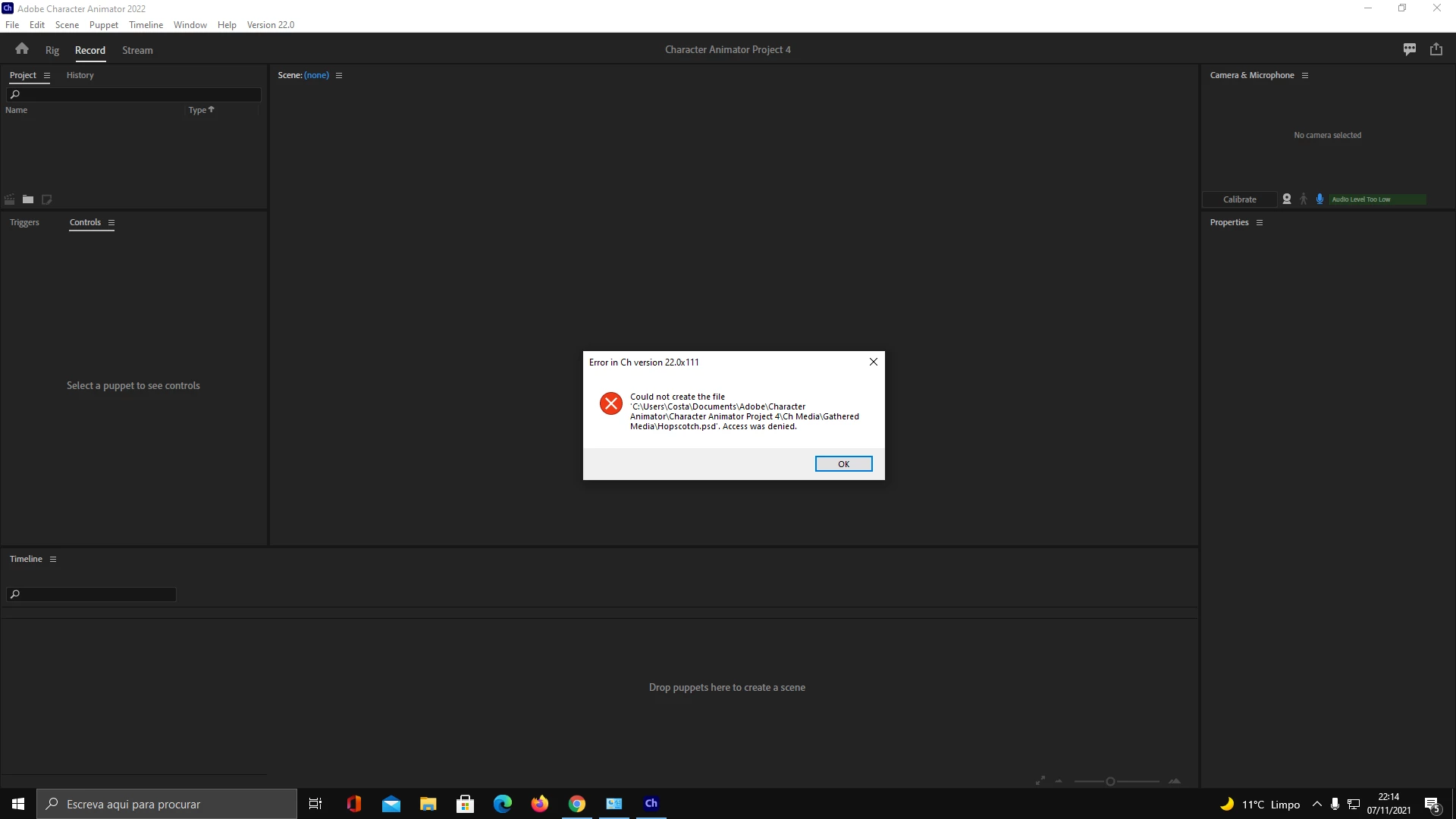
Could not create the file - Acess was denied

Hi, first time trying Character Animator. I can´t create a new project.


How I can fix this?
This topic is closed to new replies. Start a new post to keep the conversation going.
TheOriginalGC
TheOriginalGCCorrect answer
Community Expert
Nov 8, 2021 2:42 PM UTC

"Access was Denied" is usually an indicator that your system has protected folders that prohibit writing to them. If possible, see if you can direct the content to another file directory.

9 replies

Participant
Dec 22, 2021 4:17 AM UTC

can you guys atleast make a video showing how to fix it because that error is really slowing up my process on my work


Translate
Participant
Dec 22, 2021 1:27 PM UTC

Just turn off antivirus. It need to be the first thing you do before open the adobe character. If you open adobe character and turn off antivirus after it, you will have a lot of erros. If that happen, restart PC, turn off antivirus after it, an open character animator. It sck, but its the only way I found to work without problems.


Translate
Participant
Jan 3, 2022 9:37 AM UTC

Thank You. Turned off Avast and virus and it worked!

Translate
Participant
Nov 8, 2021 8:25 PM UTC

Tried that before, tried again but on another disk and it worket. Is it some error happening on disk C:

Translate
TheOriginalGC
Community Expert
Community Expert
Nov 8, 2021 8:36 PM UTC

I wish I could say for certain, but file handling is far from my area of expertise. There are a lot of factors, such as whether a folder is hidden, read-only, etc.

Translate
Participant
Nov 9, 2021 10:30 PM UTC

It's the antivirus, Ransomware protection. I cant save Character Animator files on disk (C:) if I have the antivirus turned on.

Translate
TheOriginalGC
Community Expert
TheOriginalGCCommunity ExpertCorrect answer
Community Expert
Nov 8, 2021 2:42 PM UTC

"Access was Denied" is usually an indicator that your system has protected folders that prohibit writing to them. If possible, see if you can direct the content to another file directory.

Translate
Participant
Apr 12, 2022 7:07 PM UTC

Very Import is how to change directory

simply go to saved location (search) mine was under C:\Users\dell\Documents\adobe\........."

(1) copy adobe folder from their and put it on desktop

then go to Adobe Character Animator icon, right click - Properties - under Start in (field) change path to your new desktop location and thats it.


Translate