House of Sugars
Inspiring
June 26, 2017
Answered

Distortion

  • June 26, 2017
  • 9 replies
  • 4362 views

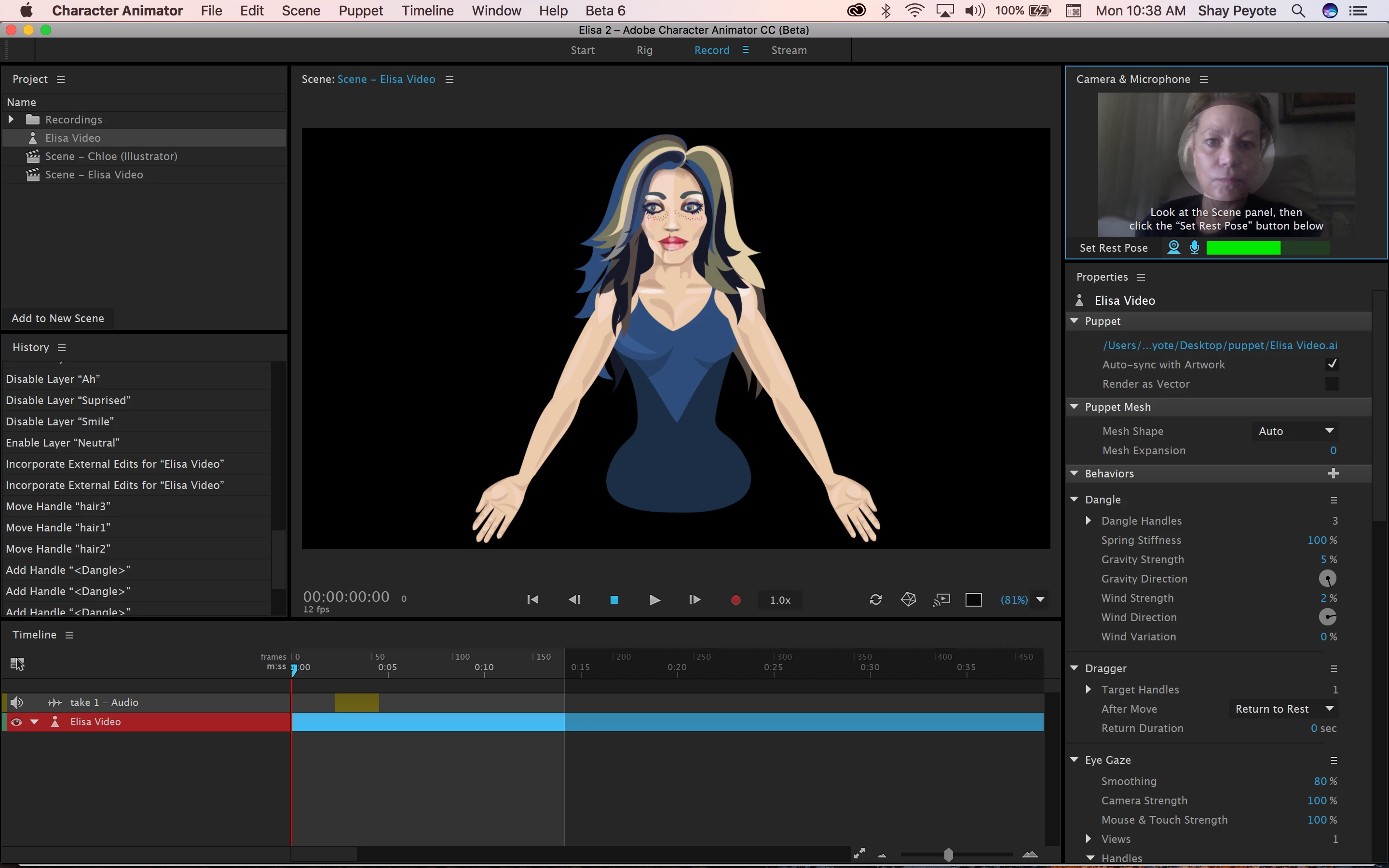
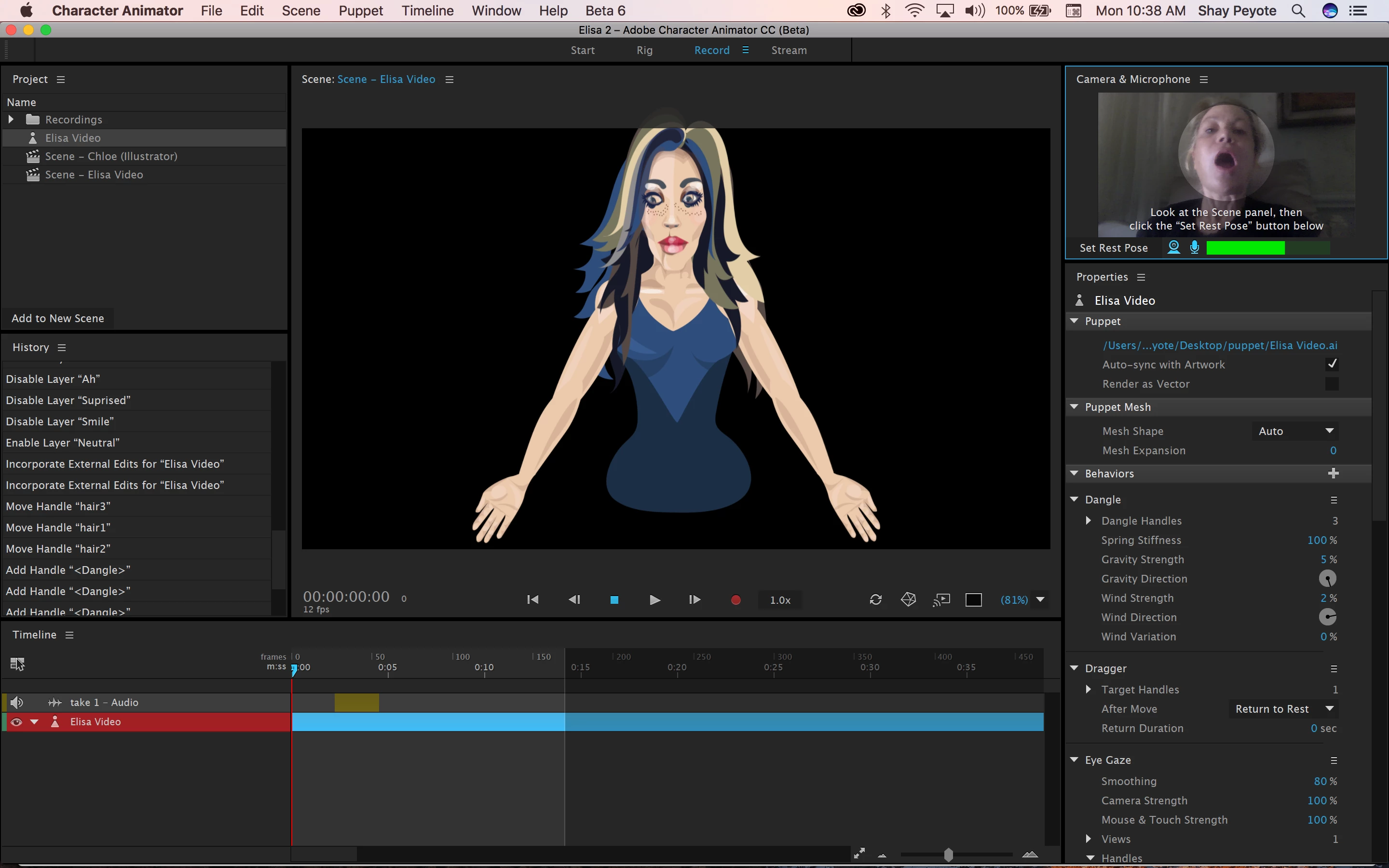
Hello! I'm rigging my first character ever, and I'm having lots of fun, but I've hit a bump in the road.....instead of the mouth opening, the head gets bigger! It seems to be a 'handles' problem? How are handles deleted? xxoo

    This topic has been closed for replies.
    Correct answer oksamurai

    BTW I'm following your tutorial, it's really good!!


    Try this: https://adobe.ly/2sasm1p

    • The whole puppet was tagged as a second head, which threw everything off. You only need the Head group to be tagged as a head.
    • The head had a draggable handle on it.
    • Face > Mouth Strength was set to 143%, the default is 0%.

    Hope that helps!

    9 replies

    House of Sugars
    Inspiring
    July 6, 2017

    OK the other problems solved themselves.
    I'm sorry to double-post, I promise I'll be aware not to do this in the future, but I realized this is the same problem I had with "Elisa' and I never really grokked how it got fixed? Clearly this is tagged wrong but after several hours of trying to fix it, I just can't figure it out! Doc.puppet - Google Drive

    oksamurai
    Legend
    July 10, 2017

    Hey Christina - Your biggest issue is just organization.

    • You have everything inside a group named Head. Instead, you should have everything in an independent group named Doc or whatever your character's name is. Notice that every example character has a +Character main group with their Head and Body groups inside.
    • You have multiple views inside your Head group, but outside of those view groups are some additional eyes and eyebrows. If you have multiple views, everything should be contained within view groups (see the Wendigo example from the Start mode).
    • You have 4 things tagged as "Head" - but only one should be - the main "Head" group.

    Although it's a PSD and you're using AI here, one thing that might help is using the blank template found at http://adobe.com/go/chexamples and using that as a guide (or for future puppets, filling in the blanks). Or just looking at those examples closer and making sure your organization is the same.

    House of Sugars
    Inspiring
    July 12, 2017

    Thank you! The fixed illy file really made a big difference. It's difficult to organize them because it's hard to put things in layers and sub-layers and groups, but I'm learning.
    I'm making a lyric video for learning purposes, is there any way to improve the lip-sync performance in compute lip sync from scene audio? Doc Wanting House.puppet - Google Drive

    House of Sugars
    Inspiring
    July 6, 2017

    OK more puppets more problems....why won't the mouth move or change at all? Doc.puppet - Google Drive

    House of Sugars
    Inspiring
    June 30, 2017

    I'm getting rid of the 'divit' shadows above the mouth, I've removed them in Illy and they're gone in 'rig' but they're still showing up in 'record'. I've tried re-starting.

    House of Sugars
    Inspiring
    June 30, 2017

    House of Sugars
    Inspiring
    June 26, 2017

    Also, my Character animator isn't opening your revised puppet, I can't get it open; that's the reason I thought it was no different!

    oksamurai
    Legend
    June 26, 2017

    Are you running Beta 6? When you open up CH, what does it say next ot the Help menu?

    If not, you should update via the Creative Cloud desktop app.

    House of Sugars
    Inspiring
    June 26, 2017

    Yes! Beta 6. I have a creative cloud account, the latest of everything. I'm just a lot more creatively inclined than technical!

    House of Sugars
    Inspiring
    June 26, 2017

    WOW that looks amazing! Thanks!
    Where is the tags column?? I can't find it anywhere!!

    House of Sugars
    Inspiring
    June 26, 2017

    And I apologize for my lack of experience, but Try this: https://adobe.ly/2sasm1p

    doesn't seem to work any better?

    oksamurai
    Legend
    June 26, 2017

    Works for me - I don't see any of the old issues anymore.

    When you select something, the tags column on the right will let you tag or untag parts. If it's lit up, it's tagged - if not, it's not.

    House of Sugars
    Inspiring
    June 26, 2017

    How do I delete tags and handles?

    oksamurai
    Legend
    June 26, 2017

    Nie character! Hmmm - Hard to say without seeing the puppet file, but if I had to guess it's probably something pulling the mesh that shouldn't, like the eyebrows (do they have a crown icon next to them?), or the eyes, or the head has a jaw tag somewhere throwing stuff off, etc. Could be a few things.

    Could you share here or DM me your .puppet file (File > Export > Puppet) via a shared link on Google Drive, Dropbox, or Creative Cloud to take a closer look?

    House of Sugars
    Inspiring
    June 26, 2017

    Yes!! Thank you so much. Character Animator - Google Drive

    oksamurai
    Legend
    June 26, 2017

    Try removing the +/crown from head and see if that helps.

    If it doesn't, can you upload the .puppet (File > Export > Puppet)? It looks like you just uploaded the .chproj + folders and .ai file. The puppet file is an easier way to share artwork + rigging.