

Martinnel
Inspiring
November 16, 2018
Answered

Dotted lines to Origin

  • November 16, 2018
  • 1 reply
  • 1873 views

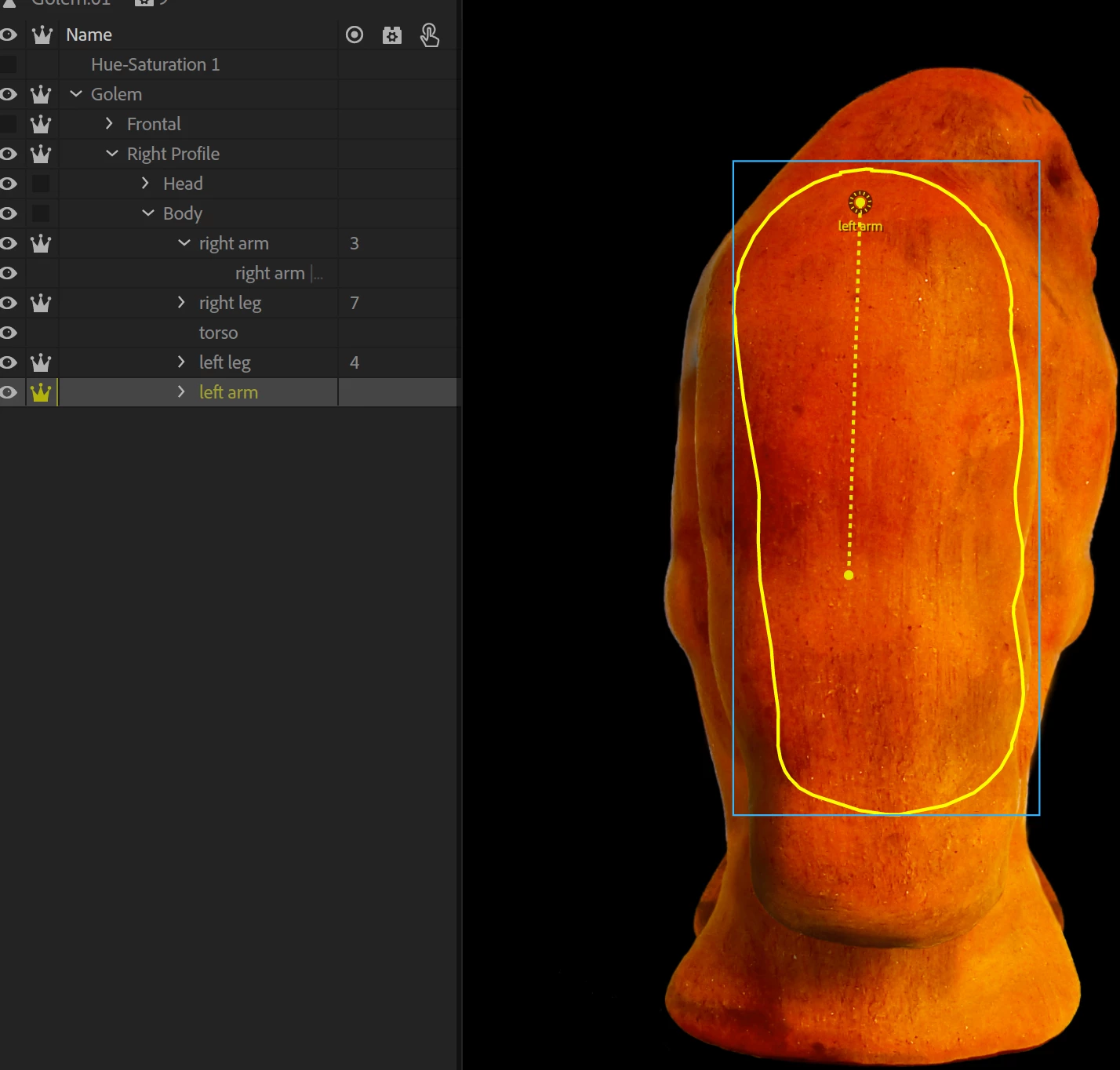
I'm trying to follow the excellent Walking (Adobe Character Animator Tutorial). But when I drag my origins (5:50), I get a dashed line running from the original origin to wherever I drag it (see image). This seems to be causing me a lot of distortion when I walk. Dave isn't showing these origin lines. What am I doing wrong?

Thanks,

Martin
    This topic has been closed for replies.
    Correct answer alank99101739

    I would not worry about the dotted line. I am more worried that the origin marker has not turned green (the circle is yellow). On the properties panel, is “Attach To” set to “Auto”? It might be set to “Body” - I recommend setting to “Auto”. You should then see a green area you can drag their origin handle over (the Body layer) where you get it turn green. That is my guess.

    Otherwise can you include a screen shot of the parent Body layer selected, plus the Arm layer but the properties panel (Normally over on the right side of the screen).

    1 reply

    alank99101739
    alank99101739Correct answer
    Legend
    November 16, 2018

    I would not worry about the dotted line. I am more worried that the origin marker has not turned green (the circle is yellow). On the properties panel, is “Attach To” set to “Auto”? It might be set to “Body” - I recommend setting to “Auto”. You should then see a green area you can drag their origin handle over (the Body layer) where you get it turn green. That is my guess.

    Otherwise can you include a screen shot of the parent Body layer selected, plus the Arm layer but the properties panel (Normally over on the right side of the screen).

    Martinnel
    MartinnelAuthor
    Inspiring
    November 18, 2018

    Thanks Alan. You're always very generous with your time and I appreciate it. Switching to "Auto" did address the question I posted. Unfortunately, I was hoping that would fix my larger problem—it didn't. I've marked this thread correct and have started a new one with the issue that still plagues me.

    Just because you asked, here is a screen shot of the parent Body layer selected, plus the Arm layer but the properties panel. This is after I switched to "Auto."

    Martin