


scotte57842618
Known Participant
December 15, 2016
Question

Double Trouble (Audio)

  • December 15, 2016
  • 7 replies
  • 715 views

I'm having a little bit of bother

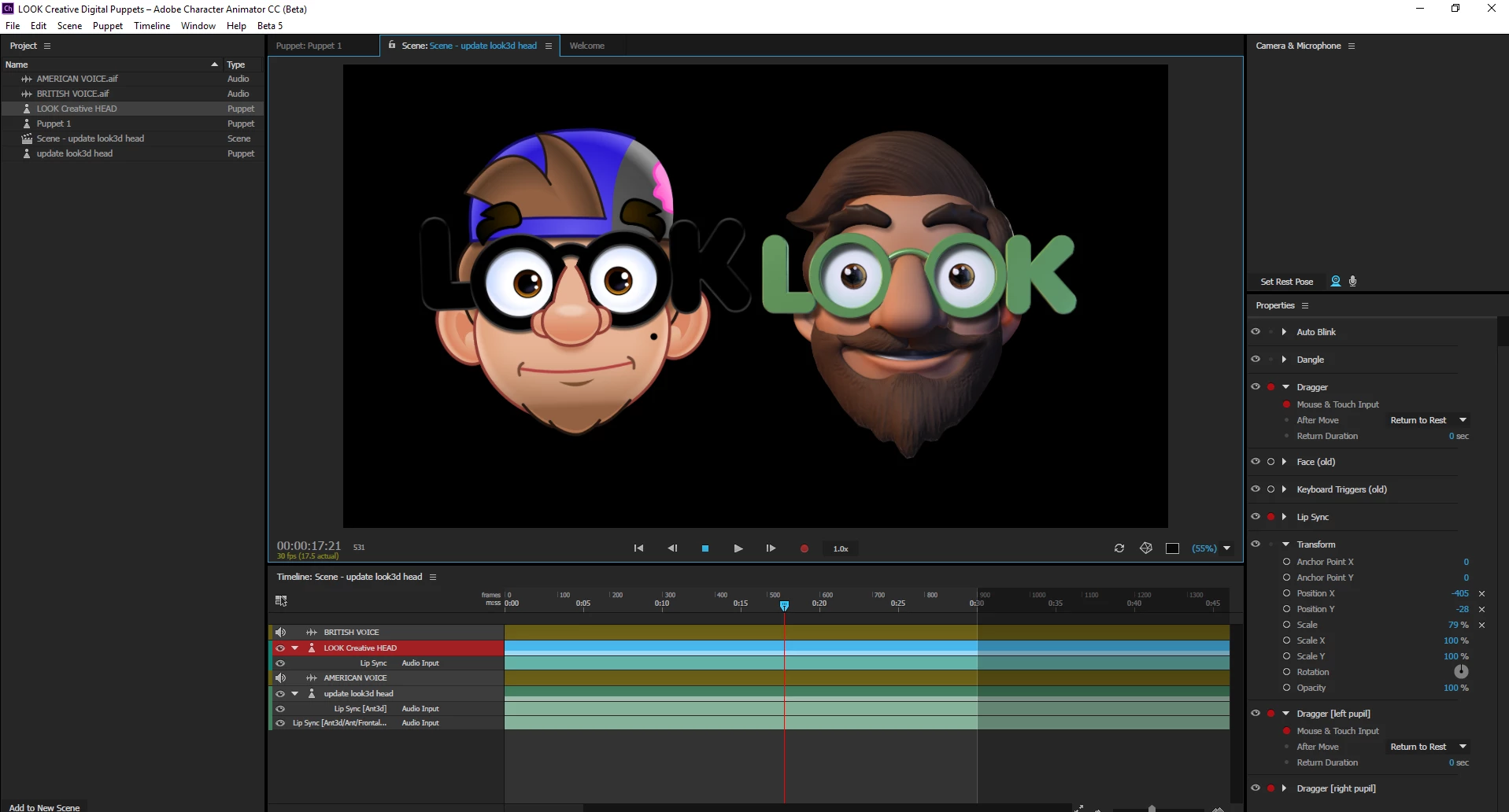
I have two characters on the time line and two audio files, one for each character. However, both of the characters keep lip syncing to both audio files. How can I make each puppet lip sync to the separate audio files?
    This topic is closed to new replies. Start a new post to keep the conversation going.

    7 replies

    scotte57842618
    Known Participant
    December 16, 2016

    How would you bring a scene into another scene then?

    KJerryK
    Legend
    December 16, 2016

    I just drag it in, but I haven't used it very often.

    With two puppets in the same scene I've found that muting the appropriate audio works fine for choosing which puppet syncs with which audio track.

    scotte57842618
    Known Participant
    December 15, 2016

    Is it possible to render them separately and then bring them, with their lip syncs, into the same scene together?

    KJerryK
    Legend
    December 16, 2016

    You can drag one scene into another, but can only re position the puppet in the dragged-in scene by going back to its original scene.

    scotte57842618
    Known Participant
    December 15, 2016

    I've taken the second off for the moment now and Im going to render them separately, as having the two seems to slow the system and makes the frame rate drop.

    oksamurai
    Legend
    December 15, 2016

    Yes, currently (unfortunately) the only option is "compute lip sync from scene audio" - meaning ANY audio in the scene will be used to do the lip sync. Eventually we would love every puppet to have their own dedicated voice track with waveforms and better lip sync editing - but that's a work in progress. The best thing to do now is to either do them individually, or compute and then split & delete out the unnecessary parts (that's actually what I did for the Jetpack Early Adopter, because I only had one track with both voices on it).

    KJerryK
    Legend
    December 15, 2016

    Try muting the audio tracks that you don't want synced to each puppet. Just click the little speaker icon to the left of the track.