

wasy350
Inspiring
October 10, 2018
Answered

Entire head blinks when I blink eyes

  • October 10, 2018
  • 5 replies
  • 1312 views

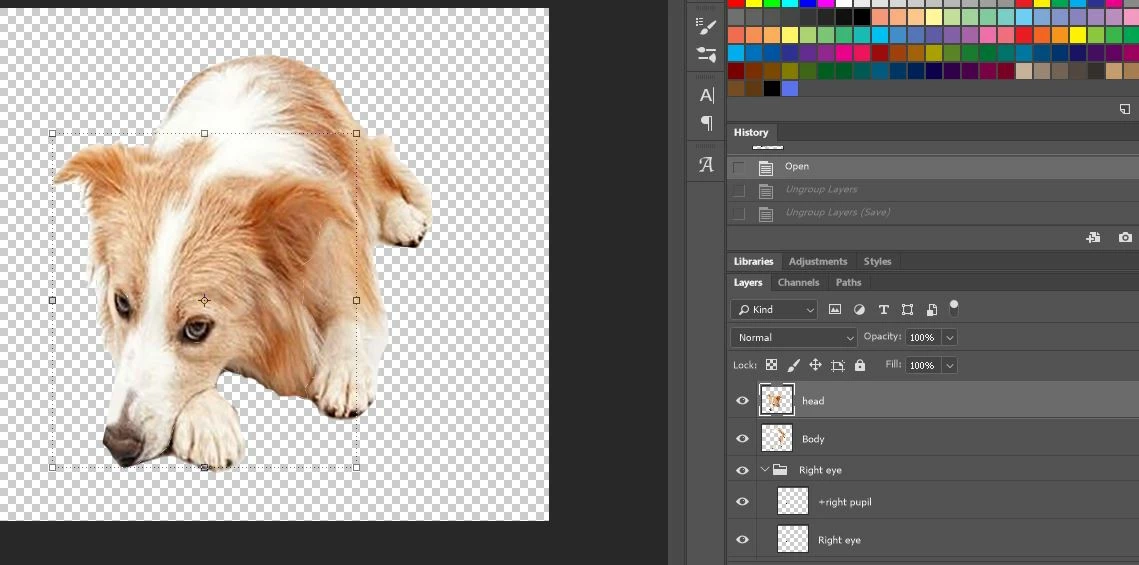
The head blinks along with the eyes - blink is having issue. I've done this many times now and it should be easy at this point. Are my layers in wrong order?
    This topic is closed to new replies. Start a new post to keep the conversation going.
    Correct answer ScooterD76

    This looks like another case of CH auto tagging the face as a blink.... I would definately look through your tags first, and if its not there, maybe the hiearchy of your layers. I also use Illustrator as apposed to photoshop, so its a little different

    5 replies

    alank99101739
    Legend
    October 11, 2018

    I could not see the whole puppet hierarchy, but is there "right eye" under "right eye"? I don't use Photoshop much, but in Illustrator that can result in extra tagging that gets things confused. I would go through the tags on the eyes to make sure they are all okay in Character Animator.

    How are you doing blinking? Using autoblink? Are you using a blink layer, keyboard trigger, or the Face behavior etc?

    As a reminder, the "tags" in the tag panel are automatically created based on layer names, so multiple layers with the same name can result in additional unwanted tags. I like clicking on the "A" button as I find the text easier to read than the graphical representation. The tags matter, with duplicate tags causing problems.

    Oh, and in case useful, this is my blog on debugging eyes: https://extra-ordinary.tv/2018/04/21/debugging-character-animator-eyess/ - I am sure it has lots of things you don't need but sharing in case it has any useful hints. Your eyes are much simpler I am sure, but I could not see how you were trying to do them. A screen shot of the CH hiearchy would be useful.

    ScooterD76
    ScooterD76Correct answer
    Legend
    October 11, 2018

    This looks like another case of CH auto tagging the face as a blink.... I would definately look through your tags first, and if its not there, maybe the hiearchy of your layers. I also use Illustrator as apposed to photoshop, so its a little different
