



Entire puppet mesh doesn't show & bounding box is not snug
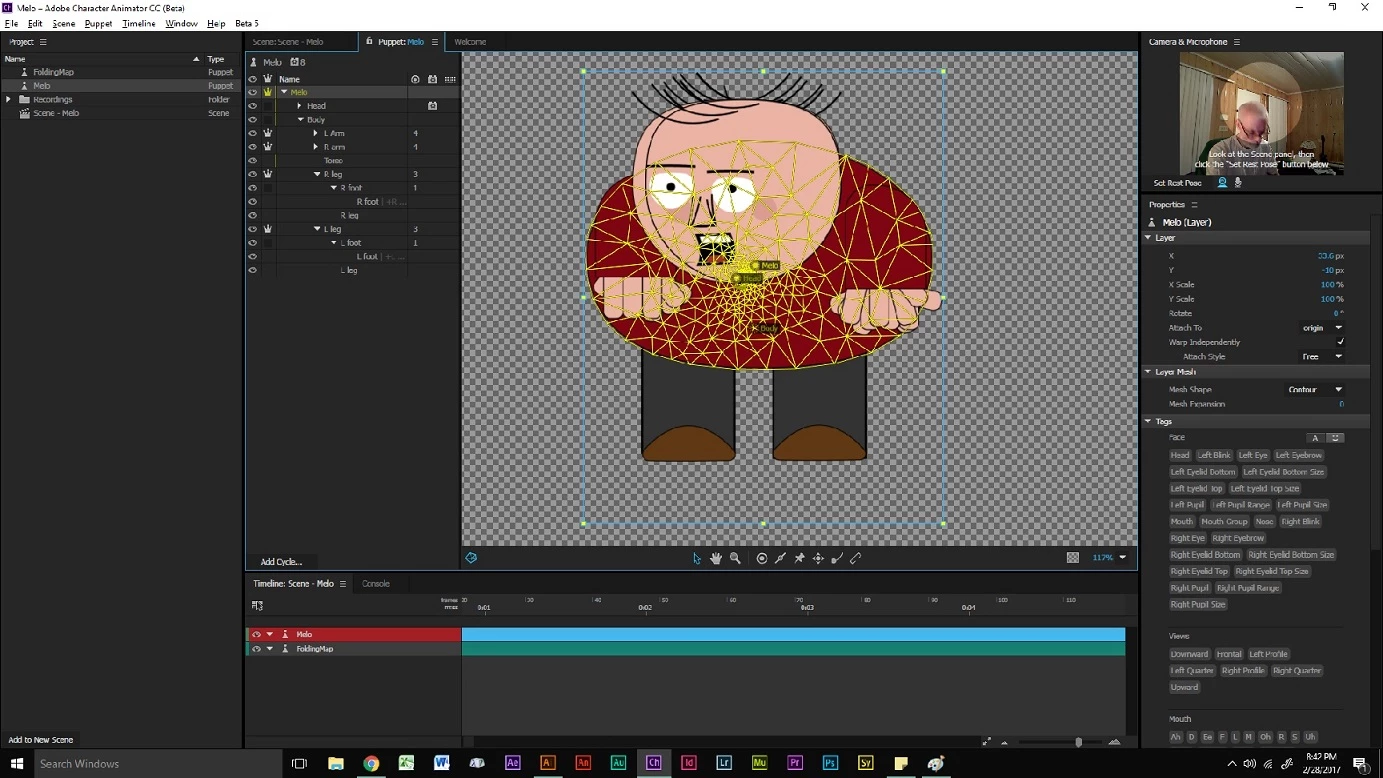
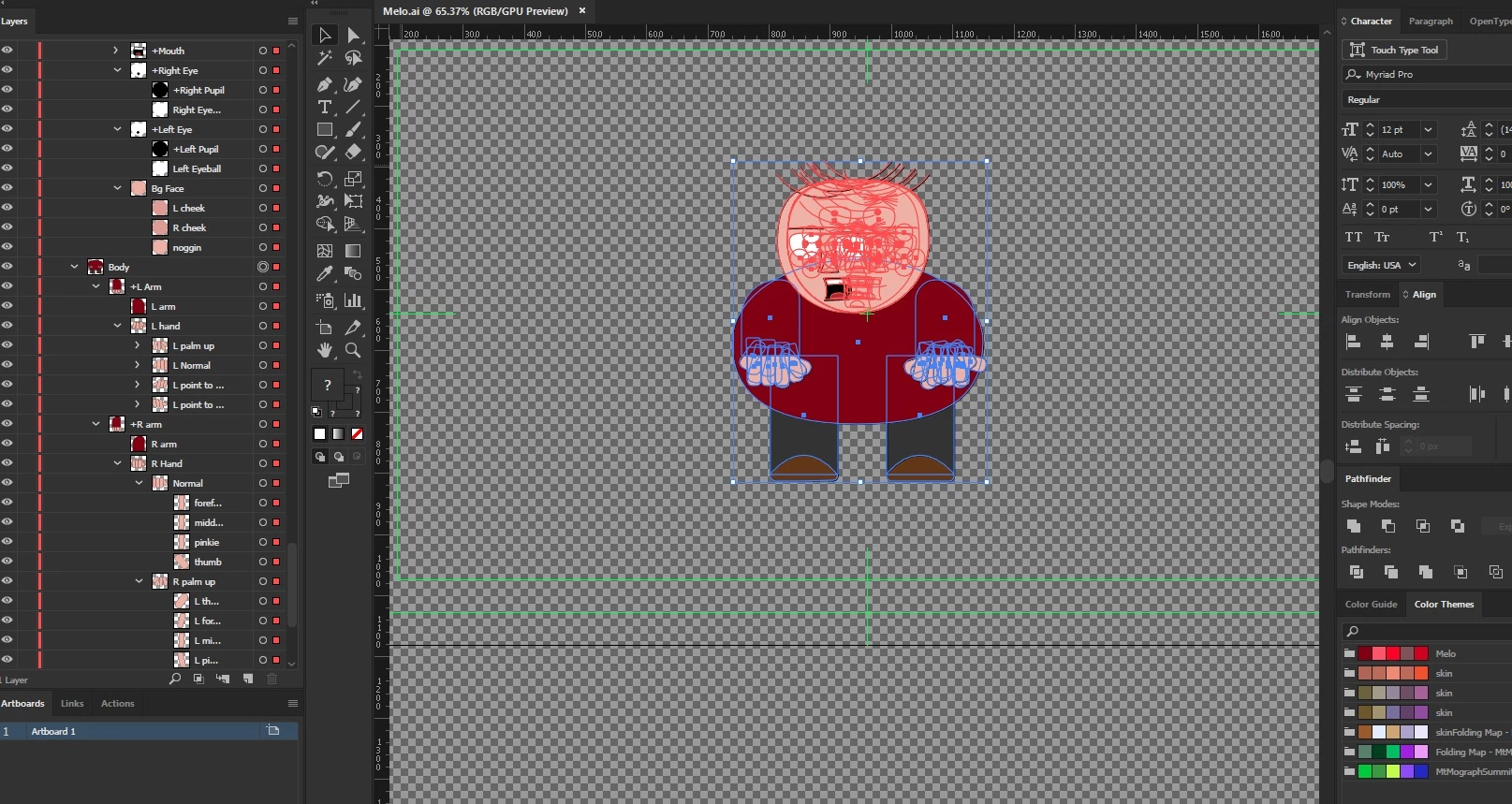
When selecting the main puppet layer, then clicking on the "show mesh" button, only the torso reveals its mesh. And the torso is a sublayer within the body. I can click on any individual sublayer and the mesh shows up, no problem But why doesn't the entire mesh appear en toto? Also, I have a bounding box issue. Here are screenshots of the mesh problem and the bounding box issue. Notice that the main character layer is highlighted and the "show mesh" button is activated. Also, look below the feet. Notice the elongated, superfluous area in the bounding box. Below is a screenshot of my Illustrator file with all objects selected by hitting Ctrl-A. Notice that there is no extraneous artwork in the AI file below the character's feet. So, why the extra space in the bounding box?
 AdChoices