


Participant
October 21, 2020
Answered

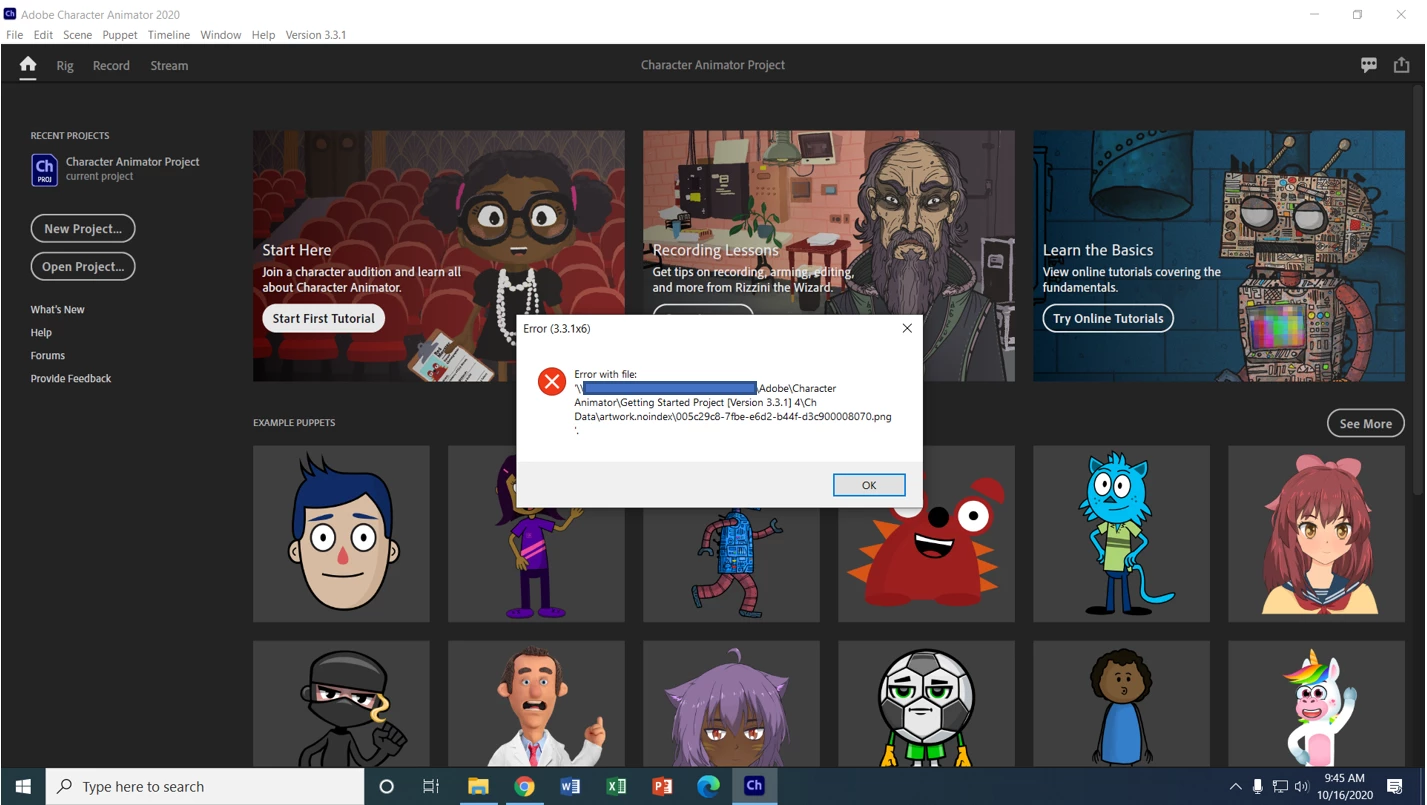
Error (3.3.1x6) When Starting First Tutorial

  • October 21, 2020
  • 2 replies
  • 1130 views

When clicking the Start First Tutorial button in Character Animator, a message (3.3.1x6) pops up and indicates that there is an error with the file. This happens on every computer I have tried it on at our school. We have a teacher who is wanting to use this for her students. I have tried updating Creative Cloud and Windows with no luck. When you click the Start First Tutorial button, it acts like it wants to create the project but immediately bounces back with this. The folder that it is mapping to continuously creates a new version of this file every time you click the start button. Any ideas?
 

This topic has been closed for replies.
Correct answer dtull-adobe

I suspect this is related to the Documents folder being remapped to a network share. As I think about it, I'm surprised we haven't hit this question before, but copying the project to a network share and opening it there probably won't be a very good experience (and in this case doesn't work at all). The error could be due to an I/O error or permission error of some sort.


A workaround could be to navigate to the Character Animator install folder and manually making a copy of those projects from the "Support Files/chprojs" folder to a local location on your machine?


We'll have to think a bit on how to better accomodate this situation since in education and corporate environments the configuration isn't uncommon.


Dan Tull


2 replies

Jim Acquavella
Adobe Employee
Adobe Employee
October 21, 2020

How much free disk space is available on your hard drive?  Trying making more room?

jwalsh322Author
Participant
October 21, 2020

It is redirected to a file server, so there is over a terabyte of storage available.

dtull-adobeCommunity ManagerCorrect answer
Community Manager
October 21, 2020

I suspect this is related to the Documents folder being remapped to a network share. As I think about it, I'm surprised we haven't hit this question before, but copying the project to a network share and opening it there probably won't be a very good experience (and in this case doesn't work at all). The error could be due to an I/O error or permission error of some sort.


A workaround could be to navigate to the Character Animator install folder and manually making a copy of those projects from the "Support Files/chprojs" folder to a local location on your machine?


We'll have to think a bit on how to better accomodate this situation since in education and corporate environments the configuration isn't uncommon.


Dan Tull


Erica Schisler
Inspiring
October 21, 2020

Hi! you mentioned that you tried updating Character Animator? But the screenshot says 3.3.1. Are you able to update to 3.4? 

jwalsh322Author
Participant
October 21, 2020

Hi Erica!

When I go in to update apps, it shows that 3.3.1 is the latest version. It shows this even after I clicked "Check for Updates"


Erica Schisler
Inspiring
October 21, 2020

See Jim's note about disk space. This is likely the issue.

But for updating the software, try logging out of CC app and logging back in. Then you should see updates for almost every product at Adobe (all launched yesterday), including Character Animator.