


Participant
January 30, 2020
Question

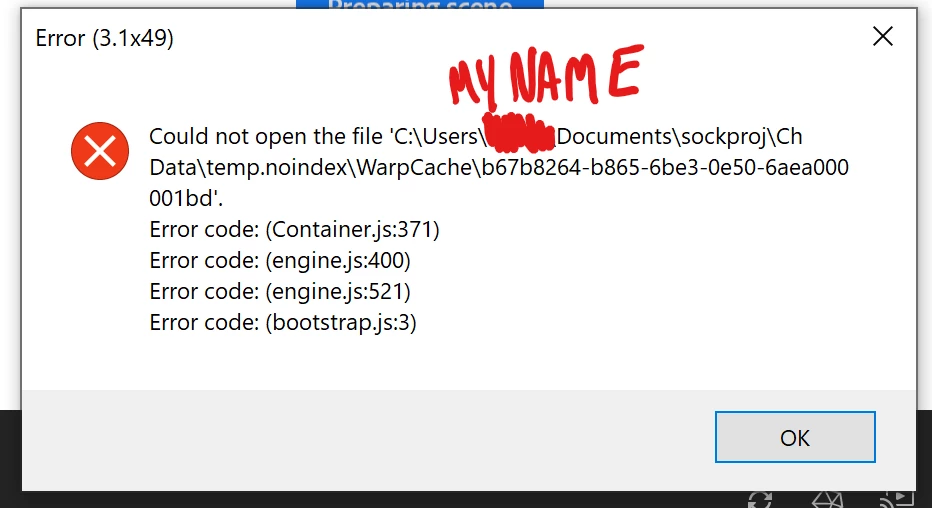
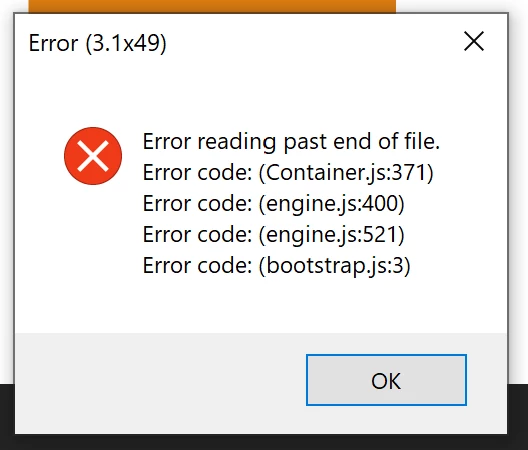
error code 3.1 x 49

  • January 30, 2020
  • 3 replies
  • 1489 views

Whenever I load a scene I have an error code that pops up "3.1 x 49". i've attached pictures showing the error messages that are popping up.  I'm trying to do this on a surface pro 7, it was working two days ago while i was initially rigging it, and after I deleted the background and initial sketch drawing in the photoshop file the next day I started getting all these problems in character animator with multiple puppets on the tablet.


I've tried old puppets that have worked on other computers, reinstalling character animator, loading unrigged photoshop files, refreshing and clearing the cache, starting new blank projects with unrelated puppets, going back in history. The only thing that has worked so far is trying a different project on a different computer or pressing visibility/refreshing the scene until I randomly don't get that error.
This topic is closed to new replies. Start a new post to keep the conversation going.

3 replies

SockmanAuthor
Participant
January 30, 2020

i think i may have solved it, i was editing the photoshop file and tried a save as and saved over the file and a pop to "maximize compatibility" popped up, i clicked yes and it has been reliably loading since then.

GoodHorizon
Participant
March 26, 2020

I'm having the same problem when I try to create my charcater on CA, it shows the same error code, so, I think we got the same problem. How can I maximize compatibility?

Jeff Almasol
Adobe Employee
Adobe Employee
March 26, 2020

If this is with Photoshop artwork, try doing a File > Save As in Photoshop, then after specifying the file name, hopefully the Photoship Format Options dialog box (with the "Maximize Compatibility" option) appears.


If that dialog box doesn't appear, re-enable it by going into Photoshop Preferences > File Handling > File Compatibility, and setting "Maximize PSD and PSD File Compatibility" to Ask.


If that still doesn't help, try updating to the latest version of Character Animator, v3.2, from the Creative Cloud desktop app. If you don't see it update available, try choosing Help > Check for updates from the Creative Cloud desktop app.


Let us know if this helps solve the issue. Thanks.