
Timvble
Participant
March 18, 2019
Answered

error code: (require-synchronous.js:19) Adobe Character animator

  • March 18, 2019
  • 1 reply
  • 938 views

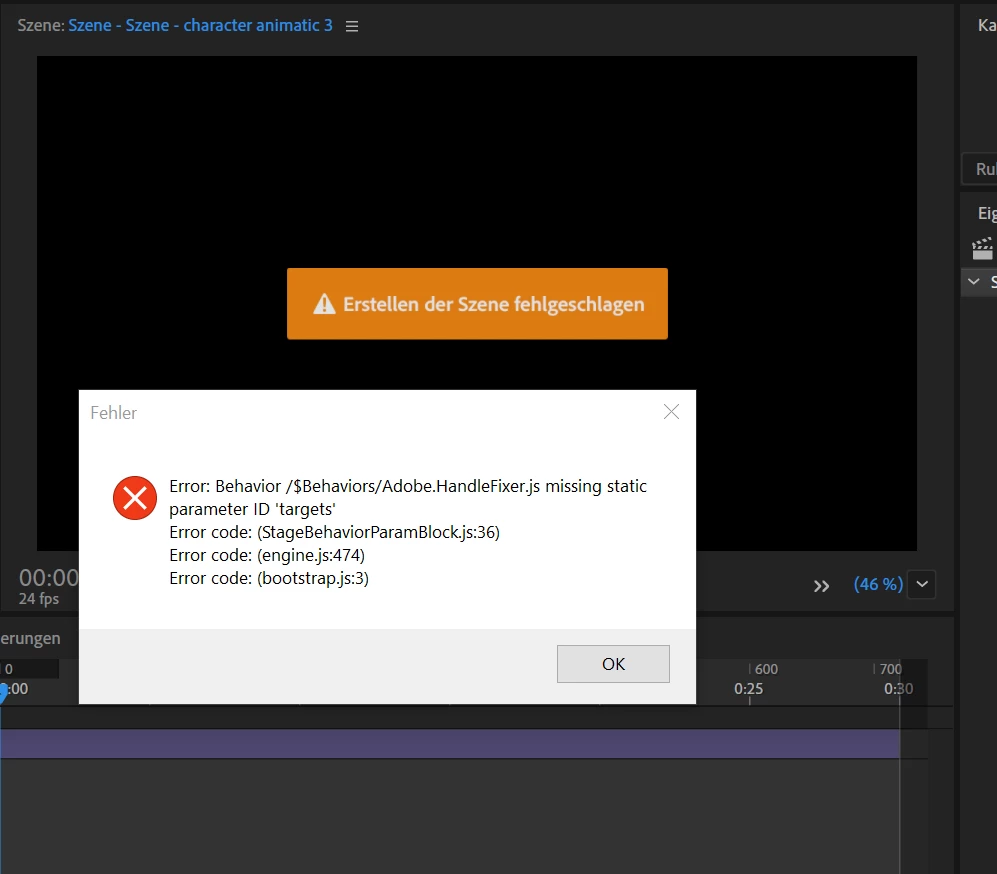
There's a problem with my character animator. As soon as I open Adobe Ch this problem shows up: data\temp.noindex\compiler\behaviorparambootstrap-adobe.fader.js error code: (require-synchronous.js:19) or also this (down below).

Does anybody know how to fix this?

Kind regards Timon
    This topic has been closed for replies.
    Correct answer DanTull

    Ok, these errors definitely seems more like a lower level failure due to trouble reading and writing files in the location where the project is created. Translating that first error and looking at the path, I suspect this is because the project is on some sort of shared/server volume.

    If you dismiss the errors are you able to create a new project somewhere on your local computer instead of your (apparently networked) Documents folder?

    Thanks for posting the error messages, those seem like good clues to what is going wrong here.

    DT

    1 reply

    DanTull
    Adobe Employee
    Adobe Employee
    March 20, 2019

    That error suggests the project version is mismatched with the app version. Usually the project gets updated when opened with a newer version, so I'm not sure off hand how it could have happened.

    Did you navigate to an older state via the history panel or use this project with different versions? I don't think that behaviors params have changed in a very long time, so it could also indicate a lower level failure to initialize the scene or behavior runtime. Did you see any other error dialogs? If you (back up the project first) hold alt and push the refresh button on the scene panel does it recover?

    I may be able to diagnose further if you want to send me the project.

    DT

    Timvble
    TimvbleAuthor
    Participant
    March 28, 2019

    Dear DanTull
    Thanks for responding and your time.
    I've already tried this. Still not working :/
    There are three problems as soon as I open Ch.
    I just pinned them down below.

    Thank you!
    Kind regards


    DanTull
    Adobe Employee
    DanTullCorrect answer
    Adobe Employee
    March 28, 2019

    Ok, these errors definitely seems more like a lower level failure due to trouble reading and writing files in the location where the project is created. Translating that first error and looking at the path, I suspect this is because the project is on some sort of shared/server volume.

    If you dismiss the errors are you able to create a new project somewhere on your local computer instead of your (apparently networked) Documents folder?

    Thanks for posting the error messages, those seem like good clues to what is going wrong here.

    DT