


shooterstache
Inspiring
October 23, 2017
Answered

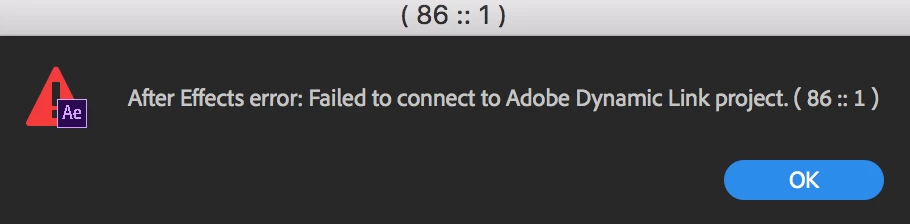
Error importing into After Effects
  • October 23, 2017
  • 3 replies
  • 606 views

I get this error when I try to drag scenes from CH to AE. I was using the beta when I got this message so I downloaded the new CH2018 but I still get the same error. I have tried to create new files/scenes, same issue. Does anyone know a fix? Thanks.

    This topic is closed to new replies. Start a new post to keep the conversation going.
    Correct answer Jeff Almasol

    Do you also have the After Effects CC 2018 release (version 15.0) installed, too? Dynamic Link requires equivalent versions of the products, so Character Animator CC 2018 and After Effects CC 2018.

    If you do have those versions installed, quit all applications, launch After Effects, import the .chproj file into AE's Project panel, then see if that works.

    3 replies

    Jeff Almasol
    Adobe Employee
    Jeff AlmasolCorrect answer
    Adobe Employee
    October 23, 2017

    Do you also have the After Effects CC 2018 release (version 15.0) installed, too? Dynamic Link requires equivalent versions of the products, so Character Animator CC 2018 and After Effects CC 2018.

    If you do have those versions installed, quit all applications, launch After Effects, import the .chproj file into AE's Project panel, then see if that works.

    shooterstache
    Inspiring
    October 23, 2017

    Thanks that seemed to have worked. Is that now the preferred method over dragging and dropping your scenes in? Or was mine just a mess because I had different versions of each program then upgraded CH?

    Jeff Almasol
    Adobe Employee
    Adobe Employee
    October 23, 2017

    Drag-and-drop should work, but yeah all the app versions should be compatible first. Glad that worked for you.