

Participant
August 4, 2019
Question

Error parsing properties list from file

  • August 4, 2019
  • 2 replies
  • 2016 views

I love Adobe Character Animator, but every time i try to use it, after about a half an hour it gives me an error like this:
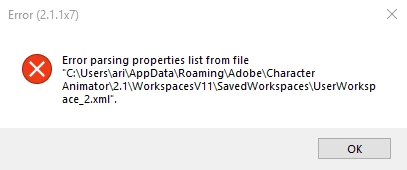
Can somebody help me fix this???

    This topic has been closed for replies.

    2 replies

    DanTull
    Adobe Employee
    Adobe Employee
    August 5, 2019

    Ok, I found the place in the code that produces this error. It is in shared code and accordingly, I see some similar reports for Premiere and After Effects. I think there was another thread for Character Animator at one point, but I don't think I ever got to the bottom of what was causing the issue.

    A few questions to try to figure out what's up here:

    * by chance is your user account synchronized across a network?

    * do you have custom workspaces?

    * If you can send me a zip file containing the WorkspacesV11 folder*, maybe I can find some clues in there?

    * once the error happens does it happen repeatedly or it is every half our (or so) you hit it and then it goes away again for a while?

    * (related) if you dismiss it, does the app work or do you need to restart or what?

    My suspicion is that there's a process (virus scanner, indexer, etc) that is grabbing onto that file and so the app hits an error trying to read it or there was a similar error hit that caused it to be written in an invalid state.

    DT

    * one thing that might be interesting here is to send it once and then zip it up again while this error dialog is up and see if there's differences between the two (grasping at straws a little here) that might explain the error

    Participant
    August 5, 2019

    1.No

    2.What is a costum workspace?

    3.WorkspacesV11.zip - Google Drive

    4.It happens repeatedly.

    5.If i dismiss it then the app continues to work until i press again on the scene then the error shows up again.

    DanTull
    Adobe Employee
    Adobe Employee
    August 5, 2019

    1.No

    Ok, so I can discard that hypothesis.

    2.What is a costum workspace?

    Just a workspace where you've re-arranged or closed/opened panels, especially if you use the workspace menu to save it as a new saved layout in addition to the default ones.

    3.WorkspacesV11.zip - Google Drive

    The two xml files seem well formed at a glance. This zip file was from when the error was not occurring?

    4.It happens repeatedly.

    Ok, so whatever is getting into a bad state is persistently bad. If the above zip is indeed at a time when the error wasn't occurring, I'd be curious to get one when it is (or confirm that when the error is occurring, zip complains that it cannot open one of the files because it is already open). That might give me a lead to follow.

    5.If i dismiss it then the app continues to work until i press again on the scene then the error shows up again.

    Does it happen again on a relaunch of the app?

    My other next step is to walk step through this code and see if that gives me any clues as to how it might get into a state where it repeatedly fails as you're describing.

    DT

    alank99101739
    Legend
    August 5, 2019

    For that sort of strangeness I would reach out to DanTull​ and see if he can share some wisdom.