


Known Participant
November 10, 2023
Question

Error when trying to open Puppet Maker

  • November 10, 2023
  • 1 reply
  • 745 views

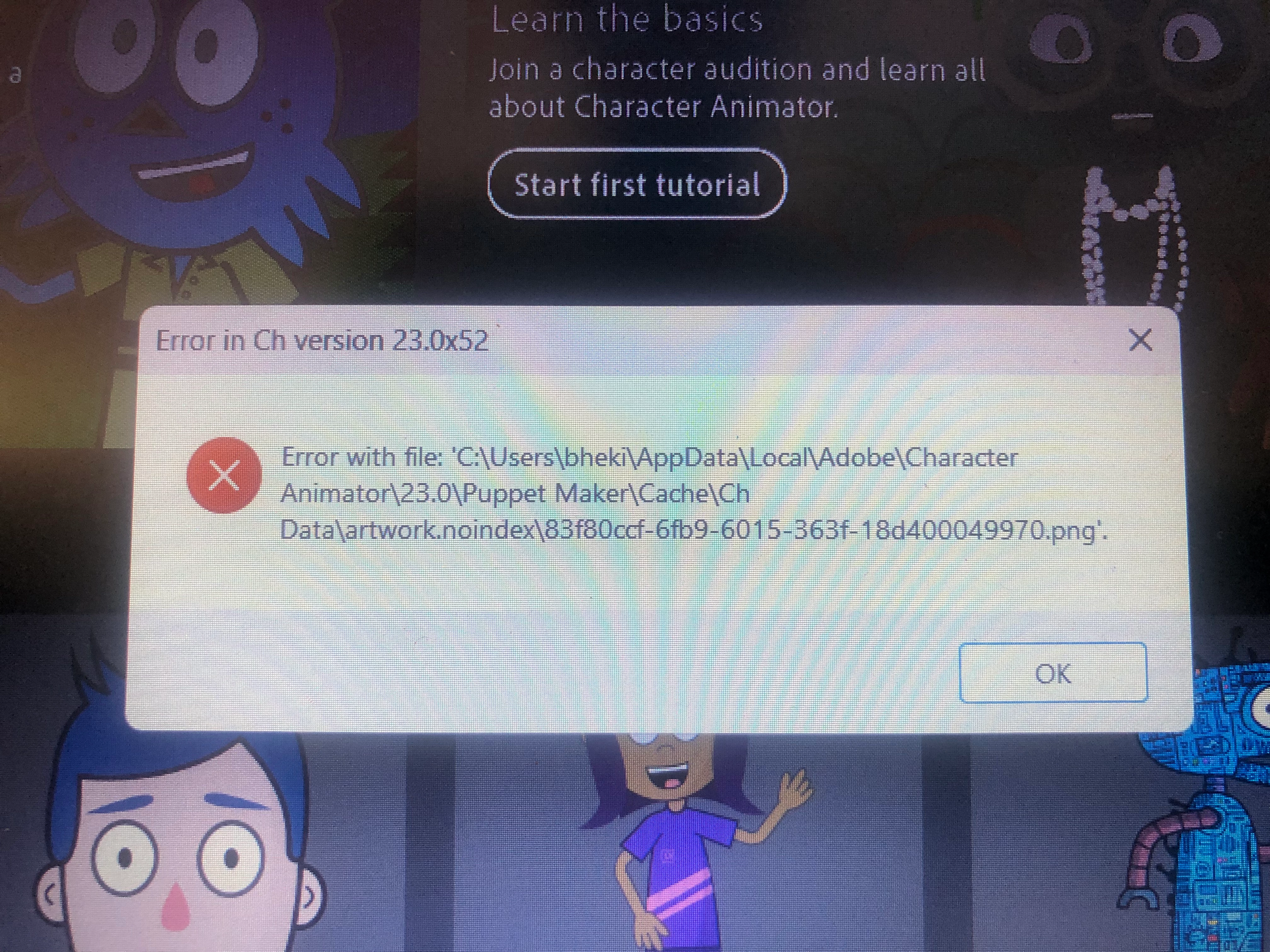
I installed Character Animator a week ago on my Windows laptop. It was working fine until yesterday when I was opening Puppet Maker and I got an error. I've attached the image of the error. I've since uninstalled and reinstalled the latest version, installed version 23.1 and I'm getting the same error. I've also tried following the suggestions from this forum, such as holding the alt key when opening the app, holding the shift key when opening Puppet Maker and creating a zip file of the Character Animator folder. Nothing has worked. Please help.
This topic has been closed for replies.

1 reply

Community Manager
November 10, 2023

A generic file error like that suggests something unexpected going on. If it is always the same file it might mean a bit of damage in file system blocks holding that file. If the error happens, but it is for different files, it might suggest a program like a search indexer or virus scanner that is fighting with Character Animator for access to the files in that directory.

If you navigate to that folder, you should be able to delete that entire Cache folder. The next time you try to open puppet maker, it should generate a new one and hopefully be ok. I will say that if it really is that same file every time I'd be curious for you to do an experiment if you don't mind. Try opening that file by double clicking it in Explorer to see if it opens ok in that case. If not, I'd be curious to get a copy of the file to inspect it.

Thanks and hope that helps!

Known Participant
November 11, 2023

Thanks for taking time to respond. I get the same error when I try opening Puppet Maker. Tried navigating and I could only get to the Puppet Maker folder and it's empty. I tried attaching a zip of the Character Animator I have installed and the .zip file is not supported here. Is there another way I can send you the file? 

Known Participant
November 14, 2023

Seems it was a memory issue. I've  upgraded my RAM and 'BOOM' it works. Thank you for attempting to assist.